Calculate Your Solar Panel kWh Output Before You Buy (Free Calculator Inside)
Updated:
Grab your solar panel specs and electricity bill—you’re about to discover exactly how many kilowatt-hours your solar setup can generate and whether it’ll actually cover your energy needs. Most people dive into solar projects with enthusiasm but fuzzy math, leading to oversized systems that waste money or undersized ones that disappoint. A kWh solar panel calculator cuts through the guesswork by accounting for your panels’ wattage, your location’s sunlight hours, system efficiency losses, and seasonal variations.
I learned this the hard way during my first solar installation when I assumed “more panels equals more power” without calculating actual production. My garage ended up generating 40% more electricity than needed while my workshop sat in the dark. The reality is that a 300-watt panel doesn’t produce 300 watts constantly—it produces varying amounts throughout the day based on sun angle, weather, and temperature. Understanding kilowatt-hours (the actual energy stored and used) versus watts (instantaneous power) transforms you from someone buying panels to someone designing an effective system.
This calculator approach works whether you’re powering a tiny shed, offsetting home electricity costs, or planning an off-grid cabin. You’ll learn to multiply panel wattage by peak sun hours, apply real-world efficiency factors (typically 75-80% of rated capacity), and translate daily production into monthly and annual figures. The math takes five minutes but saves hundreds of dollars in equipment costs and prevents the frustration of systems that underperform expectations.
What Is a kWh and Why Does It Matter for Your Solar Setup?
Understanding solar panel kWh output helps you properly size your system for maximum efficiency and cost savings.
Breaking Down the Solar Math (Without the Headache)
Here’s the good news: calculating your solar panel’s daily output doesn’t require advanced mathematics. The basic formula is refreshingly simple: panel wattage × sun hours × efficiency = daily kWh.
Let me walk you through a real-world example. Say you’ve got a 300-watt solar panel sitting on your roof. Your area receives about 5 peak sun hours per day (that’s the average amount of time the sun delivers its strongest rays). Finally, account for efficiency losses from weather, dust, and inverter conversion, which typically runs around 75-80%. Let’s use 0.75 for our calculation.
Here’s how it breaks down: 300 watts × 5 hours × 0.75 = 1,125 watt-hours, or 1.125 kilowatt-hours per day. Understanding how to convert watts to kilowatt-hours is essential for making sense of your energy production.
When I first installed my test panel, I was thrilled to see these numbers play out in reality. On a clear summer day, my 300-watt panel generated just over 1 kWh, almost exactly what the formula predicted.
The efficiency factor is your reality check. Perfect conditions rarely exist, so that 0.75 multiplier accounts for clouds, seasonal variations, and panel aging. Think of it as your honesty buffer. Some calculators use 0.8 for optimal setups, but I’ve found 0.75 gives you realistic expectations without disappointment.
How to Calculate Your Solar Panel’s kWh Output
Step 1: Know Your Panel’s Wattage
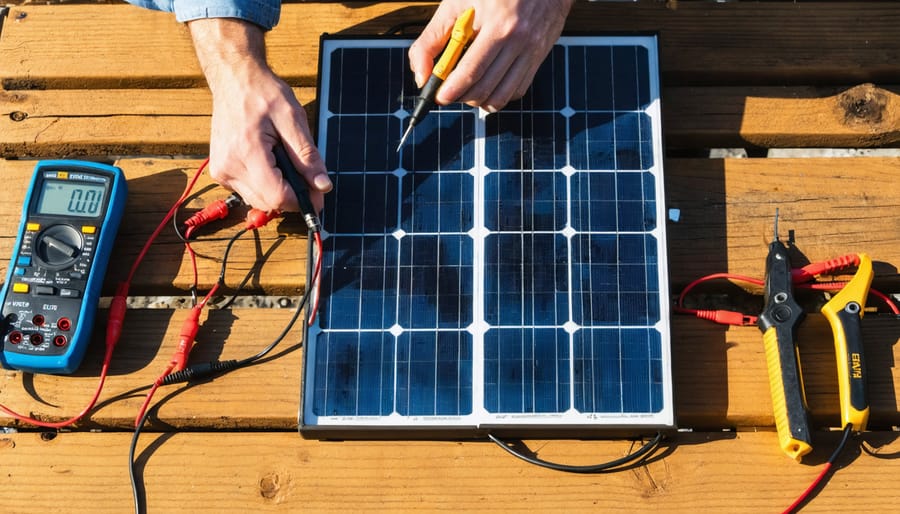
Before you can calculate how much energy your solar panel will produce, you need to know its wattage rating. This number is printed right on the panel itself, usually on a sticker on the back or side called the nameplate. You’ll see something like “300W” or “400W” – that’s your panel’s rated power output under perfect conditions.
Here’s something I learned the hard way during my first solar setup: that nameplate number represents peak wattage under ideal laboratory conditions (full sun, perfect temperature, no clouds). In real life, your panel won’t always hit that number. Think of it like your car’s MPG rating – the sticker says one thing, but actual driving conditions give you different results.
Most panels operate at about 75-85% of their rated capacity in typical conditions. So if you have a 300W panel, expect closer to 225-255W on average. Factors like shade, dirt, temperature, and panel angle all affect real-world output.
Don’t worry though – our calculator accounts for these real-world conditions. For now, just locate that nameplate wattage. It’s your starting point for determining how many kilowatt-hours your system can generate.
Step 2: Determine Your Peak Sun Hours
Here’s something I wish I’d understood earlier in my solar journey: peak sun hours aren’t the same as the hours between sunrise and sunset. When I first started planning my system, I made the rookie mistake of thinking my panels would produce their rated output all day long. Boy, was I in for a surprise!
Peak sun hours represent the time when your location receives sunlight at an intensity of 1,000 watts per square meter—that’s the standard testing condition for solar panels. Think of it this way: if you get 5 peak sun hours, it doesn’t mean the sun only shines for 5 hours. It means the total solar energy you receive throughout the entire day equals what you’d get if the sun was at its absolute strongest for 5 continuous hours.
Your actual daylight might stretch from 6am to 8pm, but the morning and evening sun is weaker. The angle of the sun, cloud cover, and atmospheric conditions all reduce that intensity. Those gentle morning rays and soft evening light just don’t pack the same energy punch as midday sunshine.
To find your location’s average peak sun hours, use our peak sun hours calculator. You’ll notice significant regional variations—Arizona might average 6-7 peak sun hours daily, while Seattle might see 3-4. Seasonal changes matter too. My system produces noticeably less in December than July, which is why I always calculate based on winter averages to avoid disappointment during shorter days.
Step 3: Account for Real-World Efficiency Losses
Here’s the reality check: those perfect numbers from manufacturers? They rarely happen in the real world. I learned this the hard way during my first installation when my panels produced about 20% less than expected. Turns out, several factors chip away at your panel’s theoretical output.
Temperature is a big one. Solar panels actually lose efficiency as they heat up, typically about 0.5% per degree Celsius above 25°C. On a hot summer day, your panels might be running at 85% capacity just from heat alone.
Then there’s the physical stuff. Dust, pollen, bird droppings, and general grime can reduce output by 5-7% if you’re not cleaning regularly. Shading is even worse—even a small shadow from a tree branch can dramatically impact production. The optimal panel angle also changes seasonally, so a fixed installation means you’re not always catching maximum sunlight.
Don’t forget your inverter, which converts DC to AC power. Even quality inverters lose 3-5% in the conversion process.
When you add everything up, most systems operate at 75-80% of their theoretical maximum. This is called the derating factor. So take your calculated kWh from Step 2 and multiply by 0.77 to get a realistic expectation. It’s better to underestimate and be pleasantly surprised than the other way around.
Step 4: Put It All Together
Let’s work through a real example together. Say you live in Phoenix, Arizona, and you’re planning to install a 400-watt solar panel on your garage roof. Phoenix gets about 6.5 peak sun hours daily on average.
Start with your panel wattage: 400 watts. Multiply by your peak sun hours: 400 × 6.5 = 2,600 watt-hours per day. Convert to kilowatt-hours by dividing by 1,000: 2,600 ÷ 1,000 = 2.6 kWh per day.
Now apply system losses. Most residential setups lose about 20% to factors like inverter efficiency, cable resistance, and temperature. Multiply 2.6 by 0.8 (which accounts for 80% efficiency): 2.6 × 0.8 = 2.08 kWh per day.
For monthly production, multiply by 30: 2.08 × 30 = 62.4 kWh. Annually, that’s 2.08 × 365 = 759.2 kWh.
When I calculated this for my own setup last year, seeing those actual numbers made everything click. That single 400-watt panel could realistically offset a significant chunk of my baseline electricity usage, and suddenly the investment made complete sense.
Real-world solar installations require accounting for panel wattage, location-specific sun hours, and system efficiency losses.
Using Our Free kWh Solar Panel Calculator
What Information You’ll Need
Before you dive into the calculator, let’s gather the essential information that’ll give you accurate results. Think of this as prepping your workspace before starting a project—having everything ready makes the process so much smoother.
First, you’ll need your location details. The calculator uses your zip code or city to determine how much sunlight your area receives throughout the year. This is crucial because solar panels in Arizona will produce very different results than those in Seattle.
Next, grab your solar panel specifications. Look for the wattage rating (typically between 250-400 watts for residential panels) printed on the panel itself or in the product documentation. You’ll also want to know how many panels you’re planning to install or already have.
Your system configuration matters too. Note whether you’re planning a grid-tied system, off-grid setup, or a hybrid approach. If you have battery storage, that affects your calculations as well.
Finally, gather information about your roof or installation area: the angle of your panels (or roof pitch), which direction they face (south-facing is typically best in the Northern Hemisphere), and any shading from trees or buildings during peak sun hours. When I first calculated my setup, I nearly forgot about that big oak tree—would’ve thrown off my entire estimate!
Matching Your kWh Production to Your Energy Needs
Common Power Consumption Examples
Understanding how much power different setups actually need has been a game-changer in my solar journey. When I first started, I had no idea if I needed three panels or thirty! Let me break down some real-world scenarios to help you visualize what different solar systems can actually power.
For a basic camping setup, you’re typically looking at 0.5-2 kWh per day. This covers essentials like LED lights, phone charging, a small portable fridge, and maybe a laptop. A single 100-watt panel with a decent battery can usually handle this comfortably.
A weekend cabin bumps things up to around 3-8 kWh daily. Now we’re talking about a small refrigerator running continuously, basic lighting throughout the space, water pump operation, and entertainment devices. You’ll probably want 400-800 watts of solar panels for this setup.
RV living full-time typically demands 10-20 kWh per day, depending on your comfort level. This includes air conditioning or heating, which are the real power hogs, plus all your regular appliances, entertainment systems, and work equipment if you’re remote.
Partial home backup systems usually target 15-30 kWh daily, covering critical circuits like refrigeration, some lights, internet equipment, and essential outlets. Many folks I know in our community start here before expanding.
A full home system can range wildly from 20-50 kWh per day for average households, though larger homes with electric heating or cooling can exceed this significantly. The national average sits around 30 kWh daily, but your mileage will definitely vary based on climate, home size, and lifestyle choices.
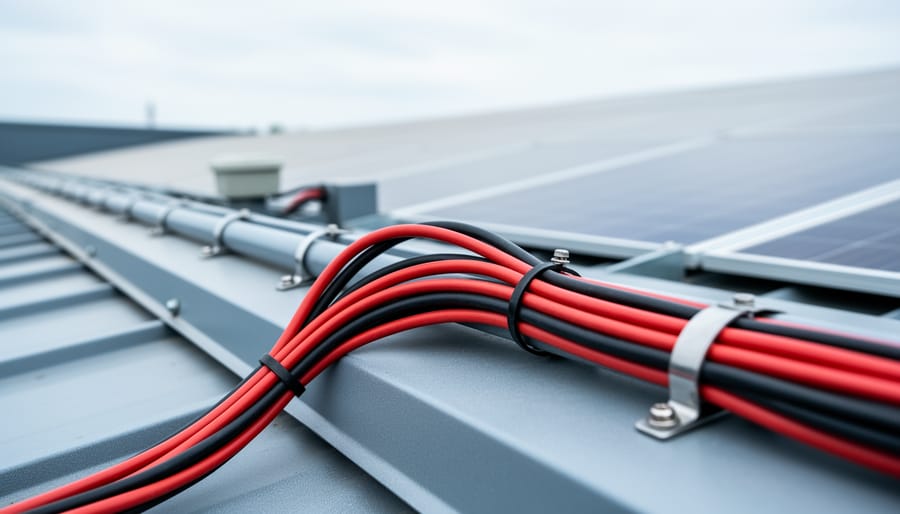
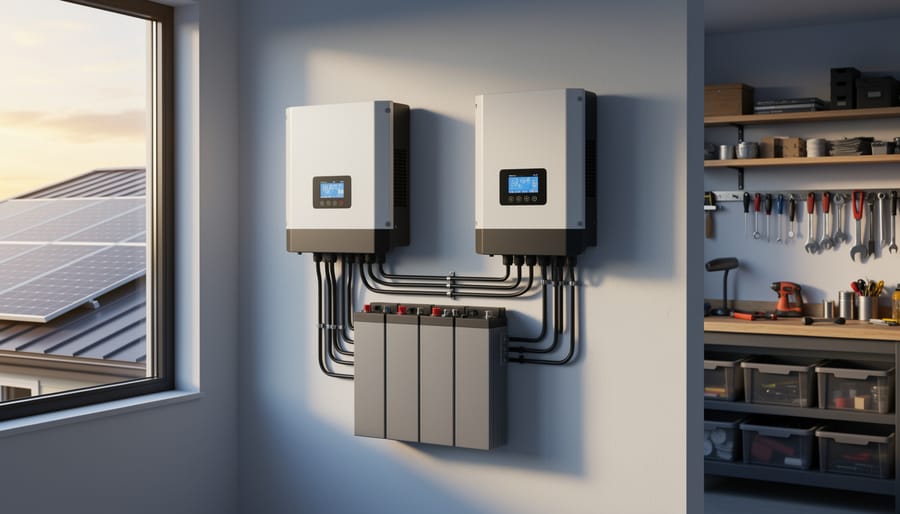
Proper system components like charge controllers and battery banks work together with accurate kWh production calculations.
Planning for Battery Storage
Once you’ve calculated your daily kWh production using the solar panel calculator, the next logical step is figuring out battery storage. I learned this the hard way during my first off-grid project when I assumed two batteries would be enough. Spoiler alert: they weren’t!
Here’s the connection: if your panels produce 30 kWh per day but you only use 20 kWh, you’ll want to store that extra 10 kWh for nighttime or cloudy days. Think of it like a savings account for energy. Your battery capacity calculator can help determine the exact size you need.
A practical rule of thumb is to size your battery bank for 1-3 days of backup power. Multiply your daily consumption by the number of backup days you want. For example, if you use 25 kWh daily and want two days of backup, you’ll need 50 kWh of usable battery capacity.
Keep in mind that most batteries shouldn’t be fully discharged. Lead-acid batteries should only discharge to 50%, while lithium batteries can safely discharge to 80-90%. This means if you need 50 kWh of usable capacity with lead-acid batteries, you’ll actually need a 100 kWh battery bank.
The sweet spot for most DIY solar systems is having enough storage to cover your overnight usage plus one rainy day. This balance keeps costs reasonable while providing reliable backup power.
Real-World Examples from the Field
Example 1: Weekend Camping Trailer Setup
I’ll share my friend Charles’s first solar setup – a perfect example of how these calculations work in real life. He started with a modest 200W solar panel for his weekend camping trailer, and tracking his actual results taught him everything about solar expectations versus reality.
Charles lives in Arizona and wanted to power his mini-fridge, LED lights, and phone chargers during weekend trips. Using our calculator, he estimated about 5.5 peak sun hours for his location. Here’s what the math looked like: 200W x 5.5 hours = 1,100 watt-hours, or 1.1 kWh per day.
After installing his system with a basic charge controller and a 100Ah battery, Charles kept a journal for three months. His average daily production? Right around 0.9 kWh. That’s about 82% of the calculated estimate, which is actually excellent for a real-world setup.
The difference came from real factors our calculator accounts for: panel angle wasn’t always perfect, dust accumulated between cleanings, and cloudy mornings occasionally cut into his sun hours. Charles learned that calculator results give you a solid baseline, but adding a 20% buffer for real conditions keeps your expectations realistic and your batteries charged.
Off-grid cabin installations demonstrate how proper kWh calculations ensure adequate power generation year-round.
Example 2: Off-Grid Cabin Power System
Let me tell you about my friend Sarah’s off-grid cabin project. She installed an 800W solar array in Montana, and her experience really highlights how important seasonal calculations are.
Sarah’s setup includes four 200W panels. During summer months with 6 peak sun hours daily, her system generates around 4.8 kWh per day (800W × 6 hours = 4,800Wh). That’s plenty to run LED lights, charge devices, power a small refrigerator, and even her laptop for remote work sessions.
Here’s where it gets interesting. Come winter, those same panels only receive about 2.5 peak sun hours due to shorter days and lower sun angles. Her daily production drops to roughly 2 kWh. That’s a 58% decrease! Sarah learned quickly to adjust her power usage seasonally and invested in a larger battery bank to bridge cloudy periods.
When planning an off-grid system, always calculate using your worst-case month, not the sunny summer average. Add a 25% buffer for real-world inefficiencies like dust, temperature effects, and aging panels. Sarah wishes she’d known this upfront—she would’ve started with 1,000W instead. Her advice? Plan for winter, celebrate in summer.
Example 3: Home Backup Power
When power outages hit your neighborhood, having backup power for essential appliances can make all the difference. I remember Charles telling me about his neighbor who kept their refrigerator, a few lights, and a phone charging station running during a three-day outage using a modest solar setup. Let’s calculate what you’d need for a similar system.
Start by identifying your critical loads. A typical emergency setup might include a refrigerator (150W running, but factor in startup surge), LED lighting (50W total), a phone charger (20W), and perhaps a small TV or radio (75W). That’s roughly 300W of continuous power, but plan for 500W to handle the refrigerator’s compressor cycles.
For a 3kW backup system, multiply your daily critical load hours by wattage. If those items run 8 hours daily during an outage, you need 2.4 kWh per day (300W × 8 hours). A 3kW solar array producing 12-15 kWh daily easily covers this while charging your battery bank.
The beauty of this approach is scalability. You can start with one or two panels to keep essentials running, then expand as your comfort level and budget grow. Many DIYers begin their solar journey exactly this way, learning the basics before committing to whole-home systems.
Common Mistakes DIYers Make (And How to Avoid Them)
Ignoring Seasonal Variations
I learned this lesson the hard way when I installed my first panels in October and celebrated my great numbers, only to watch them plummet come December. Here’s the reality: your solar panels will produce dramatically different amounts of electricity depending on the season.
In summer, you might see 6-8 peak sun hours daily in most locations, while winter can drop to just 2-4 hours. That’s potentially half the output! This happens because winter sun sits lower in the sky, takes a shorter path across it, and often hides behind clouds more frequently.
When using a kWh solar panel calculator, don’t just plug in your best sunny day numbers. Instead, calculate based on your location’s average annual sun hours, or better yet, check winter months specifically if you need consistent year-round power. Many calculators default to annual averages, which works great for grid-tied systems with net metering, but off-grid folks need to design for the worst-case scenario. Otherwise, you’ll find yourself scrambling for backup power when days get short and your battery bank runs low.
Forgetting System Losses
I learned this lesson the hard way during my first solar project. I calculated that my 400W panel would produce exactly 400 watts continuously throughout sunny days, and I’d have plenty of power for everything. Reality check: it didn’t happen. The issue? I forgot about system losses.
Real-world solar systems operate at about 75-85% efficiency, not 100%. You lose power through several unavoidable factors: your inverter converts DC to AC with about 4-8% loss, wiring resistance eats another 2-3%, and your charge controller (if you have batteries) takes its share too. Temperature effects matter more than you’d think – panels actually lose efficiency as they heat up in direct sunlight, typically dropping 10-15% below their rated output on hot days.
When you plug numbers into any calculator, always apply a system loss factor. Most professionals use 0.75 to 0.8 as a multiplier, meaning you should expect 75-80% of the theoretical maximum. This realistic approach prevents the disappointment of undersized systems and ensures your solar setup actually meets your needs when the sun is shining.
Undersizing for Future Growth
Here’s something I learned the hard way: I once installed a perfect solar setup for my workshop’s current needs, only to add a new welder six months later that threw everything off balance. When using your kWh solar panel calculator, don’t just input today’s energy consumption. Think about what you might add in the next 3-5 years. Planning to get an electric vehicle? That could add 30-40 kWh daily. Considering a home office upgrade or workshop expansion? Factor that in now. A good rule of thumb from the DIY solar community is to add 20-25% capacity beyond your current calculated needs. Yes, it costs more upfront, but it’s far cheaper than retrofitting additional panels later. Your calculator gives you the baseline, but you provide the forward-thinking vision for your energy future.
You’ve made it through the calculations, explored the variables, and hopefully tried out the calculator yourself. Now comes the exciting part: putting this knowledge into action. I remember when I first started mapping out my solar setup—I spent hours with a notepad doing rough estimates before discovering how much easier accurate calculations made the entire process. Those numbers became my roadmap, helping me avoid costly mistakes and size my system perfectly for my needs.
Here’s the thing: accurate calculations aren’t just about getting the math right. They save you real money by preventing you from overbuying panels you don’t need or underestimating your requirements and facing disappointing results. They eliminate the frustration of trial and error, giving you confidence before you invest a single dollar.
So go ahead and give the calculator a try with your own location, panel specs, and energy goals. Play around with different scenarios. See how adjusting your panel tilt or adding a few more modules changes your output. The beauty of solar is that you’re taking control of your energy future, one calculated kilowatt-hour at a time.
We’d love to hear about your solar journey. Join our community to share your projects, ask questions, and learn from fellow DIY solar enthusiasts. Check out our related tutorials for hands-on guidance with installation, wiring, and system optimization. Your path to energy independence starts with understanding your numbers—and you’ve already taken that crucial first step.
How useful was this post?
Click on a star to rate it!
Average rating 0 / 5. Vote count: 0
No votes so far! Be the first to rate this post.
We are sorry that this post was not useful for you!
Let us improve this post!
Tell us how we can improve this post?
charlesnoble
Here at Spheral Solar, I’m a hands-on solar power enthusiast, constantly exploring and experimenting with DIY solutions. I’m dedicated to sharing my discoveries, insights, and even the bumps I hit along the way, all in the pursuit of a more sustainable future.
How Many kWh Does Your Solar System Actually Need?… by Charlesnoble November 29, 2025 Calculate your daily energy consumption by checking your utility bill for the monthly kilowatt-hour (kWh) usage, then divide by 30 to get your average daily number. This single figure becomes your North Star for sizing any solar system, whether you’re powering a full household, weekend cabin, or portable camping setup.…
How Much Power Does an 8kW Solar System Actually… by Charlesnoble March 24, 2026 An 8kW solar system typically generates between 24 and 40 kWh per day, depending on your location, season, and installation quality. That’s enough to power most average homes completely, but the reality is more nuanced than a single number can capture. I remember installing my first 8kW array in Arizona…
Wire Your Solar Panels Wrong and Watch Your… by Charlesnoble December 22, 2025 Match your wire gauge to your system’s amperage before making a single connection—undersized wire creates dangerous heat buildup and wastes the energy you worked hard to capture. For most residential 12V systems running under 30 amps, 10 AWG copper wire handles the load safely, but calculate your specific needs using…
Stop Burning Out Your Solar Gear: Why Electrical… by Charlesnoble February 22, 2026 Grab your multimeter and calculator—understanding electrical conversions transforms confusing numbers into actionable data for your solar setup. When I first started working with solar panels, I’d stare at spec sheets showing watts, amps, and volts, completely baffled about which numbers actually mattered for sizing my components. That confusion nearly led…
Stop Guessing Your Battery Power: The Conversion… by Charlesnoble October 28, 2025 Grab your battery specifications and check three numbers that matter: amp-hours (Ah) tells you total capacity like a fuel tank size, watt-hours (Wh) reveals actual energy storage accounting for voltage differences, and reserve capacity (RC) shows real-world runtime at a steady draw. These measurements aren’t interchangeable labels for the same…
Why Your Solar System Needs a Usage Graph (And How… by Charlesnoble March 11, 2026 Check your solar inverter’s display screen or manufacturer app right now—most modern systems already generate real-time usage graphs without additional equipment. Your inverter likely shows daily production curves, typically peaking between 11 AM and 2 PM, which gives you instant insight into whether your panels are performing as expected. Download…
Subscribe for handpicked DIY projects, exclusive tips, and giveaways.
Route your PV wires through UV-resistant conduit within 18 inches of leaving the solar array, securing it every 3 feet with proper clamps to prevent wind damage and code violations. This single step prevents 80% of the wire degradation issues I’ve seen in DIY solar installations over the past decade. Group your positive and negative… Read more: Why Your PV Wire Management Could Fail Inspection (And How to Fix It)
Understand that 6000 volts sounds terrifying but delivers surprisingly low amperage—typically around 120 milliamps for just 3/10,000th of a second per pulse. This combination creates an unforgettable shock that trains animals to avoid the fence without causing lasting harm. The voltage pushes current through thick fur and hide, while the minimal amperage and microsecond duration… Read more: Why 6000 Volts Won’t Kill Your Livestock (But Will Stop Predators Cold)
Check the maximum voltage and current ratings first—these determine whether your controller can actually handle your solar panel array without frying itself on the first sunny day. I learned this the hard way when my first DIY system shut down every afternoon because I’d paired 600 watts of panels with a controller rated for only… Read more: Why Your Solar Setup Needs Both a Charge Controller and Inverter (And How to Pick the Right Ones)