How Solar Monitoring Systems Actually Talk to Each Other (And Why It Matters for Your DIY Setup)
Updated:
Check your solar panel’s data sheet for the communication protocol it supports—most modern systems use Modbus RTU, RS485, or CAN bus, and matching this protocol with your monitoring hardware prevents compatibility headaches before you start. Download the manufacturer’s protocol documentation and verify voltage levels match between your inverter’s output (typically 5V or 12V) and your monitoring device’s input requirements to avoid damaging components.
Purchase a protocol converter if your existing equipment doesn’t match—a simple RS485-to-USB adapter costs under $20 and lets you connect older solar charge controllers to modern Raspberry Pi or Arduino monitoring setups within minutes. Test the connection with free software like QModMaster or CoolTerm before investing time in custom dashboards, confirming that data packets transmit correctly and your monitoring system can read voltage, current, and state of charge values.
When I first tackled this in my own off-grid cabin, I assumed my charge controller would “just work” with any monitor—wrong. I spent three frustrating days troubleshooting until I discovered the baud rate mismatch. Set your serial communication parameters precisely: 9600 baud rate, 8 data bits, no parity, and 1 stop bit are standard defaults, but always verify against your specific device manual.
Understanding these communication fundamentals transforms solar monitoring from mysterious to manageable. Whether you’re building your first 100-watt panel setup or expanding a multi-kilowatt system, knowing how your components talk to each other empowers you to troubleshoot issues, optimize performance, and make informed upgrade decisions without relying on expensive installers.
What Is a Solar Monitoring System and Why Should You Care?
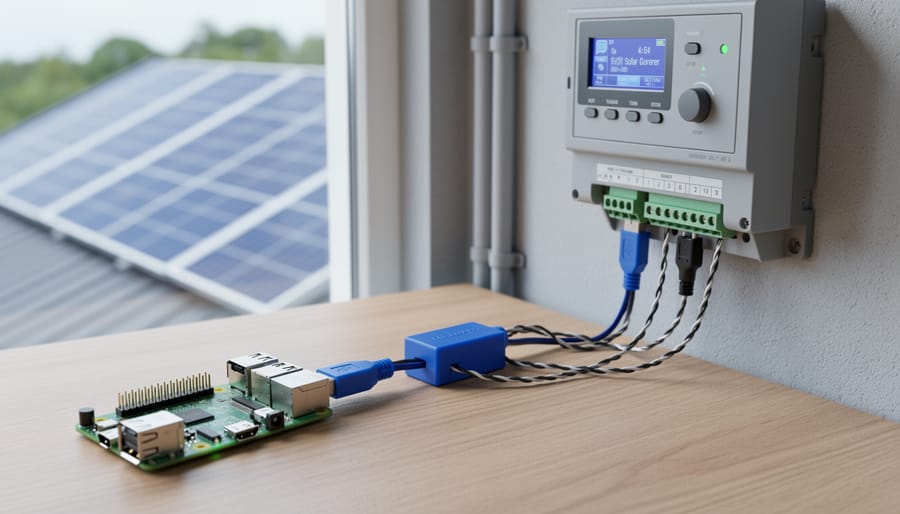
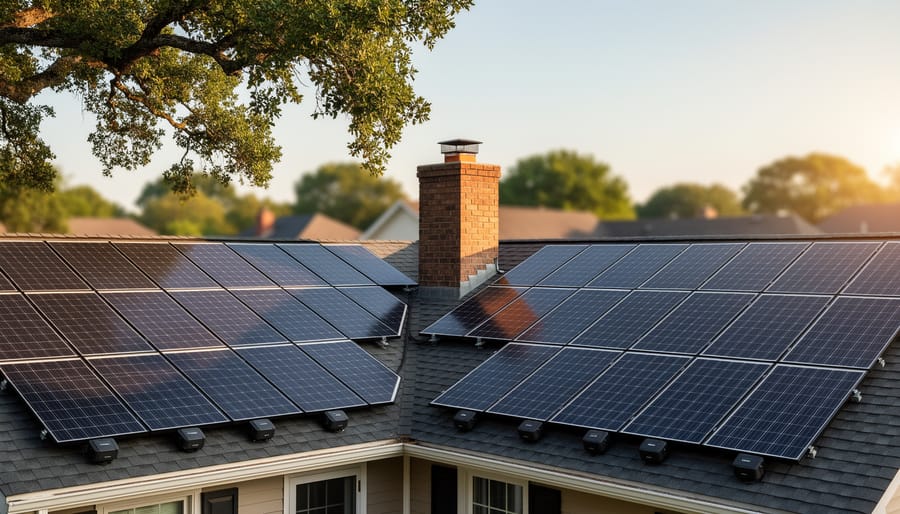
Modern solar installations include monitoring systems that track panel performance and communicate data in real-time.
The Basic Components Every Monitoring System Needs
Think of a solar monitoring system like the dashboard in your car. Just as your dashboard tells you speed, fuel level, and engine temperature, a solar monitoring system keeps tabs on your panels’ performance. But what exactly makes up this “solar dashboard”? Let’s break it down into four essential components that work together seamlessly.
First up are the sensors, your system’s eyes and ears. These little devices measure critical data like voltage, current, and temperature. I remember when I installed my first monitoring setup—I was amazed how these tiny sensors could detect even minor fluctuations in power output. They’re constantly checking your solar panel specifications against actual performance, giving you real-time insights into what’s happening on your roof.
Next, you’ve got the data logger, which acts like your system’s memory. Think of it as a digital notebook that records everything the sensors detect. It timestamps each reading and stores the information so you can track patterns over days, weeks, or months. This historical data becomes invaluable when troubleshooting issues or optimizing your setup.
The communication interface is your system’s voice—it’s how all that collected data gets from your roof to wherever you want to see it. This might be Wi-Fi, Bluetooth, or even cellular connections. Some systems use wired ethernet for rock-solid reliability, while others prefer wireless convenience.
Finally, the display or app interface is where you actually interact with your data. Whether it’s a dedicated screen mounted in your home or a smartphone app you check while sipping morning coffee, this component translates raw numbers into understandable graphs and alerts. Modern interfaces often include customizable dashboards that let you prioritize the metrics that matter most to your specific setup.
Real-World Benefits for Your DIY Solar Project
A good monitoring system isn’t just about watching numbers on a screen—it’s about catching real problems before they cost you money. Let me share a quick story: last summer, I noticed my morning production had dropped by about 15% over two weeks. Without monitoring, I might have chalked it up to cloudy weather. Instead, I checked my system and discovered a tree branch had grown just enough to cast shade across two panels during peak hours. A quick trim solved the problem immediately.
That’s the beauty of monitoring. You’ll spot shading issues as they develop, not months later when you’re wondering why your electric bill hasn’t dropped. You’ll also catch failing components early—a gradual voltage drop might indicate a deteriorating connection, while sudden current changes could mean a bypass diode is going bad. These are problems that monitoring reveals long before complete failure.
For those running battery systems, monitoring helps you optimize battery charging cycles by showing exactly when your batteries charge and discharge. You’ll learn your usage patterns and can adjust accordingly, extending battery life significantly.
The return on investment becomes crystal clear when you can document actual production versus your initial estimates. Many DIYers discover their systems perform better than expected, while others identify simple tweaks that boost output by 10-20%. Either way, you’re making informed decisions based on real data, not guesswork.
Communication Protocols: The Language Your Solar Equipment Speaks
Common Protocols You’ll Actually Encounter
When I first started diving into solar monitoring, I felt like I’d walked into a foreign language class. Everyone was throwing around protocol names, and I just wanted to see my battery voltage! Here’s what you actually need to know about the protocols you’ll encounter in real DIY solar setups.
Modbus is the workhorse of solar monitoring, and you’ll find it everywhere. Think of it as the universal translator between your devices. It comes in two flavors: Modbus RS485, which uses two-wire connections (usually labeled A and B), and Modbus TCP, which runs over your home network like any other internet-connected device. Most solar charge controllers from brands like EPEver, Renogy, and Victron speak Modbus. I remember connecting my first charge controller using RS485, and within an hour, I was reading voltage, current, and temperature data on my Raspberry Pi. The beauty of Modbus is that it’s an open standard, so plenty of free software can talk to these devices without proprietary apps.
CAN bus is another protocol you’ll bump into, especially if you’re working with battery systems. Originally designed for cars, CAN bus lets multiple devices chat on the same two-wire network without stepping on each other’s toes. Lithium battery management systems often use CAN to communicate with inverters. For example, many DIY battery builders use the JKBMS or Daly BMS, which output CAN data that compatible inverters can read directly. This allows your inverter to know exactly what your batteries are doing without manual configuration.
Then there are proprietary protocols, the locked-down systems that only work with specific manufacturer apps. Brands create these to keep everything within their ecosystem. While they often provide polished smartphone apps and easy setup, they limit your flexibility. You’re stuck with whatever monitoring features the manufacturer decides to offer, and good luck integrating them with other brands.
The good news? Most modern systems are moving toward open standards, making DIY monitoring more accessible than ever. Start with devices that support Modbus, and you’ll have the freedom to build exactly the monitoring system you want.
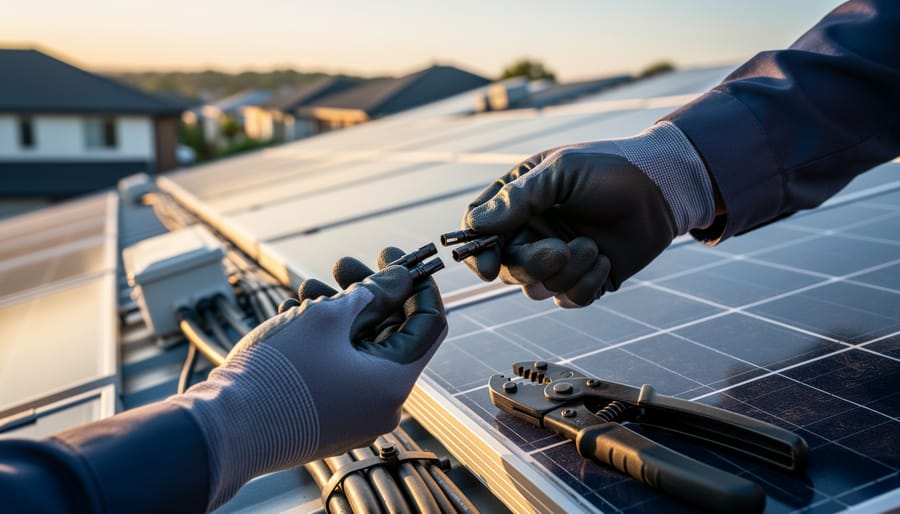
Communication cables and connection terminals enable different solar components to exchange data using standardized protocols.
Wired vs. Wireless: Which Communication Method Works Best?
When I first set up my solar monitoring system, I spent hours puzzling over which communication method would work best. The good news? There’s no single “right” answer, just different options that suit different situations.
Let’s start with wired connections. RS485 is the workhorse of solar monitoring, especially in commercial installations. It’s incredibly reliable, handles long cable runs up to 4,000 feet, and isn’t affected by interference from other devices. I’ve used it in my off-grid cabin setup, and it just works, even in harsh weather. The downside? You’ll need to run cables, which means drilling holes and planning routes. Ethernet offers similar reliability with faster data transfer, perfect if you’re already running network cables in your home installation.
Now for wireless options. WiFi is probably the most popular choice for home installations, and for good reason. It’s convenient, uses your existing network, and most modern inverters support it right out of the box. I added WiFi monitoring to my home system in about 20 minutes. The catch is range, typically 100-150 feet indoors, and walls can create dead zones. If your inverter is in the garage and your router is upstairs, you might struggle.
Bluetooth works great for short-range monitoring, usually within 30 feet. It’s perfect for checking your system from the backyard with your phone, but you won’t get remote access from work or vacation. Think of it as a quick-check tool rather than a permanent monitoring solution.
Cellular monitoring shines in remote locations where WiFi isn’t available. My friend uses it for his off-grid cabin in the mountains, paying about $10-15 monthly for a data plan. It’s more expensive upfront and has ongoing costs, but the peace of mind knowing you can check your system from anywhere is worth it for many people.
Cost-wise, WiFi adapters run $30-80, Bluetooth is often built-in, RS485 converters cost $20-50 plus cabling, and cellular units start around $100 plus monthly fees. Consider your specific situation: home installations usually benefit from WiFi’s convenience, while remote cabins might justify cellular’s higher cost for that reliable connection.
Choosing Compatible Equipment: Avoiding the Compatibility Nightmare
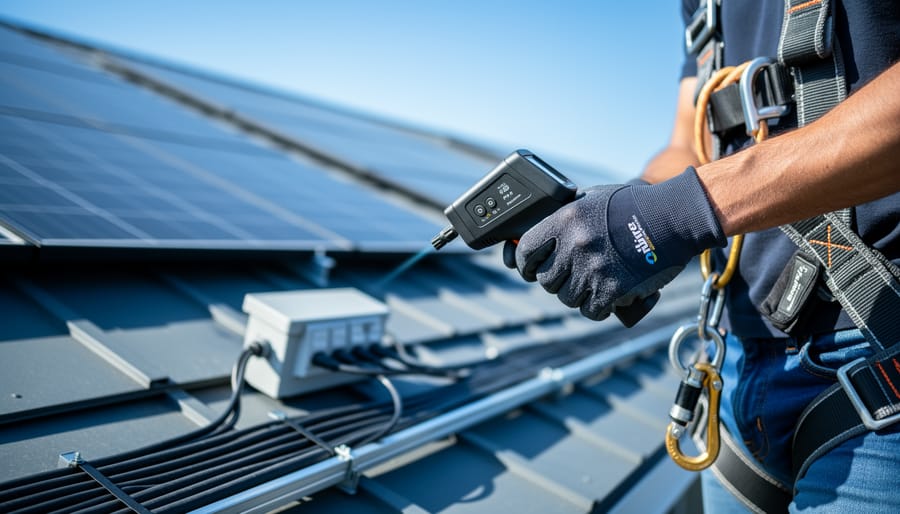
Modern monitoring systems put real-time solar performance data directly in homeowners’ hands through mobile apps.
Questions to Ask Before You Buy
Before you invest in a solar monitoring system for your DIY solar project, take time to ask these essential questions. I learned this the hard way when I bought a sleek monitoring device that turned out to be incompatible with my inverter—an expensive lesson I don’t want you to repeat.
Start with protocol compatibility: Does this system support industry-standard protocols like Modbus, MQTT, or RS485? Open protocols give you freedom to mix and match components from different manufacturers, while closed systems lock you into one brand’s ecosystem. Ask yourself whether you’re comfortable with that limitation.
Next, investigate third-party integration options. Can the system connect to Home Assistant, Node-RED, or other smart home platforms? If you’re tech-savvy and enjoy tinkering, open systems offer endless customization possibilities. For those who prefer simplicity, a closed system with a polished app might be perfect.
Consider future expandability too. What happens when you want to add more panels or a battery bank? Will your monitoring system scale with your needs, or will you need to start over? Check if firmware updates are available and how the manufacturer handles long-term support.
Finally, ask about data ownership and privacy. Where is your energy data stored? Can you access historical data easily? Some cloud-based systems charge subscription fees, while local monitoring keeps everything on your network. Understanding these details upfront helps you choose equipment that truly fits your goals and budget.
Working with Mixed Brands and Protocol Converters
Real-world solar installations often end up with a mix of equipment brands, each speaking different communication languages. Maybe you scored a great deal on a secondhand inverter that uses RS485, but your charge controller only supports Bluetooth. Or perhaps you started with Modbus devices and later added a Wi-Fi-enabled battery monitor. Don’t worry – you’re not stuck rebuilding everything from scratch.
This is where protocol converters and gateways become your best friends. These clever devices act as translators between different communication protocols, allowing incompatible equipment to share data on the same monitoring system. For example, a Modbus-to-MQTT gateway can take readings from your old-school RS485 inverter and convert them into messages your modern home automation system understands.
I learned this lesson the hard way when I expanded my workshop solar array. I’d purchased a fantastic inverter at a solar expo, only to discover it couldn’t talk to my existing monitoring setup. A simple protocol converter solved the problem for about $50, saving me from returning the inverter or replacing my entire system.
That said, prevention beats cure. If you’re starting fresh or planning a major expansion, choosing compatible equipment from the beginning will save you headaches and money. Protocol converters add complexity, potential failure points, and sometimes introduce slight delays in data transmission.
When should you invest in a converter? If you already own incompatible equipment or find an incredible deal on quality gear, converters make perfect sense. But for new installations, spend time researching compatibility first. Your future self will thank you when everything just works together seamlessly.
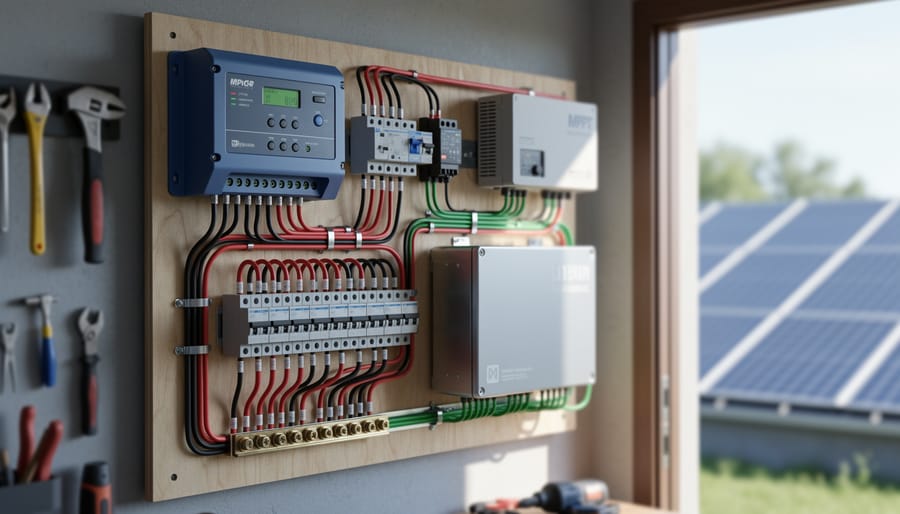
A well-organized solar equipment setup with compatible components ensures reliable communication and monitoring.
Setting Up Your Monitoring System: A Practical Walkthrough
Common Setup Mistakes and How to Avoid Them
I’ll be honest with you—I’ve made just about every setup mistake in the book, and each one taught me something valuable. Let me walk you through the most common issues so you can skip the frustration I experienced.
The termination resistor problem caught me completely off guard during my first RS485 setup. I spent three hours wondering why my monitoring system kept dropping data before realizing I’d forgotten to install the 120-ohm resistors at both ends of my communication line. These little resistors prevent signal reflections that garble your data. Think of them like highway barriers that keep signals from bouncing back. Always install one at each end of your RS485 network—not in the middle, not on every device, just the two endpoints.
Baud rate mismatches are sneakier than they sound. Your monitoring software and your solar equipment need to speak at the same speed, typically 9600 or 19200 bits per second. I once configured my inverter at 9600 but left my monitoring software at 19200, resulting in complete gibberish. Double-check both settings match exactly.
IP address conflicts plagued my Ethernet-based system when I accidentally assigned the same address to two devices. Your network sees this like having two houses with identical street numbers—total chaos. Use a spreadsheet to track every IP address in your system before connecting anything.
Cable length limitations are real physics constraints, not suggestions. I learned this when my RS485 cable stretched 1,500 meters and my signal quality plummeted. Stay under 1,200 meters for RS485, and use shielded cables if you’re running near power lines to avoid electromagnetic interference. That humming inverter nearby can scramble unshielded data cables faster than you’d think.
When troubleshooting, work systematically. Test one connection at a time, verify settings twice, and don’t assume anything works until you’ve confirmed it yourself.
Making Sense of Your Monitoring Data
Once your monitoring system is up and running, you’ll be greeted with a dashboard full of numbers and graphs. Don’t worry if it feels overwhelming at first—I remember staring at my first solar monitor thinking it looked like a spaceship control panel! Let’s break down what those key metrics actually mean and how to know if your system is performing as it should.
The most important number you’ll track is your daily kilowatt-hour (kWh) production. This tells you how much energy production your panels are generating. A typical residential panel produces 1-2 kWh per day in good conditions, though this varies with seasons and weather. Track this over a few weeks to establish your baseline—that’s your “normal.” If production suddenly drops by more than 20% on a sunny day, something might need attention.
Battery state of charge (SOC) shows how full your batteries are, displayed as a percentage. Think of it like your phone battery. Healthy batteries should charge to 100% on sunny days and ideally shouldn’t drop below 50% regularly, as deeper discharges can shorten battery lifespan. If your SOC consistently stays low, you might need more panels or storage capacity.
Voltage ranges are where many beginners get confused. Each battery type has an optimal voltage range—for example, a 12V lead-acid battery actually operates between roughly 11.8V (discharged) and 12.8V (fully charged). Your monitoring system will typically display this in real-time. Consistently low voltage under load could indicate battery degradation or undersized wiring.
System efficiency percentages show how well your setup converts sunlight to usable power. Most residential systems operate at 15-20% efficiency. While you can’t dramatically change this number without new equipment, monitoring it helps identify gradual performance decline from dirt buildup or aging components.
Red flags to watch for include sudden production drops, voltage spikes, or efficiency decreases. These warrant investigation before small issues become expensive problems.
Advanced Options: Open-Source Monitoring and Custom Dashboards
When DIY Monitoring Makes Sense (And When It Doesn’t)
Here’s the honest truth from my own experience: DIY monitoring makes sense when you’re genuinely curious about how things work and enjoy tinkering. I built my first solar monitor using a Raspberry Pi and some basic sensors, and while it took me three weekends to get it running smoothly, I learned more about my system than any pre-built solution could have taught me.
Consider DIY if you have a unique setup that commercial monitors don’t support well, like mixing different panel types or using unconventional inverters. It’s also worthwhile if you’re on a tight budget and already own some basic electronics equipment. The satisfaction of seeing data you collected yourself is genuinely rewarding.
However, commercial systems make more sense if you simply want reliable monitoring without the learning curve. They come with warranties, customer support, and plug-and-play installation. If your time is limited or you’re not comfortable troubleshooting code and hardware, spending the extra money saves considerable frustration. I’ve seen too many friends abandon half-finished DIY projects because life got busy. There’s no shame in choosing convenience over customization, especially when you just want your solar panels working efficiently without becoming an electronics expert along the way.
Here’s the thing I’ve learned after years of tinkering with solar systems: you don’t need to understand everything before you start. Getting a handle on solar monitoring systems and communication protocols puts you firmly in the driver’s seat of your solar investment, and that’s incredibly empowering.
I remember when I first looked at Modbus protocols and Wi-Fi dongles—it felt like trying to read a foreign language. But I started with the basics: a simple voltage monitor connected to my first small panel. From there, each project taught me something new. That’s exactly how I encourage you to approach this. Begin with whatever monitoring solution matches your current comfort level, whether that’s a basic display or a smartphone app that comes bundled with your charge controller.
The beautiful part about DIY solar is that it grows with you. Start monitoring voltage and current today. Next month, maybe you’ll add temperature sensors. Eventually, you might be comparing communication protocols and setting up automated alerts. There’s no rush, and there’s no single “right” way to do this.
What I love most about this community is how willing everyone is to share their experiences. If you’re stuck choosing between RS485 and Ethernet connections, or you can’t figure out why your monitoring app won’t connect, reach out. Drop a comment, join a forum, ask questions. We’ve all been there, troubleshooting at midnight with a multimeter in hand. Your solar journey is uniquely yours, but you’re definitely not alone in figuring it out.
How useful was this post?
Click on a star to rate it!
Average rating 0 / 5. Vote count: 0
No votes so far! Be the first to rate this post.
We are sorry that this post was not useful for you!
Let us improve this post!
Tell us how we can improve this post?
charlesnoble
Here at Spheral Solar, I’m a hands-on solar power enthusiast, constantly exploring and experimenting with DIY solutions. I’m dedicated to sharing my discoveries, insights, and even the bumps I hit along the way, all in the pursuit of a more sustainable future.
Wire Your Solar System Right the First Time (Before… by Charlesnoble March 18, 2026 Sketch your complete solar system on paper before purchasing a single component—mapping the physical distance from your solar panels to the charge controller, then to the battery bank, and finally to your inverter will reveal the exact wire gauges you need and prevent the costly mistake of voltage drop that…
How to Test Your DIY Solar System Like a Pro… by Charlesnoble March 19, 2026 Flip the main DC disconnect three times while monitoring voltage drop—this single action reveals whether your connections can handle full load without dangerous resistance buildup. Check every MC4 connector with an infrared thermometer under peak sun; any reading more than 10 degrees above ambient temperature signals a faulty crimp that…
Why Series-Parallel Is the Sweet Spot for Small Solar Setups by Charlesnoble December 2, 2025 Connect two panels in series to double your voltage, then wire two of these series pairs in parallel to maintain higher voltage while increasing your amperage—this series-parallel configuration gives you the sweet spot between performance and practicality for most small-scale solar setups. I learned this the hard way during my…
Why Your Solar Panel Connectors Matter More Than You Think by Charlesnoble March 4, 2026 Choose MC4 connectors for most residential solar installations—they’ve become the industry standard since 2011, offering waterproof reliability and simple snap-together connections that even first-time DIYers can master in minutes. I learned this the hard way when my first solar setup used mismatched connectors that corroded after one rainy season, costing…
Why Your Solar Panels Need the Right Mounting System… by Charlesnoble February 7, 2026 Your solar panels are only as reliable as what holds them in place. A solar array mounting system is the structural foundation that secures your panels to rooftops, ground surfaces, RVs, or portable setups, and choosing the wrong one can lead to damage, reduced efficiency, or even safety hazards. Think…
Why Lithium-Ion Batteries Changed Everything About… by Charlesnoble December 3, 2025 Match your battery’s voltage to your solar panel system—12V, 24V, or 48V configurations must align perfectly, or you’ll waste energy through conversion losses and potentially damage expensive equipment. Check the battery’s amp-hour (Ah) rating against your daily power consumption: multiply your total watt-hours by 1.2 to account for inefficiency, then…
Subscribe for handpicked DIY projects, exclusive tips, and giveaways.
Match your solar panels to microinverters or power optimizers based on your roof’s shading patterns—even partial shade from a chimney or tree during morning hours means module-level power electronics will recover 15-25% more energy than string inverters lose to the weakest panel. Install power optimizers when you’re working with mixed panel orientations across multiple roof… Read more: Why Smart Solar Modules Could Save Your DIY Array (Before It’s Too Late)
Walk down to your nearest stream with a five-gallon bucket and a stopwatch. Fill that bucket and time how long it takes—this simple test reveals whether you have enough flowing water to power your off-grid home. If you can fill it in under 10 seconds from a source that drops at least 10 feet in… Read more: The Stream Behind Your House Could Power It (Here’s How Micro Hydro Works)
Brush snow off your panels with a soft-bristled roof rake from ground level, working gently from bottom to top to avoid scratching the glass or damaging your DIY solar setup. Use lukewarm water in a spray bottle for stubborn ice patches, never hot water that could crack cold panels from thermal shock. Install panels at… Read more: Snow on Your Solar Panels? Here’s What Actually Works (And What Wastes Your Time)