Why Your DIY Solar Project Needs a Calibrated Infrared Thermometer (And How to Keep It Accurate)
Updated:
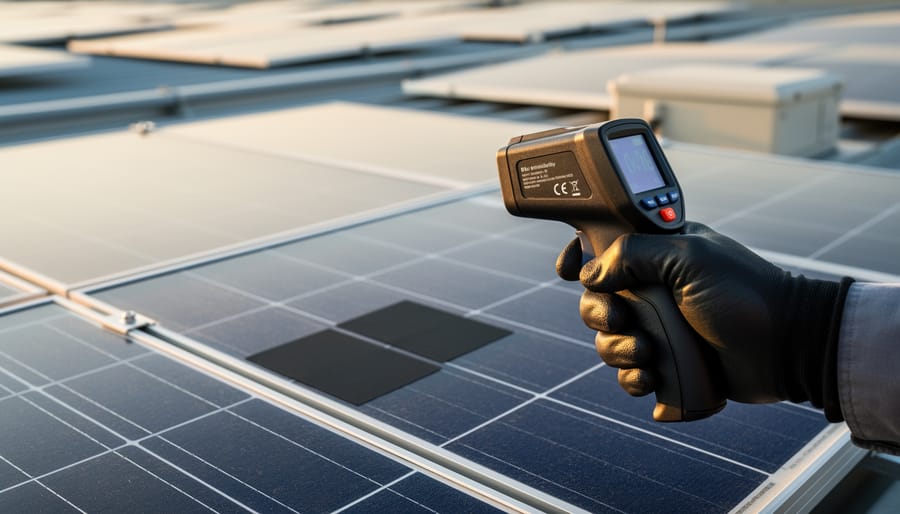
Point your infrared thermometer at your solar panel surface on a sunny afternoon, and you might get a reading of 145°F—but is that number actually accurate? Without proper calibration, that measurement could be off by 10, 20, or even 30 degrees, leading you to misdiagnose hot spots, overestimate efficiency losses, or miss critical temperature issues that signal electrical problems brewing in your system.
Here’s what most solar DIYers don’t realize: that infrared thermometer you picked up for $40 online measures surface temperatures by detecting infrared radiation, but its accuracy depends entirely on calibration—the process of comparing its readings against known temperature standards and adjusting for any drift or error. Think of calibration like tuning a guitar; even a quality instrument needs periodic adjustment to stay in tune, and your thermometer is no different.
I learned this lesson the hard way three years ago when troubleshooting what I thought was a severely overheating inverter. My uncalibrated IR gun showed readings 25 degrees higher than reality, sending me down a rabbit hole of unnecessary diagnostics and nearly leading to an expensive service call. Once I invested in a properly calibrated unit and understood the calibration process, I could trust my measurements and make confident decisions about my system’s performance.
For solar applications, accurate temperature measurement isn’t just nice to have—it’s essential. You’re using these readings to detect failing bypass diodes, identify shading issues, verify proper ventilation around equipment, and calculate real-world efficiency losses due to temperature coefficients. A calibrated infrared thermometer becomes your diagnostic partner, turning invisible heat patterns into actionable data that helps you optimize performance, prevent failures, and maximize your return on investment.
This guide walks you through everything you need to know about calibrated infrared thermometers specifically for solar applications: what calibration actually means, how to choose the right tool for your needs, and practical techniques for maintaining accuracy over time.
What Makes an Infrared Thermometer ‘Calibrated’ (And Why It Matters for Solar)
A calibrated infrared thermometer measures solar panel surface temperature to detect hot spots and performance issues before they become costly failures.
The Basics: How IR Thermometers Actually Work
Think of an infrared thermometer as a camera that sees heat instead of light. Every object, including your solar panels, constantly emits invisible infrared radiation. The warmer something is, the more infrared energy it gives off. Your IR thermometer has a sensor that detects this radiation and instantly converts it into a temperature reading you can see on the display.
Here’s where it gets interesting for us DIYers: different materials emit infrared radiation differently, even at the same temperature. This property is called emissivity, and it’s measured on a scale from 0 to 1. A perfect emitter has an emissivity of 1, while shiny metal surfaces might be as low as 0.1. Most solar panel surfaces have an emissivity around 0.85 to 0.95, which is pretty close to ideal.
I learned this the hard way when I first started checking my panels. I pointed my thermometer at a shiny aluminum frame and got wildly inaccurate readings because the low emissivity was throwing off the sensor. Once I adjusted the emissivity setting and focused on the actual panel surface, everything made sense.
Understanding emissivity helps you avoid costly mistakes. When you know your tool is calibrated and you’ve set the right emissivity value for what you’re measuring, you can trust those temperature readings to diagnose hot spots, track efficiency, and keep your system running smoothly.
Calibration Standards That Actually Matter
When I first started shopping for infrared thermometers for my solar projects, I was overwhelmed by all the certification labels and accuracy claims. Here’s what actually matters when you’re investing in a calibrated unit.
NIST traceability is your gold standard. The National Institute of Standards and Technology sets the benchmarks that ensure your thermometer’s readings are accurate and consistent. Look for instruments that come with a certificate stating NIST traceability. This means the device was calibrated using standards that trace back to NIST’s primary standards. Without this documentation, you’re essentially trusting the manufacturer’s word alone.
For solar applications, you’ll want accuracy within plus or minus 2 degrees Celsius for general panel monitoring. If you’re doing more precise efficiency testing or troubleshooting hot spots, aim for plus or minus 1 degree Celsius or better. These ranges give you reliable data for making decisions about system performance without breaking the bank on laboratory-grade equipment.
The certification labels worth seeking include ISO/IEC 17025 accreditation, which verifies that the calibration lab meets international standards. You might also see labels from accredited calibration laboratories showing the calibration date and recommended recalibration interval, typically annually for professional use.
Don’t skip the documentation that comes with your thermometer. A proper calibration certificate should list the temperature points tested, measurement uncertainty, and the equipment used for calibration. I keep mine filed away because some warranty claims or insurance situations might require proof of proper calibration. This paper trail shows you’re serious about accurate measurements and helps maintain your equipment’s reliability over time.
Where Calibrated IR Thermometers Save Your Solar Investment
Spotting Hot Spots on Solar Panels Before They Fail
Your calibrated infrared thermometer becomes a powerful diagnostic tool when you know what temperature patterns to look for. A healthy solar panel should show relatively uniform temperature across its surface, typically within 5-10°C. When you spot cells running 15-20°C hotter than their neighbors, that’s your early warning system telling you something’s wrong.
I remember Charles telling me about the time he caught a failing bypass diode before it took out an entire string. He was doing his monthly thermal scan and noticed one section of a panel glowing significantly hotter than the rest. That 25°C temperature spike indicated the bypass diode was failing, forcing current through a partially shaded cell instead of around it. By catching power loss early, he saved himself from replacing multiple panels.
Connection problems show up as distinct hot spots at junction boxes or MC4 connectors. Loose connections create resistance, and resistance creates heat. If your thermometer reads temperatures above 80°C at connection points while the ambient air is much cooler, tighten those connections immediately.
Pro tip: scan your panels during peak sun hours for the clearest thermal signatures. Document baseline temperatures when your system is new, so you’ll instantly recognize abnormal patterns later.
Hot spots on solar panels appear as darker, discolored cells and can be quickly identified through thermal imaging before complete panel failure occurs.
Monitoring Battery Health and Safety
Your solar battery’s temperature tells an important story about its health, and a calibrated infrared thermometer helps you read it accurately. When I first started monitoring my off-grid battery bank, I learned the hard way that temperature changes can signal serious problems before they become dangerous.
For most lead-acid and lithium batteries, normal operating temperatures range between 50°F and 77°F (10°C to 25°C). If your thermometer consistently reads above 95°F (35°C) during charging, that’s your first warning sign. I remember checking my battery one summer afternoon and finding a hot spot at 110°F—turns out one cell was overcharging due to a faulty charge controller.
Overcharging typically creates localized heat increases of 15-20°F above ambient temperature. Scan across your battery’s surface during charging cycles, looking for uneven temperatures. A difference of more than 10°F between cells suggests something’s wrong.
The real danger is thermal runaway, where batteries can reach temperatures exceeding 140°F (60°C). At this point, you’re facing potential failure or fire. If your thermometer shows readings climbing past 120°F, immediately disconnect charging and move the battery to a safe, ventilated area.
Regular temperature monitoring every few weeks creates a baseline for your system. Think of it as taking your battery’s vital signs—early detection means safer, longer-lasting energy storage for your solar setup.
Checking Charge Controller and Inverter Performance
Your charge controller should typically run between 95-110°F during normal operation, while inverters usually sit around 100-120°F depending on load. I learned this the hard way when my first inverter started hitting 145°F on sunny afternoons—it was losing about 15% efficiency before I realized poor ventilation was the culprit.
Point your calibrated infrared thermometer at heat sinks and cooling fins every few weeks. If you’re seeing readings above 130°F on controllers or 140°F on inverters, that’s your equipment crying for help. These elevated temperatures reduce efficiency, shorten component life, and can trigger thermal shutdowns right when you need power most.
Watch for hot spots on specific areas rather than overall warmth—uneven heating often signals failing capacitors or loose connections. Temperature differences greater than 20°F between similar components deserve immediate attention. Your thermometer gives you early warning before expensive failures happen.
Validating Your System’s Thermal Management
Your calibrated infrared thermometer isn’t just for checking panel temperatures—it’s your best friend for validating your entire system’s thermal health. I learned this the hard way when my inverter kept shutting down on hot afternoons. A quick scan revealed it was mounted in direct sunlight with zero airflow, hitting 75°C when it should’ve been around 40°C.
Start by mapping temperature patterns around your charge controllers, inverters, and battery banks. Adequate ventilation means components stay within manufacturer specifications—typically 10-15°C below their maximum rated temperature. Check seasonal variations too; what works in spring might spell trouble in July. I now scan my system monthly, keeping a simple log.
Component placement matters enormously. Battery enclosures need breathing room, inverters perform best with shade and airflow, and junction boxes shouldn’t bake against hot walls. Use your thermometer to identify hot spots before they become failures. Moving my charge controller just 18 inches made a 12°C difference. Small adjustments based on real thermal data can add years to your equipment’s life and keep your solar dreams running smoothly year-round.
How to Choose the Right Calibrated IR Thermometer for Solar Work
Must-Have Features vs. Nice-to-Haves
When you’re shopping for an infrared thermometer for your solar setup, understanding which features you absolutely need versus those that are just nice bonuses will save you money and frustration. Let me break this down from my own experience working with solar panels over the years.
The distance-to-spot ratio is your must-have feature number one. This ratio tells you how large an area you’re measuring from a given distance. For solar work, I recommend at least a 12:1 ratio, meaning from 12 feet away, you’re measuring a spot one foot wide. This matters because you’ll often be checking panels on roofs or in arrays where you can’t get right up close. A lower ratio means you might accidentally measure the frame instead of just the panel surface, throwing off your readings completely.
Temperature range is another non-negotiable. Your thermometer needs to handle at least -20°C to 500°C (-4°F to 932°F). Solar panels can get surprisingly hot in summer, easily reaching 65-85°C, and you might need to check components that get even hotter during troubleshooting.
Emissivity adjustment capability sits right on the border between must-have and nice-to-have. Most solar panels have an emissivity around 0.85-0.95, and if your thermometer can’t adjust for this, your readings could be off by 10-20 degrees. For serious monitoring, this feature is essential.
Data logging is definitely a nice-to-have for hobbyists but becomes crucial if you’re tracking performance trends over time. Basic models without logging work fine for spot-checks, but having that data stored can help you catch gradual efficiency losses before they become major problems.
Budget Options That Don’t Sacrifice Accuracy
You don’t need to spend a fortune to get reliable temperature readings for your solar projects. I’ve tested models across the price spectrum, and here’s what the community and I have found works best.
For entry-level needs (under $30), the Etekcity Lasergrip 774 consistently delivers within 2% accuracy for panel surface temperatures. I’ve used mine for three years alongside solar power meters, and it’s held up beautifully. One community member, Sarah from Oregon, confirmed its readings against a certified lab thermometer with impressive results.
Mid-range options ($50-$80) like the Fluke 62 MAX offer better durability and slightly tighter accuracy. Charles swears by his for harsh outdoor conditions, noting it survived multiple drops and rain exposure during installation work.
The key difference isn’t always accuracy but build quality and additional features like data logging. For most hobbyist solar applications, checking panel temperatures during testing or troubleshooting hot spots, an entry-level calibrated model provides everything you need. Save the premium models for professional installations where documentation requirements justify the investment.
Red Flags: When ‘Calibrated’ Doesn’t Mean What You Think
Here’s a story from my early solar days: I bought what was advertised as a “factory calibrated” infrared thermometer for twenty bucks, excited to monitor my panel temperatures. Turns out, the only thing calibrated was my disappointment when readings varied wildly from my backup device.
Real calibration comes with documentation. Look for a certificate that includes the calibration date, actual test readings at multiple temperatures, traceability to national standards like NIST, and the next recommended calibration date. If a seller just slaps “calibrated” on the listing without offering this paperwork, that’s your first red flag.
Watch out for vague language like “pre-calibrated” or “factory tested” without specifics. Legitimate calibrated units cost more because actual calibration involves expensive equipment and trained technicians. If the price seems too good compared to similar models, question whether genuine calibration occurred.
Another warning sign: no mention of calibration uncertainty or accuracy specs. Professional units clearly state their measurement range and expected deviation. For solar work, you need these details to trust your temperature readings when troubleshooting hot spots or efficiency issues.
Keeping Your IR Thermometer Calibrated: Maintenance and Verification
Simple ice water bath method allows DIY solar enthusiasts to verify their infrared thermometer’s accuracy at home using materials from their kitchen.
Simple At-Home Calibration Checks You Can Do Today
Good news! You don’t need fancy equipment to verify your infrared thermometer is reading accurately. I’ve been doing these checks for years, and they’ve saved me from making costly mistakes with my solar installations more times than I can count.
The ice water bath test is your best friend here. Fill a container with crushed ice and add just enough water to create a slushy mixture. Let it sit for a minute to stabilize, then point your infrared thermometer at the surface. You should get a reading very close to 32°F (0°C). When I first tested my thermometer this way, I discovered it was off by 3 degrees, which would have thrown off all my panel efficiency calculations!
For the boiling water verification, bring a pot of water to a rolling boil at sea level. Your thermometer should read approximately 212°F (100°C). Keep in mind that this number drops about 1 degree for every 500 feet of elevation, so adjust your expectations accordingly. Always stay a safe distance back and use the thermometer’s laser guide to target the water’s surface, not the steam.
The comparison method is equally valuable. If you have access to a known-accurate thermometer, like a recently calibrated probe thermometer, test both devices on the same surface simultaneously. I keep a medical-grade thermometer specifically for this purpose. Check multiple surfaces at different temperatures, from cool tap water to a warm heating pad, and note any consistent discrepancies.
Document your findings each time you perform these checks. If your infrared thermometer consistently reads 2 degrees high, you can mentally adjust or note this offset when taking solar panel readings. This practical approach keeps your measurements reliable without breaking the bank.
When and How to Get Professional Re-Calibration
For most hobbyist solar applications, I recommend getting your infrared thermometer professionally recalibrated every 12 to 24 months, depending on how frequently you use it. If you’re like me and pull yours out weekly to check panel temperatures and connections, lean toward annual recalibration. Less frequent users can stretch it to two years.
Finding certified calibration services is easier than you might think. Many industrial equipment suppliers offer mail-in calibration services, typically costing between $50 and $150 depending on your thermometer’s specifications. Look for labs with ISO/IEC 17025 accreditation, which ensures they follow strict standards. I’ve had good experiences with regional metrology labs that often charge less than big-name calibration houses while providing equally reliable service.
Now, about DIY recalibration: honestly, it’s tricky without reference standards. While some thermometers have adjustment features, you’d need a certified blackbody calibrator (which costs hundreds or thousands of dollars) to do it properly. My advice? Leave professional recalibration to the pros and focus your DIY energy on maintaining your equipment between calibrations. Keep your thermometer clean, store it properly, and you’ll maximize the time between those professional tune-ups while keeping your solar monitoring accurate and reliable.
Storage and Handling Tips to Preserve Accuracy
Your calibrated infrared thermometer is a precision tool, and keeping it accurate requires a bit of care. I learned this the hard way when my readings started drifting after leaving my thermometer in a hot car all summer!
Temperature extremes are your thermometer’s worst enemy. Store it in a cool, dry place away from direct sunlight, ideally between 50-90°F. Moisture and humidity can fog the lens or damage internal components, so avoid damp basements or outdoor sheds without climate control.
The lens is particularly sensitive. Even fingerprints or dust can throw off readings by several degrees. Always use the included lens cloth for cleaning, and never touch the lens directly. Some folks make the mistake of using household cleaners, but these can leave residues that affect accuracy.
Before each use, let your thermometer acclimate to the outdoor temperature for about 15 minutes. Taking it from your air-conditioned house straight to your hot solar panels can cause temporary reading errors. Also, avoid dropping it or subjecting it to vibration during transport, as this can knock the calibration out of alignment. A padded case is worth the small investment for protecting your measurement accuracy long-term.
Getting Accurate Readings Every Time: Technique Matters
Setting Emissivity for Different Solar Components
Getting accurate temperature readings from your solar setup means matching your thermometer’s emissivity setting to each component you’re measuring. Think of emissivity as how well a material radiates heat—it’s measured on a scale from 0 to 1, and most infrared thermometers let you adjust this setting.
Here’s what you need to know for common solar materials: Solar panel glass typically has an emissivity around 0.90 to 0.94, making it pretty straightforward to measure. The black solar cells underneath register even higher at 0.95, which is close to what many thermometers use as their default setting. I learned this the hard way when Charles and I were troubleshooting a hot spot issue—we were getting wildly inconsistent readings until we realized we hadn’t adjusted for the aluminum frame, which sits around 0.05 to 0.15.
Battery terminals are another story. Bare copper or brass terminals measure around 0.05, while oxidized terminals can jump to 0.60 or higher. If your thermometer doesn’t allow emissivity adjustments, you can apply a piece of electrical tape to create a consistent surface with known emissivity (usually 0.95), then measure the tape itself.
Most quality infrared thermometers have a simple menu button that lets you scroll through emissivity values—just check your manual for the exact steps.
Environmental Factors That Skew Your Readings
Mother Nature can throw some real curveballs at your infrared readings, and I learned this the hard way during my first attempt at testing solar panels on a particularly bright summer afternoon. The sun’s reflection bouncing off shiny panel surfaces sent my readings through the roof, giving me temperatures that were impossibly high.
Direct sunlight reflecting into your thermometer’s sensor will give you wildly inaccurate results. Always position yourself so the sun is behind you, or wait for cloud cover to diffuse the light. I’ve found that early morning or late afternoon measurements work best, when the sun angle is lower and reflections are less intense.
Ambient temperature plays a bigger role than you’d think. Most calibrated thermometers need compensation when the surrounding air temperature differs significantly from room temperature. Check your device’s manual for correction factors, especially on those scorching summer days or chilly winter mornings.
Wind can cool your panel surfaces quickly, dropping readings by several degrees in just seconds. On breezy days, take multiple readings and average them out. I typically take five quick measurements to get a reliable baseline, watching for consistent numbers rather than relying on a single reading.
Common Mistakes Even Experienced DIYers Make
I learned this the hard way during my first solar panel efficiency test: holding the thermometer too close gives wildly inaccurate readings. Most infrared thermometers need a specific distance-to-spot ratio, typically 12:1 or greater. If you’re measuring a small solar cell junction from three inches away, you’re actually capturing reflected heat from surrounding components too.
Another common error? Measuring at sharp angles. Point your thermometer perpendicular to the surface, not at a slant. I once diagnosed a non-existent “hot spot” that was just angled reflection.
The biggest interpretation mistake is forgetting emissivity settings. Shiny surfaces like aluminum panel frames reflect infrared energy rather than emitting it, giving false low readings. Always adjust your thermometer’s emissivity setting to match your target material, or use matte tape as a reference point for consistent readings across different surfaces.
Beyond Temperature: Using IR Data to Optimize Your System
Complete DIY solar systems require temperature monitoring across multiple components including panels, charge controllers, inverters, and battery banks for optimal performance and safety.
Creating Your Solar System Thermal Baseline
When I first started monitoring my solar setup, I’d randomly check panel temperatures and wonder if what I was seeing was “normal.” That changed when I created a thermal baseline – essentially a temperature roadmap for my specific system.
Start by documenting temperatures during optimal conditions: a clear, sunny day with moderate ambient temperatures (around 70-75°F works great). Take readings at multiple points – panel surfaces, junction boxes, inverter housing, and battery connections if applicable. Record these measurements at different times: early morning, solar noon, and late afternoon. This gives you a complete picture of your system’s thermal personality.
I keep a simple spreadsheet tracking these baseline readings alongside weather conditions and power output. After a few weeks of data collection, patterns emerge. You’ll notice that your panels might typically run 30-40°F above ambient temperature at peak production, or that your inverter stays within a specific range during normal operation.
This baseline becomes invaluable for spotting problems early. When temperatures deviate significantly from your established norms – say, one panel running 20°F hotter than its neighbors – you’ve got an early warning system. Combined with comprehensive monitoring solutions, your calibrated thermometer transforms from a simple tool into a diagnostic powerhouse that helps protect your solar investment.
Correlating Temperature with Performance Data
Here’s where things get really interesting – temperature data becomes incredibly powerful when you combine it with your electrical measurements. I learned this the hard way when troubleshooting a system that showed perfect voltage readings but terrible output. The infrared thermometer revealed the real story.
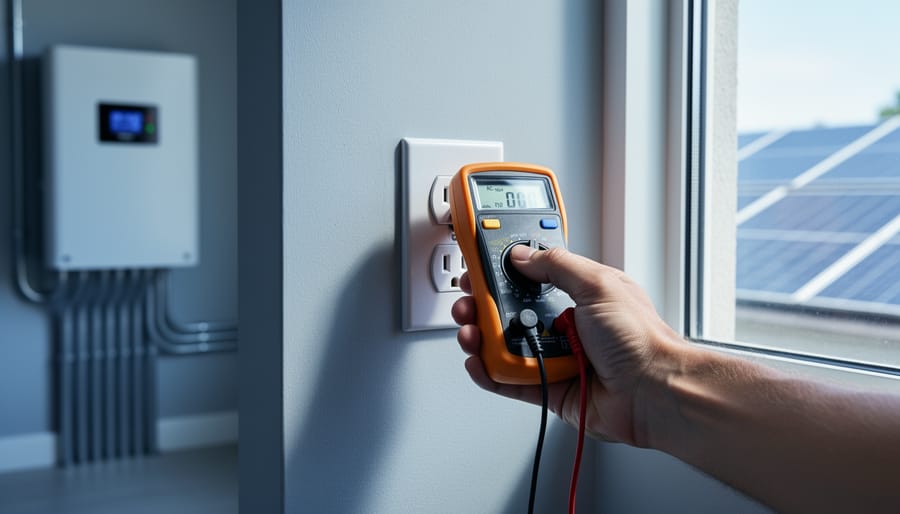
When you’re reading your system data, grab both your multimeter and infrared thermometer. Take voltage and current readings, then immediately check the temperature of that same component. This combination tells you what’s actually happening inside your system.
For example, if a connection shows normal voltage but reads 20-30 degrees hotter than surrounding connections, you’ve got resistance building up – likely corrosion or a loose connection. Similarly, a solar panel producing expected voltage but running significantly cooler than its neighbors might have internal failures reducing current flow.
I once spotted a charge controller reading correct input voltage but running unusually hot. Cross-referencing with current measurements showed it was drawing excessive power just to operate. That dual-data approach saved me from a potential fire hazard. The pattern to remember: unexpected heat plus normal electrical readings usually means hidden resistance or component stress that’ll worsen over time.
Investing in a calibrated infrared thermometer is one of those decisions that genuinely pays dividends over time. I learned this the hard way when I spent months troubleshooting a mysterious efficiency drop in my panel array, only to discover that my cheap uncalibrated thermometer was giving me readings off by nearly 15 degrees. That single mistake cost me more in lost production than a quality calibrated unit would have cost upfront.
Think of your calibrated thermometer as an insurance policy for your solar investment. By catching hot spots, connection issues, and performance problems early, you’re preventing small issues from becoming expensive failures. That discolored panel junction you spot today could save you a complete panel replacement six months from now. The slightly warm inverter connection you identify this weekend might prevent a system shutdown during peak production season.
The beauty of temperature measurement is that it’s non-invasive and immediate. You don’t need to dismantle anything or interrupt your system’s operation to gather valuable diagnostic information. With a bit of practice, a quick thermal scan becomes second nature during your routine maintenance checks.
I encourage you to invest in quality equipment that suits your needs and commit to learning proper measurement techniques. Start simple, build your confidence, and watch how this tool transforms your understanding of your solar system’s health.
Now it’s your turn. What unexpected issues have you discovered with thermal imaging? What temperature measurement tips have made your solar maintenance easier? Share your experiences and questions in the comments below. Our community thrives when we learn from each other’s discoveries and help fellow solar enthusiasts troubleshoot their systems more effectively.
How useful was this post?
Click on a star to rate it!
Average rating 0 / 5. Vote count: 0
No votes so far! Be the first to rate this post.
We are sorry that this post was not useful for you!
Let us improve this post!
Tell us how we can improve this post?
charlesnoble
Here at Spheral Solar, I’m a hands-on solar power enthusiast, constantly exploring and experimenting with DIY solutions. I’m dedicated to sharing my discoveries, insights, and even the bumps I hit along the way, all in the pursuit of a more sustainable future.
Why Your Solar Meter Numbers Don’t Match Your… by Charlesnoble January 20, 2026 Look at your solar meter display right now and locate the kWh reading—this number tells you exactly how much electricity your panels have generated since installation, and if it’s climbing daily, your system is working. Check whether your meter’s digital arrows or symbols are moving forward (you’re using solar power…
Your Multimeter Can Tell You Everything About Your… by Charlesnoble March 8, 2026 Grab your multimeter and set it to AC voltage mode—typically marked as “V~” or “VAC”—which allows you to measure the alternating current output from your solar inverter, the device that converts your panels’ DC power into usable household electricity. You’ll want to verify that your system is delivering the standard…
5 Best Solar Power Meter in 2023 by Adeyomola June 10, 2021 The best solar power meters measure broad ranges of solar radiant flux, have low measurement resolution, are highly accurate, are cosine corrected, and are easy to carry around in just one hand. Therefore, when buying a new solar power meter, look out for its measuring range, resolution, accuracy range, cosine…
Why Your DIY Solar System Needs 3-Phase Power… by Charlesnoble December 26, 2025 Check your electrical panel right now—if you see three thick cables entering your home or property instead of two, you’re already working with 3-phase power, and standard single-phase monitoring won’t give you the complete picture of your solar system’s performance. This matters more than most DIY solar enthusiasts realize: a…
Why Your RV Solar Panels Aren’t Charging (And How to… by Charlesnoble November 30, 2025 Check your multimeter readings at each connection point along your solar charging path—from panels to charge controller to battery—to pinpoint exactly where voltage disappears. Most RV solar systems lose 10-30% of their potential power to voltage drop, but this invisible thief often goes undetected until you systematically measure and compare…
Never Worry About Your DIY Solar System Again With… by Charlesnoble October 30, 2025 Monitor your DIY solar system’s performance from anywhere using dedicated hardware monitors, smartphone-connected inverters, or cloud-based platforms that track voltage, current, and energy production in real-time. Install a basic Bluetooth-enabled shunt monitor for under $50 to see exactly how many watts your panels generate and how much power your batteries…
Subscribe for handpicked DIY projects, exclusive tips, and giveaways.
Route your PV wires through UV-resistant conduit within 18 inches of leaving the solar array, securing it every 3 feet with proper clamps to prevent wind damage and code violations. This single step prevents 80% of the wire degradation issues I’ve seen in DIY solar installations over the past decade. Group your positive and negative… Read more: Why Your PV Wire Management Could Fail Inspection (And How to Fix It)
Understand that 6000 volts sounds terrifying but delivers surprisingly low amperage—typically around 120 milliamps for just 3/10,000th of a second per pulse. This combination creates an unforgettable shock that trains animals to avoid the fence without causing lasting harm. The voltage pushes current through thick fur and hide, while the minimal amperage and microsecond duration… Read more: Why 6000 Volts Won’t Kill Your Livestock (But Will Stop Predators Cold)
Check the maximum voltage and current ratings first—these determine whether your controller can actually handle your solar panel array without frying itself on the first sunny day. I learned this the hard way when my first DIY system shut down every afternoon because I’d paired 600 watts of panels with a controller rated for only… Read more: Why Your Solar Setup Needs Both a Charge Controller and Inverter (And How to Pick the Right Ones)