Why Your Solar Charge Controller’s Load Output Changes Everything
Updated:
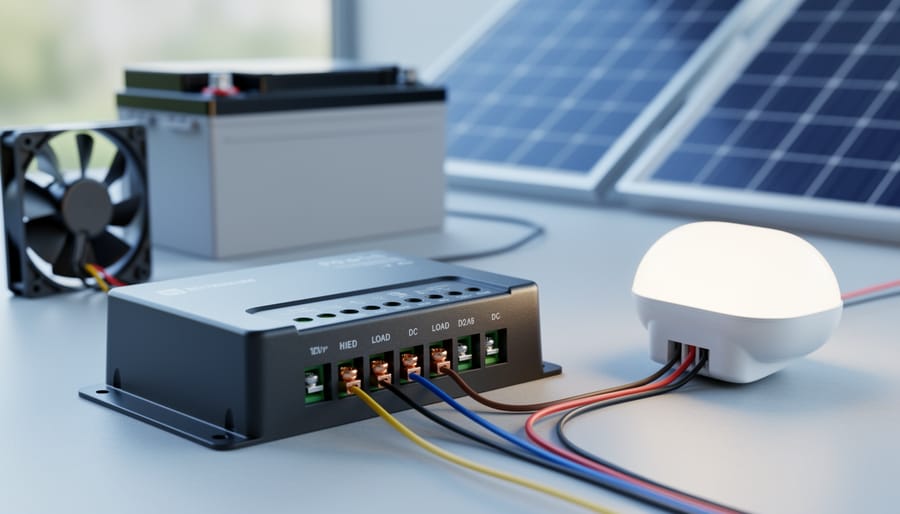
Connect your DC loads directly to your charge controller’s load terminals instead of tapping straight into the battery—this simple setup protects your battery from over-discharge and can extend its lifespan by years. Most charge controllers include built-in load management features that automatically disconnect your lights, fans, or other devices when battery voltage drops too low, then reconnect them once charging brings voltage back to safe levels.
Think of the load management controller as a smart gatekeeper between your battery and everything that uses power. I learned this the hard way during my first solar setup when I wired LED lights directly to my battery and came back to a completely dead system after three cloudy days. The battery was so deeply discharged it never fully recovered. Had I used the load controller terminals, the lights would have shut off automatically before permanent damage occurred.
The load terminals on your charge controller do more than just protect batteries. They give you programmable control over when devices turn on and off—perfect for automatic dusk-to-dawn lighting or timed equipment operation. You can set voltage thresholds that match your specific battery chemistry, whether you’re running flooded lead-acid, AGM, or lithium batteries.
Understanding load management becomes essential as your system grows. While a small 100-watt setup might forgive mistakes, larger systems require proper load control to prevent expensive battery replacements and equipment damage. The controller monitors battery state constantly, making split-second decisions about when to supply or cut power based on parameters you configure. This automated protection means you’re not manually checking battery voltage every evening or risking over-discharge while you’re away from your system.
What Exactly Is a Load Management Controller?
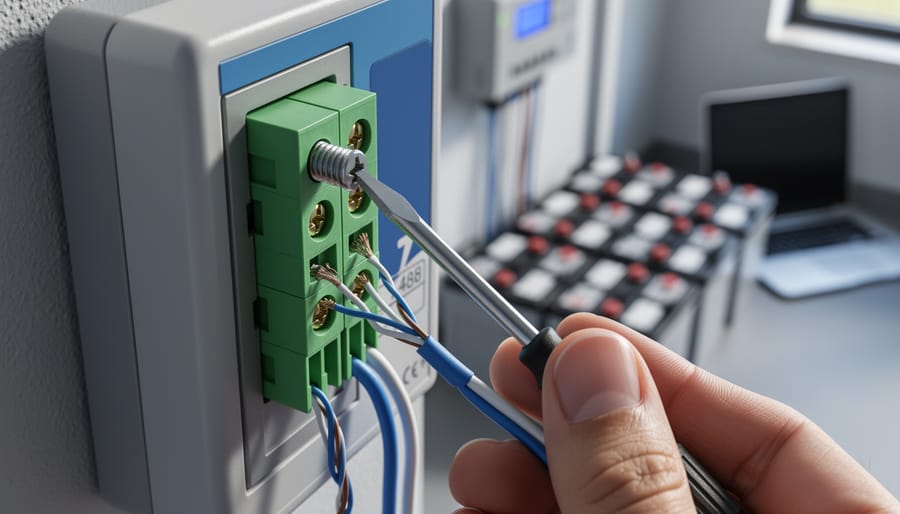
A solar charge controller’s load output terminals manage power distribution to DC devices while protecting battery health.
The Simple Definition (Without the Technical Jargon)
Think of a load management controller as the traffic cop of your solar power system. Just like a traffic officer directs cars safely through an intersection, this device directs power from your battery to your DC appliances while making sure nothing goes wrong.
Here’s how I like to explain it to folks who visit my workshop: imagine you’ve got a bucket of water (that’s your battery), and you want to use that water to run your sprinklers (your DC devices). You could just poke holes in the bucket and hope for the best, but that’s risky. Instead, you’d want a smart valve that monitors how much water is left and automatically shuts off the sprinklers before the bucket runs dry. That’s exactly what a load management controller does with electricity.
When I installed my first off-grid solar setup back in 2015, I learned this lesson the hard way. I connected my lights directly to the battery, and one night I completely drained it. The load controller I added afterward became my system’s guardian, automatically disconnecting devices when the battery voltage dropped too low and reconnecting them once charging resumed.
How It Differs from Your Main Charge Controller Function
Think of your charge controller as having two distinct jobs, and it’s important to understand the difference. The primary function is battery charging – this is what most people focus on when they first set up their solar system. Your controller monitors the solar panels, regulates the voltage coming in, and ensures your batteries charge safely without overcharging. It’s constantly working to keep your battery bank healthy.
The second function is the load output functionality, which manages power going to your devices. This separate circuit controls when and how much power flows from your battery to your lights, fans, or other equipment. It’s essentially an intelligent switch that can turn loads on and off based on battery voltage or time schedules you set.
Here’s where people often get confused: these two systems work independently. Your controller can be charging your batteries beautifully while simultaneously protecting them by cutting power to your loads if voltage drops too low. I learned this the hard way when I first started – I kept wondering why my fan would shut off at night even though my panels had charged the batteries all day. Understanding that the load controller was doing its job by preventing over-discharge was my lightbulb moment. It’s not a malfunction; it’s protection in action.
How DC Load Management Actually Works
Monitoring Your Battery’s Voltage 24/7
Think of your load management controller as a vigilant guardian that never sleeps. It’s continuously measuring your battery’s voltage, checking in multiple times per second to ensure everything stays within safe limits.
Here’s what’s happening behind the scenes: your controller monitors the voltage and compares it against pre-programmed thresholds. When your battery voltage drops to a certain point (typically around 11.5-12.0V for a 12V system), the controller recognizes this as a warning sign. If the voltage continues to fall, it will automatically disconnect your loads before reaching a dangerous over-discharge level.
I learned this the hard way during my first solar setup. I ran my batteries too low one too many times manually managing loads, and it shortened their lifespan significantly. Now, I let the controller do the watching.
The beauty of this constant monitoring is that it happens automatically. You don’t need to check your battery voltage obsessively or wake up in the middle of the night worried about your system. The controller acts as your battery’s personal bodyguard, stepping in the moment things get risky. This protection extends your battery life considerably, sometimes by years, making it one of the most valuable features in any solar power system.
The Automatic Disconnect Feature (Your Battery’s Best Friend)
Think of your load management controller as a vigilant guardian standing between your battery and the devices draining its power. When your battery voltage drops to a critical level, the controller automatically disconnects your loads to prevent damage. This is crucial because deep discharging a battery can permanently reduce its capacity and lifespan.
Here’s how it works: Let’s say you have a 12V battery system. Your controller might be programmed to cut power when voltage drops to 11.5V (this is called the Low Voltage Disconnect, or LVD threshold). Once disconnected, your loads stay off until the battery recharges to a safe level, typically around 12.6V (the reconnect voltage).
I learned this the hard way during my first solar setup. I didn’t pay attention to my battery voltage and kept running a fan overnight. Without a controller’s automatic disconnect, I drained my battery so low it never fully recovered. Cost me a new battery and taught me a valuable lesson.
Different battery types need different thresholds. Lithium batteries might disconnect at 12.0V, while lead-acid systems need protection at 11.5V. Your controller’s manual will specify the right settings, and many modern controllers let you adjust these thresholds based on your specific battery chemistry.
Reconnect Settings: When Power Comes Back On
Once your battery voltage recovers and reaches a safe level, your load management controller will automatically reconnect power to your devices. This reconnect voltage is typically set higher than the disconnect voltage, usually around 12.6V for a 12V system. You might wonder why there’s this gap between when power cuts off and comes back on.
Here’s the thing: without this voltage gap, your system would cycle on and off repeatedly, which I learned the hard way during my first solar setup! When loads reconnect immediately at the same voltage they disconnected, they pull the battery voltage right back down, triggering another disconnect. This constant cycling is like repeatedly starting and stopping your car engine, wearing out relays and potentially damaging sensitive electronics.
This built-in delay, called hysteresis, gives your charging system time to actually replenish the battery before demanding power again. Most controllers use a 0.6V to 1V gap, ensuring your battery gets a meaningful charge before resuming normal operations. Think of it as a recovery period for your battery.
Load Output Modes: Choosing the Right One for Your Setup
Always-On Mode (Manual Control)
Sometimes you need your equipment to run continuously, no matter what. That’s where Always-On Mode comes in handy. This setting bypasses all the fancy automation and keeps power flowing to your loads 24/7, just like a standard battery connection.
I learned this lesson the hard way when I first set up my off-grid cabin. I had my refrigerator connected through the load controller’s automated mode, thinking I was being clever about power management. Well, one cloudy week later, I came back to some seriously questionable food situations. Now my fridge stays in Always-On Mode, and I sleep better at night.
This mode is perfect for essential equipment that can’t tolerate interruptions: refrigerators, medical devices, security systems, or communication equipment. Think of it as your “must-have” power category. The controller still provides basic protections like preventing complete battery drain at critically low voltages, but it won’t cut power during normal low-voltage disconnect thresholds. Just remember, Always-On doesn’t mean consequence-free. You’re still drawing from your battery, so make sure your solar array can keep up with the demand.
Voltage-Controlled Mode (The Smart Default)
This is the setting you’ll probably use 90% of the time, and honestly, it’s the one I recommend for most folks starting out. In voltage-controlled mode, your controller acts like a vigilant battery guardian, automatically connecting and disconnecting loads based on what your battery voltage is telling it.
Here’s how it works in practice: You set two voltage thresholds. When your battery drops to the lower threshold (say, 11.5V for a 12V system), the controller cuts power to your loads to protect the battery from harmful deep discharge. Once the battery recharges to your upper threshold (maybe 12.6V), power automatically reconnects. Simple, right?
I learned the importance of this the hard way when I first started tinkering with solar. I left a small DC fridge running all night without voltage protection, and by morning my battery was toast. Voltage-controlled mode prevents exactly this scenario by keeping your battery within healthy limits without you having to babysit the system.
Timer Modes for Automatic Lighting
Most modern load management controllers include programmable timers that can automate your lighting without any effort on your part. I remember camping last summer and programming my controller to turn on pathway lights automatically at sunset—it made those midnight bathroom trips so much safer!
The most popular timer mode is dusk-to-dawn operation. Your controller uses voltage sensing to detect when your solar panels stop producing power (nightfall) and automatically switches on connected lights. When dawn arrives and the panels start charging again, the lights turn off. This works brilliantly for security lighting around cabins, RV awnings, or off-grid sheds without wasting battery power during daylight hours.
For scheduled power delivery, you can set specific on/off times. Want your chicken coop heater to run only from 10 PM to 6 AM? Program it once and forget it. Many controllers let you create multiple schedules throughout the day, perfect for automating water pumps, fans, or lighting based on your routine.
Most controllers offer simple controls—just press the mode button until you see the timer icon, then use the plus and minus buttons to set your hours. Some advanced models even include twilight adjustment, where you can extend lighting an extra hour or two beyond actual sunrise or sunset for added convenience.
Light Sensor Mode (Dusk-to-Dawn Automation)
One of my favorite features on modern charge controllers is the light sensor mode, sometimes called dusk-to-dawn automation. Think of it as having a built-in photocell that automatically turns your outdoor lighting on when the sun goes down and off when it comes back up—no timers to set, no switches to flip.
Here’s how it works: the controller monitors your solar panel’s voltage output. During the day, when your panels are producing power, the load output stays off. As darkness falls and panel voltage drops below a certain threshold (typically around 5 volts), the controller recognizes this as sunset and automatically activates your connected lights. When morning arrives and the panels start producing again, the lights turn off.
I discovered this feature almost by accident when setting up security lighting around my workshop. Instead of fumbling with manual switches or complicated timers, the system just handles everything. It’s particularly brilliant for pathway lights, security lighting, or decorative garden features.
The beauty of this mode is its adaptability—it naturally adjusts to seasonal changes in daylight hours without any programming. Whether it’s a long summer evening or an early winter sunset, your lights respond to actual light conditions rather than arbitrary time settings. Most controllers let you fine-tune the sensitivity, so you can adjust when the lights trigger based on your specific needs.
Real-World Applications: Where Load Management Shines
Camping equipment powered through load management controllers ensures reliable operation without draining batteries overnight.
Camping and Outdoor Adventures
I’ll never forget the weekend my friend Jake called me from his favorite dispersed camping spot in complete panic. His portable fridge had drained his truck battery overnight, and he was stuck miles from the nearest road with melting food and no way to call for help. That experience taught us both a valuable lesson about the importance of load management controllers in outdoor adventures.
When you’re camping off-grid, a load management controller becomes your electrical safety net. The load output terminals let you connect essential gear like portable refrigerators, LED lighting strips, water pumps, and phone charging stations directly to your solar setup without risking your vehicle’s starting battery. The controller monitors your battery voltage constantly and automatically disconnects your loads before they drain the battery to dangerous levels.
Here’s what makes this setup brilliant for campers: let’s say you’re running a 12V cooler that draws 4 amps continuously. Without a controller, it could easily drain your 100Ah battery to the point where you can’t start your vehicle. But with proper load management, the controller cuts power to the fridge when your battery drops to around 11.5V, preserving enough juice to get you home safely.
I always recommend setting your low voltage disconnect slightly higher than the default when camping remotely. That extra buffer has saved me more than once.
Off-grid cabin systems use load management to power lighting and appliances reliably while preserving battery capacity.
Off-Grid Cabin and Shed Power
Off-grid cabins and sheds present unique opportunities for load management controllers to really shine. I learned this firsthand when I set up my workshop shed – managing power becomes absolutely critical when you’re miles from the nearest electrical outlet.
In these remote setups, your load management controller acts as the gatekeeper between your battery bank and essential equipment. Think about it: you’ve got LED lighting that might draw 20 watts, a small 12V refrigerator pulling 40 watts, maybe a security camera system using 15 watts, and perhaps a water pump that kicks in occasionally. Without proper management, these loads could drain your batteries overnight, especially during cloudy stretches.
The beauty of using load outputs here is automatic protection. Set your low voltage disconnect at around 12.0V for a 12V system, and your controller will shut down non-critical loads before battery damage occurs. This is especially valuable when you’re not physically present to monitor things.
I always recommend prioritizing loads in cabin setups. Security cameras and essential lighting stay connected to “always-on” terminals, while convenience items like phone chargers or entertainment systems connect through controlled outputs. This way, if your batteries get low, you won’t lose security monitoring – just the nice-to-have amenities.
Emergency Backup Systems
When the grid goes down or your solar panels stop producing power at night, your load management controller becomes a lifesaver. Think of it as your system’s emergency coordinator, deciding which devices get power and which ones have to wait.
I learned this lesson the hard way during my first winter with solar. My batteries drained overnight because I hadn’t configured any load priority settings. Everything stayed on until the batteries hit their cutoff voltage, and I woke up to a completely dead system. Not fun when you’re trying to keep your refrigerator running!
Modern load management controllers let you set up a priority hierarchy for your connected devices. Your critical loads, like medical equipment, refrigerators, or communication devices, get first access to remaining battery power. Less important loads, like entertainment systems or outdoor lighting, automatically disconnect when battery reserves drop below your configured threshold.
Most controllers allow you to set multiple disconnect levels. For example, you might disconnect decorative lights at 50% battery capacity, then cut power to phone chargers at 30%, while keeping your refrigerator running until the battery protection kicks in at 20%. This staged approach maximizes your battery lifespan while ensuring essential devices stay powered longest.
The beauty of this system is its automatic operation. Once configured, you don’t need to manually flip switches during an emergency.
Common Mistakes (And How to Avoid Them)
Overloading Your Load Output
Here’s something I learned the hard way during my first solar setup: those load terminals have limits, and ignoring them can lead to fried components or even fire hazards. Every charge controller has an amp rating for its load output, typically ranging from 10 to 30 amps depending on the model.
Think of it like a power strip in your home. Just because you have six outlets doesn’t mean you can safely plug in six space heaters at once. The same principle applies here.
To calculate your total load, add up the amp draw of every device you want to connect. Here’s the simple formula: divide the wattage of each device by your system voltage (usually 12V). For example, a 36-watt LED light on a 12V system draws 3 amps (36 ÷ 12 = 3). If you’re running three of these lights plus a 24-watt fan (2 amps), that’s 11 amps total.
Always stay below 80% of your controller’s rated capacity to allow a safety margin. If your controller is rated for 15 amps, keep your total load under 12 amps. This consideration is just as important as sizing your charge controller for your solar panels.
Ignoring Voltage Settings
Here’s something I learned the hard way during my first solar setup: I assumed the factory voltage settings on my load controller would work perfectly for any battery. Wrong! I woke up one morning to find my AGM batteries had been overcharged because the controller was set for flooded lead-acid defaults.
Different battery types need different voltage thresholds. Lithium batteries typically require higher cutoff voltages (around 13.5V for disconnect) compared to lead-acid batteries (which might disconnect at 11.5V). If you’re using the default settings without checking, you might discharge your batteries too deeply or not utilize their full capacity.
Take five minutes to consult your battery manufacturer’s specifications. Look for the recommended low voltage disconnect (LVD) and load reconnect voltage values. Most controllers let you adjust these settings through buttons or a connected app. I keep a small notebook in my solar cabinet with all my battery specs written down, which has saved me countless times when I need to double-check settings after a system change.
The Bypass Temptation
I learned this lesson the hard way during my first solar setup. I thought I was being clever by wiring my lights directly to the battery to “skip the middleman.” Within weeks, my expensive deep-cycle battery was toast. Here’s what went wrong: batteries need protection from over-discharge, and the load management controller provides exactly that.
When you bypass the controller and connect loads straight to your battery, you lose the critical low-voltage disconnect feature. Your devices will keep drawing power until the battery voltage drops dangerously low, causing permanent damage through sulfation. It’s like running your car until it completely dies every single time, instead of refueling when the gauge hits empty.
The controller also prevents voltage spikes that can fry sensitive electronics and monitors current draw to prevent overloading. Sure, direct connection seems simpler, but you’re trading convenience for a system that will fail prematurely and potentially create safety hazards. Trust me, replacing batteries costs far more than using your load terminals properly from the start.
Setting Up Your Load Management Controller: A Practical Walkthrough
Accessing Your Controller Settings
Getting into your controller’s settings is easier than you might think, though the exact method varies by model. Most modern charge controllers fall into three categories: basic models with physical buttons and an LCD screen, mid-range units with touchscreen displays, or advanced controllers that connect to smartphone apps via Bluetooth.
For button-based controllers, you’ll typically find a menu or settings button on the front panel. Press it to cycle through options like load voltage disconnect levels, timer settings, and battery type. I remember Charles mentioning how he accidentally locked himself out of his first controller by holding the wrong button combination—always keep your manual handy!
Touchscreen models work like your smartphone. Simply tap the settings icon (usually a gear symbol) and navigate through menus using your finger. These often display real-time load current and battery status on the home screen.
App-connected controllers offer the most flexibility. Download the manufacturer’s app, enable Bluetooth on your phone, and pair it with your controller. This gives you remote access to all settings and historical data, which is incredibly useful for tweaking your system without climbing onto your roof or into your garage every time.
Configuring Voltage Thresholds for Your Battery Type
Getting your voltage thresholds right is crucial for protecting your batteries and maximizing their lifespan. Different battery chemistries have different voltage sweet spots, and setting these correctly in your charge controller settings makes all the difference.
Here’s a quick reference guide for common battery types:
For 12V flooded lead-acid batteries: Set your low voltage disconnect at 11.5V and reconnect at 12.6V. These batteries are forgiving but don’t like going below 50% depth of discharge.
For 12V AGM or gel batteries: Use 11.8V for disconnect and 12.8V for reconnect. These sealed batteries need slightly gentler treatment.
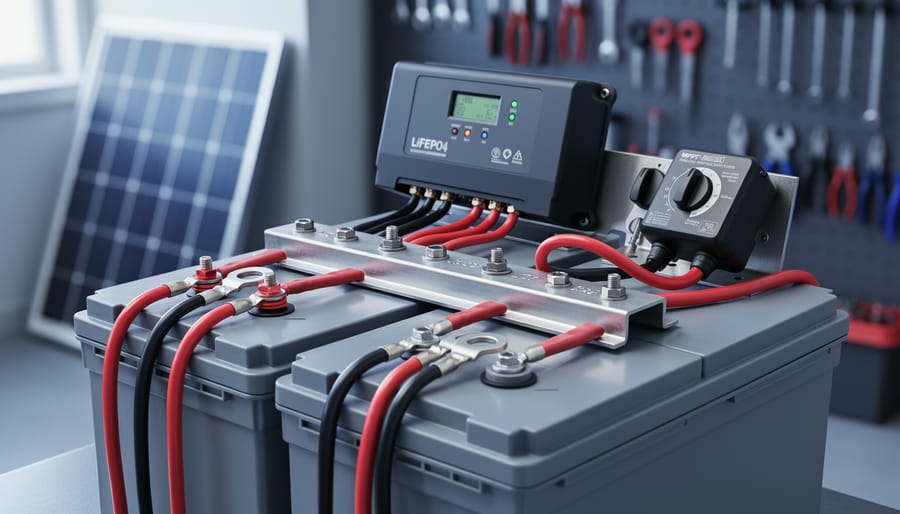
For 12V lithium (LiFePO4) batteries: Set disconnect at 12.0V and reconnect at 13.0V. Lithium batteries have flatter voltage curves, so these settings prevent over-discharge while maximizing usable capacity.
I learned this the hard way when I first set up my workshop system. I used lead-acid settings on my lithium bank and kept wondering why my loads shut off so early. Once I adjusted the thresholds properly, everything clicked into place. Always double-check your battery manufacturer’s specifications, as some variations exist between brands and models.
Testing Your Setup Before You Need It
Here’s my simple testing routine that’s saved me from headaches down the road. Once everything’s connected, don’t just assume it works—trust me, I learned that the hard way during a camping trip when my lights refused to turn on at dusk.
Start with a basic load test using something safe like an LED light or phone charger. Connect it to your load output and watch what happens as the sun goes down or when you manually trigger the controller’s low-voltage disconnect setting. Your load should cut off automatically when the battery voltage drops to the preset threshold. If it doesn’t, you’ll want to troubleshoot before relying on it.
Next, test the reconnect function. Charge your battery back up and verify that power returns to your loads at the proper voltage. I keep a simple multimeter handy to check these voltages—it’s become an essential tool in my solar toolkit.
Finally, simulate different scenarios. Try connecting various loads to see how your controller handles them. Some controllers have timers or dusk-to-dawn features, so test those too. Run through each setting at least once while you’re near your setup and have time to adjust things. This fifteen-minute investment now prevents frustrating troubleshooting later when you actually need your system working perfectly.
Testing voltage settings ensures your load management controller disconnects at the proper levels to protect battery health.
Choosing a Charge Controller with the Right Load Features
Load Amp Rating: Getting the Right Size
Choosing the right amp rating for your load controller starts with a simple calculation: add up the current draw of everything you plan to power. I learned this the hard way when I first started – I underestimated my needs and ended up overloading my 10A controller with camping lights and a small fan!
Here’s how to calculate your requirements. First, list every device you’ll connect. For each one, find its wattage (usually on a label or in the manual). Then use this formula: Amps = Watts ÷ Volts. For a 12V system, a 36-watt LED light strip draws 3 amps (36 ÷ 12 = 3).
Add up all your devices’ amp draws, then multiply by 1.25 to give yourself a safety buffer. This accounts for power surges when devices start up and prevents running your controller at maximum capacity constantly, which generates heat and shortens its lifespan.
For example, if your total is 8 amps, look for a 10A or 15A rated controller (8 × 1.25 = 10). Common ratings are 10A, 20A, and 30A. Remember, it’s better to size up than risk overloading your system and potentially damaging your equipment or creating safety hazards.
Programmable vs. Fixed Settings
When I first started building solar systems, I assumed programmable controllers were always better—more features mean more control, right? But here’s what I’ve learned: it really depends on your setup and how hands-on you want to be.
Programmable load management controllers shine when you’re running multiple loads or need specific timing. Maybe you want your chicken coop lights on at sunset but your water pump only during peak sun hours. These controllers let you set custom voltage thresholds, create schedules, and adjust settings as your system grows. They’re perfect for folks who enjoy tinkering and optimizing their systems over time.
Fixed-setting controllers, on the other hand, work beautifully for simple, single-load applications. Running one LED light or a basic ventilation fan? A controller with preset voltage cutoffs (usually around 11.5V disconnect, 12.6V reconnect for 12V systems) handles this perfectly without any programming hassle. Many of the best solar charge controllers include fixed-setting load outputs that just work out of the box.
My advice: start simple if you’re new to solar. Fixed settings let you focus on understanding the basics. You can always upgrade to programmable control later when you’re ready to add complexity to your system.
Look, I’ll be straight with you about load management controllers: they’re one of those features that protects your investment and makes the whole solar experience less stressful. I’ve seen too many folks fry their batteries by leaving loads connected when they shouldn’t be, and it’s heartbreaking because it’s so preventable.
Here’s what I’ve learned over the years – you don’t need to use every feature right away. When I built my first system, I didn’t even connect anything to the load terminals for the first month. I just wanted to understand how everything worked together. Then I added a small LED light. Simple. No pressure. That’s how you learn without risking expensive mistakes.
The beauty of a good load management setup is that it grows with you. Start with basic low voltage disconnect settings to protect your battery. Once you’re comfortable, maybe add timer functions for automatic lighting. Before you know it, you’re managing multiple loads like a pro, and your system is running efficiently while your batteries stay healthy for years longer than they would otherwise.
If you’re still figuring out what size system you need or how to balance your loads, I encourage you to explore the solar calculator tools here on the site. They’ve helped thousands of people design systems that actually work for their needs. And don’t forget – our community forum is packed with folks who’ve been exactly where you are now. Ask questions, share your progress, and learn from others. We’re all figuring this out together.
How useful was this post?
Click on a star to rate it!
Average rating 0 / 5. Vote count: 0
No votes so far! Be the first to rate this post.
We are sorry that this post was not useful for you!
Let us improve this post!
Tell us how we can improve this post?
charlesnoble
Here at Spheral Solar, I’m a hands-on solar power enthusiast, constantly exploring and experimenting with DIY solutions. I’m dedicated to sharing my discoveries, insights, and even the bumps I hit along the way, all in the pursuit of a more sustainable future.
Why Your Battery Needs the Load Output (And How to… by Charlesnoble January 6, 2026 Connect your solar panel to the charge controller’s solar input terminals, then wire the controller to your battery’s positive and negative posts—this creates the essential protection layer that prevents overcharging during sunny days and deep discharge on cloudy ones. Think of your charge controller as a smart traffic cop directing…
Why Your Parallel Battery Setup Isn’t Charging… by Charlesnoble March 10, 2026 Connect your parallel batteries to a single charge controller rather than using multiple controllers—this prevents voltage mismatches that cause one battery to overcharge while another sits partially drained. I learned this the hard way when my first dual-battery setup left one battery constantly undercharged because each controller operated independently, creating…
Stop Frying Your Batteries: How to Size Your Solar… by Charlesnoble November 24, 2025 Multiply your solar panel wattage by 1.25, then divide by your battery voltage—that’s your minimum charge controller amperage. A 400-watt solar array feeding a 12-volt battery bank needs at least a 42-amp controller (400 × 1.25 ÷ 12 = 41.67). This calculation accounts for real-world conditions where panels sometimes exceed…
Why a 9kW Solar System with Batteries Could Be… by Charlesnoble November 23, 2025 Calculate your actual energy consumption before committing to a 9kW solar system with batteries. Pull your last 12 months of electricity bills, add up the total kilowatt-hours used, and divide by 365 to get your daily average. Most households consuming 25-35 kWh daily find a 9kW system hits the sweet…
Why Your 8kW Off-Grid Solar System Might Be Wasting… by Charlesnoble December 17, 2025 Calculate your actual daily energy consumption in watt-hours before investing a single dollar—not your estimated usage, but real measurements taken over at least two weeks using a kill-a-watt meter on every circuit. An 8kW off-grid system produces roughly 32-40 kWh daily under ideal conditions, but real-world performance drops 20-30% due…
Every Component Your Solar Panel System Actually… by Charlesnoble November 26, 2025 Picture this: you’re standing in front of a solar panel, ready to harness free energy from the sun, but you’re not quite sure what else you need to make it actually work. I’ve been there. When I first started tinkering with solar in my garage, I quickly learned that panels…
Subscribe for handpicked DIY projects, exclusive tips, and giveaways.
Measure your inverter’s efficiency by comparing DC input power to AC output power using a simple multimeter—a ratio below 95% signals it’s time to investigate performance issues. Track voltage and current readings at both the solar panel array and your home’s load center during peak sun hours, then multiply volts by amps to calculate actual… Read more: Your DIY Solar Inverter Might Be Wasting Power (Here’s How to Find Out)
Check your solar inverter’s communication ports right now – if you see two screw terminals labeled A and B (or D+ and D-), you’re looking at 2-wire RS485, the most common communication protocol in DIY solar monitoring setups. This simple two-wire system lets your solar equipment talk to monitoring devices, allowing you to track power… Read more: Why 2-Wire RS485 Is the Smartest Choice for Your DIY Solar Monitoring System
Match your solar panels to microinverters or power optimizers based on your roof’s shading patterns—even partial shade from a chimney or tree during morning hours means module-level power electronics will recover 15-25% more energy than string inverters lose to the weakest panel. Install power optimizers when you’re working with mixed panel orientations across multiple roof… Read more: Why Smart Solar Modules Could Save Your DIY Array (Before It’s Too Late)