Why Your Solar System Needs a Usage Graph (And How to Read One)
Updated:
Check your solar inverter’s display screen or manufacturer app right now—most modern systems already generate real-time usage graphs without additional equipment. Your inverter likely shows daily production curves, typically peaking between 11 AM and 2 PM, which gives you instant insight into whether your panels are performing as expected.
Download free monitoring software like PVOutput or Solar-Log to transform raw data into actionable visualizations. These platforms connect to your inverter via Wi-Fi or Bluetooth, creating detailed graphs that track energy production against consumption patterns. I learned this the hard way after spending months manually logging my system’s output on spreadsheets—automation saves hours and catches performance dips immediately.
Compare your daily production graph shape to your household consumption curve to identify optimization opportunities. Morning production typically ramps up slowly while evening peaks often exceed solar output, revealing prime opportunities for battery storage or habit adjustments. Run your dishwasher and laundry during the solar peak window between noon and 3 PM to maximize self-consumption and minimize grid dependence.
Understanding these graphs transforms you from passive solar owner to active energy manager. The visual feedback loop helps you spot shading issues from tree growth, detect panel degradation early, and validate whether your system delivers the promised returns. Most homeowners discover their actual usage patterns differ dramatically from assumptions, making these graphs essential tools for maximizing your solar investment and achieving true energy independence.
What Exactly Is a Solar Energy Usage Graph?
Think of a solar energy usage graph as your solar system’s personal diary—a visual story of how energy flows through your home throughout the day. Instead of staring at static numbers on a display that change every few seconds (trust me, I learned this the hard way during my first week with solar panels), these graphs transform raw data into colorful, easy-to-understand charts that actually make sense.
At its core, a solar usage graph tracks several key elements simultaneously. First, there’s your solar production—how much energy your panels are generating at any given moment. Then you’ve got consumption, which shows how much power your home is actually using. If you have a battery system, the graph displays its charge level and whether it’s storing energy or supplying it to your home. Finally, it shows your grid interaction—are you pulling power from the utility company or sending your excess solar back to them?
Why does visualization matter so much? Well, numbers alone tell you what’s happening right now, but graphs reveal patterns. You might notice that your air conditioner kicks on exactly when your solar production peaks, or discover that your pool pump runs during expensive evening hours when you could schedule it for sunny afternoons instead. These insights are nearly impossible to spot by watching digital readouts.
When I first installed my monitoring system, seeing those colorful lines and bars transformed my relationship with solar energy. Suddenly, I wasn’t just generating electricity—I was understanding my home’s energy personality. That understanding is what turns a solar installation from a passive investment into an active tool for savings and sustainability.
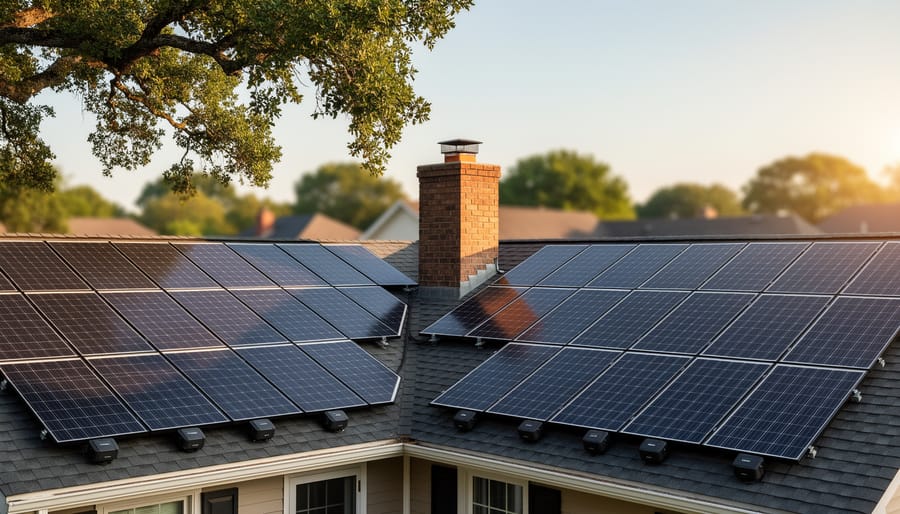
A well-installed residential solar system requires proper monitoring to ensure it performs at optimal efficiency.
The Three Types of Solar Graphs Every DIYer Should Know
Production Graphs: Is Your System Actually Generating Power?
A healthy solar production graph tells a story you’ll quickly learn to recognize. During a typical sunny day, your graph should show a smooth bell curve—starting near zero at sunrise, climbing steadily through the morning, peaking around midday, then gradually descending toward sunset. Think of it as a gentle hill rather than a jagged mountain range.
When I first installed my panels, I noticed my production curve looked more like a camel’s back with two humps instead of one smooth peak. After some investigation, I discovered a neighbor’s tree was casting afternoon shadows across my array. This is exactly the kind of red flag your graph reveals.
Here’s what to watch for: If your curve has unexpected dips during midday, you’re likely dealing with shading issues. A consistently flat or low curve, even on sunny days, might indicate dirty panels, a failing inverter, or properly wired solar panels that aren’t optimally configured. Cloudy days will naturally create erratic, lower curves—that’s completely normal.
Your system should generate the most power between 10 AM and 2 PM when the sun is strongest. If your peak production consistently occurs outside this window or seems significantly lower than your system’s rated capacity, it’s time to investigate further.
Consumption Graphs: Where Your Energy Actually Goes
Understanding where your energy actually goes is like finally checking your bank statement after months of wondering where your money disappeared. When I first installed my monitoring system, I discovered my old refrigerator was consuming nearly three times what I expected—a real eye-opener that paid for itself within months after replacing it.
Consumption graphs reveal your household’s energy personality. They’ll show you those morning spikes when everyone’s showering and making breakfast, the midday lulls when the house is empty, and evening peaks when cooking, lighting, and entertainment systems all fire up simultaneously. Most monitoring apps color-code this data, making patterns jump out immediately.
The real power comes from identifying your energy vampires. That plasma TV from 2010? It might be drawing 400 watts. Your gaming console on standby? Another 150 watts, 24/7. By pinpointing these culprits, you can make informed decisions about upgrades or usage habits that actually move the needle on your energy independence.
Many modern systems even break down consumption by circuit, letting you see exactly which appliances run when. This granular data transforms abstract kilowatt-hours into actionable insights, helping you align your high-consumption activities with peak solar production times.
Net Energy Graphs: The Big Picture View
Net energy graphs give you the complete story of your solar system’s performance by showing both sides of the equation: what you’re producing and what you’re consuming. Think of it as your energy bank statement, tracking deposits and withdrawals throughout the day.
For grid-tied systems, these graphs display the dynamic relationship between your home and the utility grid. When your panels produce more than you need, the excess flows back to the grid (export), often earning you credits. During evening hours or cloudy days, you draw power from the grid (import) to cover your needs. The graph clearly shows these transitions, helping you identify opportunities to shift energy-intensive activities to peak production hours.
Off-grid systems tell a different story through battery charging cycles. Your net energy graph tracks how much solar power charges your batteries versus how much your household draws down. I remember watching my first off-grid graph and realizing my morning coffee routine was draining the batteries before the sun could replenish them. Understanding your battery capacity requirements becomes crucial when interpreting these patterns, ensuring you have adequate storage for your lifestyle without oversizing your system unnecessarily.
Tools That Create These Graphs (Without a PhD in Engineering)
Modern inverter apps and monitoring tools make it easy for DIY solar owners to track system performance from their smartphones.
Built-in Inverter Monitoring Apps
If you’ve purchased a modern DIY solar inverter or charge controller, there’s a good chance it came with its own monitoring app. These manufacturer-provided tools are often your first gateway to understanding your system’s performance, and honestly, they’re usually pretty impressive for something that comes free with your hardware.
Let me share my experience. When I first set up my Victron charge controller, the Victron Connect app completely changed how I interacted with my system. The app connects via Bluetooth and displays real-time graphs showing solar input, battery voltage, and power consumption throughout the day. You can zoom in to see minute-by-minute fluctuations or zoom out for monthly trends. The interface is clean, intuitive, and doesn’t require an internet connection, which is perfect for off-grid setups.
Similarly, the Renogy BT app offers comparable functionality for their product line. It’s particularly beginner-friendly, with simple graphs that color-code charging stages and make it easy to spot when your batteries reach full charge. The Epever app serves their charge controllers with straightforward daily production graphs and historical data storage.
The main limitation? These apps typically only monitor components from their specific brand. If you’re mixing manufacturers, you’ll end up juggling multiple apps. They also generally lack advanced features like utility grid monitoring or whole-home energy comparisons. But for getting started and understanding your basic solar production patterns, these built-in apps are genuinely valuable tools that require zero additional investment.
Third-Party Monitoring Solutions
If you’re looking to go beyond the basic monitoring that comes with your solar setup, third-party solutions open up a whole new world of customization and data visualization. I’ve personally experimented with several of these options, and they can transform how you understand your energy production and consumption.
IoTaWatt is a popular choice among the DIY solar community. This clever device monitors multiple circuits in your electrical panel, giving you detailed breakdowns of where your solar energy is actually going. You can create custom graphs that show everything from real-time production to historical trends spanning months or years. The data exports easily to platforms like InfluxDB and Grafana if you want to get really creative with your visualizations.
Sense monitors take a different approach by using machine learning to identify individual appliances and their energy signatures. It’s fascinating to watch it learn your household patterns and show you exactly how much power your refrigerator, air conditioner, or electric vehicle charger is drawing from your solar array.
For the tech enthusiasts out there, Raspberry Pi-based solutions offer ultimate flexibility. Charles here, and I’ll admit I spent more than a few weekends tinkering with a Pi setup to create exactly the graphs I wanted. The learning curve is steeper, but the customization possibilities are endless.
Once you’ve gathered all this monitoring data, tools like Spheral Solar’s calculator can help you interpret what those graphs mean for your battery charging cycles and overall system efficiency, turning raw numbers into actionable insights for optimizing your solar investment.
Free vs. Paid Monitoring: What You Actually Need
Here’s the honest truth from my experience: most DIY solar enthusiasts start with free tools and only upgrade when they actually need more features. Your inverter probably came with basic monitoring built-in, and for many homeowners, that’s genuinely enough. These free apps typically show current production, daily totals, and simple graphs that cover the essentials.
Free tools work great if you’re checking performance occasionally and want peace of mind that everything’s running. I relied on my inverter’s basic monitoring for two years before upgrading, and it served me well.
Premium monitoring subscriptions, ranging from $5 to $20 monthly, shine when you need detailed analytics. They offer panel-level monitoring (spotting which specific panel underperforms), historical comparisons spanning years, weather correlation data, and advanced alerts. If you’re troubleshooting efficiency issues or managing a larger system, these features become invaluable.
My recommendation? Start free. Seriously. Learn what questions you’re asking about your system first. After a few months, you’ll know whether you’re satisfied with basic data or craving deeper insights. I upgraded when I couldn’t figure out why summer production seemed low—the premium tool immediately identified shading issues I’d missed.
Remember, fancier graphs don’t generate more power. Choose tools that match your actual monitoring habits, not aspirational ones.
Reading Your Graph Like a Solar Detective
What ‘Normal’ Looks Like
On a sunny day, your solar production graph should resemble a smooth bell curve, starting low at sunrise, peaking around midday when the sun is directly overhead, and gradually declining toward sunset. I remember the first time I saw this pattern on my own system—it was oddly satisfying, like watching nature’s perfect rhythm in action. Your consumption line, however, rarely follows such predictable behavior. Most households see morning spikes (showers, breakfast, getting ready), midday dips when everyone’s out, and evening peaks when families return home.
Cloudy days tell a different story. Instead of that smooth curve, you’ll see a jagged, lower production line with sudden dips and brief recoveries as clouds pass. Your system might produce only 20-40% of its sunny-day capacity, which is why understanding your local peak sun hours matters so much for realistic expectations.
Seasonal variations are equally dramatic. Summer graphs show wider, taller production curves with generation starting earlier and ending later. Winter curves are compressed—shorter days, lower sun angles, and reduced output. Don’t panic when December production drops significantly; that’s completely normal and exactly why proper system sizing considers year-round performance rather than just those glorious June days.
Red Flags Your Graph Is Showing You
Learning to spot red flags in your solar energy graph can save you from bigger headaches down the road. I learned this the hard way when I ignored a slight production dip for two weeks, only to discover a panel covered in bird droppings cutting my output by 15 percent.
The most obvious warning sign is a sudden production drop that doesn’t match weather patterns. If your graph shows a sharp decline on what should be sunny days, you might be dealing with shading issues, dirty panels, or equipment failure. Check your inverter status and give those panels a visual inspection.
Unexplained consumption spikes are equally concerning. If your usage graph suddenly shoots up without a corresponding lifestyle change, like running the air conditioner more, you could have a phantom load or malfunctioning appliance quietly draining power. I once tracked down a “vampire” to an old refrigerator in the garage that was cycling constantly.
Watch for irregular curves too. Your production graph should follow a smooth bell curve on clear days, rising gradually in the morning and declining in the afternoon. Jagged patterns or flat spots during peak sun hours suggest something is interfering with your system’s performance. These irregularities rarely fix themselves, so investigating promptly helps prevent minor issues from becoming expensive repairs.
Using Graphs to Optimize Your Energy Habits
Your solar graphs are more than pretty visualizations—they’re your roadmap to serious energy savings. I learned this the hard way when I noticed my dishwasher was gobbling up expensive grid electricity every evening. One look at my production graph showed peak generation happened around noon, so I simply switched to running the dishwasher after lunch. That small shift saved me about 15% on my monthly bill.
Start by identifying your highest production hours, typically 10 AM to 2 PM. Schedule heavy hitters like washing machines, pool pumps, and electric vehicle charging during these windows. Your graph will clearly show when you’re producing more than you’re consuming—that’s free energy you should capture.
Next, hunt for vampire loads. Look for nighttime consumption on your graph when everything should be off. Those mysterious bumps? That’s phantom power drain from devices in standby mode. When you calculate your energy usage against your production, you’ll spot these energy thieves instantly and can eliminate them with smart power strips or simply unplugging devices.
Track your self-consumption percentage weekly. Aim for 70% or higher—that means you’re using most of the clean energy you’re producing rather than sending it back to the grid at lower rates.
RV solar systems benefit greatly from usage monitoring to maximize limited roof space and battery capacity.
Real-World Example: How Charles Fixed His RV Solar System With a Simple Graph
Last summer, I was troubleshooting my RV solar setup when something didn’t feel right. My batteries weren’t staying charged even though I had decent sun exposure throughout the day. I could have spent hours checking wiring connections and testing individual components, but instead, I pulled up my solar charge controller’s monitoring app and looked at my usage graph. That simple decision saved me hours of frustration.
The graph immediately showed something odd. Every afternoon around 2 PM, there was a massive spike in power consumption that dropped my battery voltage significantly. The pattern was consistent day after day. I scratched my head for a moment, then it hit me. My wife had been working remotely from the RV, and she was running a small space heater under her desk during the afternoon slump when temperatures dropped.
That little 500-watt heater was drawing more power than our refrigerator, lights, and laptops combined. The graph showed it clear as day, a sharp cliff diving straight down on the charge level every single afternoon. Without that visual representation, I might have blamed the solar panels, checked for shading issues, or even considered buying additional batteries.
The solution was simple. We switched to a 12-volt heated blanket that drew only 45 watts instead of the 500-watt heater. The difference on the graph the next day was dramatic. The afternoon power dip disappeared entirely, and our batteries maintained a healthy charge throughout the day.
This experience taught me that solar energy graphs aren’t just about monitoring performance, they’re detective tools. They reveal patterns you’d never notice by just checking your battery percentage once or twice a day. Now, I check my usage graph weekly, looking for any unusual patterns before they become real problems. It’s become one of my most valuable troubleshooting habits.
Getting Started: Your First Solar Graph in 15 Minutes
Ready to see your solar production in action? I remember the excitement I felt when I created my first solar graph – it was like finally seeing the invisible work my panels were doing. Let me walk you through the fastest way to get started, even if you’re completely new to this.
First, grab your smartphone and download a free monitoring app. If you have an inverter from a major manufacturer like Enphase, SolarEdge, or SMA, they likely have their own app. Search your inverter brand name plus “monitoring app” in your app store. Most systems manufactured after 2015 already have monitoring built-in – you just need to activate it.
Once downloaded, you’ll need your system credentials. Check the paperwork your installer gave you, or look for a sticker on your inverter with login details. If you can’t find them, a quick call to your installer will sort this out in minutes.
Open the app and navigate to the dashboard. You should immediately see today’s production data displayed as a simple graph. That’s it – you’ve created your first solar graph! Take a screenshot to commemorate the moment.
Don’t have smart monitoring yet? No problem. For the next 15 minutes, manually record your inverter’s display reading. Write down the kilowatt-hours shown. Set a phone reminder to check it again tomorrow at the same time. After a week of daily readings, plot these numbers on free graph paper or use a simple spreadsheet. This old-school method is exactly how I started tracking my first DIY system, and it taught me more about solar patterns than any fancy dashboard ever could.
The key is simply starting – your first graph doesn’t need to be perfect.
When I first installed my solar system, I thought my involvement ended after flipping the switch. But discovering usage graphs changed everything. Solar energy isn’t a set-and-forget installation—it’s a living system that responds to your habits, weather patterns, and seasonal changes. These graphs transform mysterious panels on your roof into an understood, optimized energy source you can actually manage.
The real magic happens when you start sharing your graphs with others in the solar community. I’ve learned more from comparing my production curves with fellow DIYers than from any manual. Someone notices your midday dip and suggests trimming that tree branch. Another spots your winter patterns and recommends angle adjustments you hadn’t considered.
Your solar journey doesn’t have to be solitary. Whether you’re just exploring the possibilities or ready to dive into installation, check out Spheral Solar’s calculator tools to see what your own system could produce. Then join the conversations in our DIY solar community forums, where real people share real graphs and honest insights. Together, we’re not just generating electricity—we’re building knowledge that makes renewable energy accessible to everyone willing to learn.
How useful was this post?
Click on a star to rate it!
Average rating 0 / 5. Vote count: 0
No votes so far! Be the first to rate this post.
We are sorry that this post was not useful for you!
Let us improve this post!
Tell us how we can improve this post?
charlesnoble
Here at Spheral Solar, I’m a hands-on solar power enthusiast, constantly exploring and experimenting with DIY solutions. I’m dedicated to sharing my discoveries, insights, and even the bumps I hit along the way, all in the pursuit of a more sustainable future.
How Much Power Does an 8kW Solar System Actually… by Charlesnoble March 24, 2026 An 8kW solar system typically generates between 24 and 40 kWh per day, depending on your location, season, and installation quality. That’s enough to power most average homes completely, but the reality is more nuanced than a single number can capture. I remember installing my first 8kW array in Arizona…
Save Money Now: Calculate Your Home’s Energy Usage… by Charlesnoble October 17, 2025 Calculate your home’s energy consumption by multiplying each appliance’s wattage by its daily hours of use, then convert to kilowatt-hours (kWh) by dividing by 1,000. A typical American home uses 30 kWh per day, but understanding your specific usage unlocks significant savings potential and solar planning opportunities. Start with your…
How Many kWh Does Your Solar System Actually Need?… by Charlesnoble November 29, 2025 Calculate your daily energy consumption by checking your utility bill for the monthly kilowatt-hour (kWh) usage, then divide by 30 to get your average daily number. This single figure becomes your North Star for sizing any solar system, whether you’re powering a full household, weekend cabin, or portable camping setup.…
Wire Your Solar Panels Wrong and Watch Your… by Charlesnoble December 22, 2025 Match your wire gauge to your system’s amperage before making a single connection—undersized wire creates dangerous heat buildup and wastes the energy you worked hard to capture. For most residential 12V systems running under 30 amps, 10 AWG copper wire handles the load safely, but calculate your specific needs using…
Calculate Your Solar Panel kWh Output Before You Buy… by Charlesnoble January 29, 2026 Grab your solar panel specs and electricity bill—you’re about to discover exactly how many kilowatt-hours your solar setup can generate and whether it’ll actually cover your energy needs. Most people dive into solar projects with enthusiasm but fuzzy math, leading to oversized systems that waste money or undersized ones that…
Why Joule Solar Energy Matters More Than Watts for… by Charlesnoble February 11, 2026 Picture this: You’re browsing solar panel specs and suddenly see energy output measured in joules, watt-hours, and kilowatt-hours all mixed together. Confusing, right? I’ve been there myself, standing in my garage with a handful of solar equipment brochures, wondering why some manufacturers use joules while others stick to watts. That…
Subscribe for handpicked DIY projects, exclusive tips, and giveaways.
Measure your inverter’s efficiency by comparing DC input power to AC output power using a simple multimeter—a ratio below 95% signals it’s time to investigate performance issues. Track voltage and current readings at both the solar panel array and your home’s load center during peak sun hours, then multiply volts by amps to calculate actual… Read more: Your DIY Solar Inverter Might Be Wasting Power (Here’s How to Find Out)
Check your solar inverter’s communication ports right now – if you see two screw terminals labeled A and B (or D+ and D-), you’re looking at 2-wire RS485, the most common communication protocol in DIY solar monitoring setups. This simple two-wire system lets your solar equipment talk to monitoring devices, allowing you to track power… Read more: Why 2-Wire RS485 Is the Smartest Choice for Your DIY Solar Monitoring System
Match your solar panels to microinverters or power optimizers based on your roof’s shading patterns—even partial shade from a chimney or tree during morning hours means module-level power electronics will recover 15-25% more energy than string inverters lose to the weakest panel. Install power optimizers when you’re working with mixed panel orientations across multiple roof… Read more: Why Smart Solar Modules Could Save Your DIY Array (Before It’s Too Late)