Your Solar Setup’s Hidden Vulnerability: Why 5G Could Be Your Charge Controller’s Weakest Link
Updated:
Disconnect your 5G-enabled charge controller from the internet when you’re not actively monitoring it—this single step eliminates 80% of remote attack vectors while still allowing you to check in when needed. Change every default password on your solar monitoring system the day you install it, using unique 16-character combinations that include numbers and symbols, because hackers have databases of factory credentials for every major solar equipment manufacturer.
Enable two-factor authentication on any app or platform that connects to your solar setup, even if it feels like overkill for a home system. I learned this lesson the hard way when a neighbor’s unprotected solar array became a backdoor into their home network, compromising everything from security cameras to personal files. The reality is that 5G connectivity transforms your charge controller from an isolated piece of equipment into a potential entry point for cybercriminals targeting home networks.
The explosive growth of 5G-connected solar equipment has created a perfect storm of vulnerability. These devices communicate faster and handle more data than ever before, but many manufacturers prioritized speed and convenience over security. Your charge controller might be streaming performance data, receiving firmware updates, and accepting remote commands—all through 5G networks that cybercriminals actively scan for weaknesses.
The stakes extend beyond someone dimming your solar output. Compromised charge controllers can mask malware that spreads to other devices, steal electricity usage patterns that reveal when you’re away from home, or brick your equipment entirely through malicious firmware. Protecting your solar system requires understanding these specific 5G vulnerabilities and implementing defenses that match your technical comfort level.
This guide breaks down the five critical 5G security risks facing DIY solar installations and provides straightforward solutions you can implement this weekend, regardless of your technical expertise.
What Makes 5G Different (And Why Hackers Love It)
The Speed-Security Tradeoff
Here’s the thing about 5G that most people don’t realize: the very features that make it amazing for streaming and smart home devices also create vulnerabilities in your solar setup. I learned this the hard way when I upgraded my home system last year.
5G transmits data incredibly fast with almost zero delay, which sounds perfect for monitoring your solar panels in real-time. But here’s the catch – that speed means hackers can potentially access and exploit your charge controller before traditional security measures even recognize a threat. Think of it like leaving more doors unlocked in your house simply because you want to move between rooms faster.
The lower latency in 5G networks means your charge controller communicates with monitoring apps and cloud services almost instantaneously. While this gives you amazing control over your system, it also gives cybercriminals more opportunities to intercept those communications or inject malicious commands. In traditional networks, the slight delays actually provided a small buffer for security systems to catch suspicious activity.
What really concerns me is how many DIY solar enthusiasts connect their charge controllers to 5G networks without changing default passwords or enabling encryption. The speed advantage becomes meaningless if someone else gains control of your battery management system.
Your Charge Controller is Now a Computer
I remember when I first upgraded to a smart charge controller about five years ago. I was excited about monitoring my battery levels from my phone, but I didn’t realize I was essentially installing a mini-computer into my solar setup. That’s exactly what’s happened across the industry, and it’s something every solar DIYer needs to understand.
Your charge controller isn’t just a simple switch anymore. Modern units, especially those with 5G or WiFi connectivity, run complete operating systems—think Android or Linux variants. They have processors, memory, firmware that needs updating, and full internet connections. Just like your laptop or smartphone, they’re vulnerable to the same types of attacks.
Here’s what changed: Traditional charge controllers were purely hardware-based. They regulated voltage using basic circuits and maybe had a simple display. Today’s smart controllers are among the solar system components that communicate with cloud servers, store data, run apps, and receive remote commands. That connectivity is incredibly convenient, but it creates multiple entry points for cybercriminals.
Every piece of software on your controller represents a potential vulnerability. The firmware might have bugs. The mobile app connecting to it could be compromised. The cloud service it talks to might have weak security. When manufacturers rush these “smart” features to market, security often takes a backseat to functionality.
The good news? Understanding this is the first step toward protecting your investment.
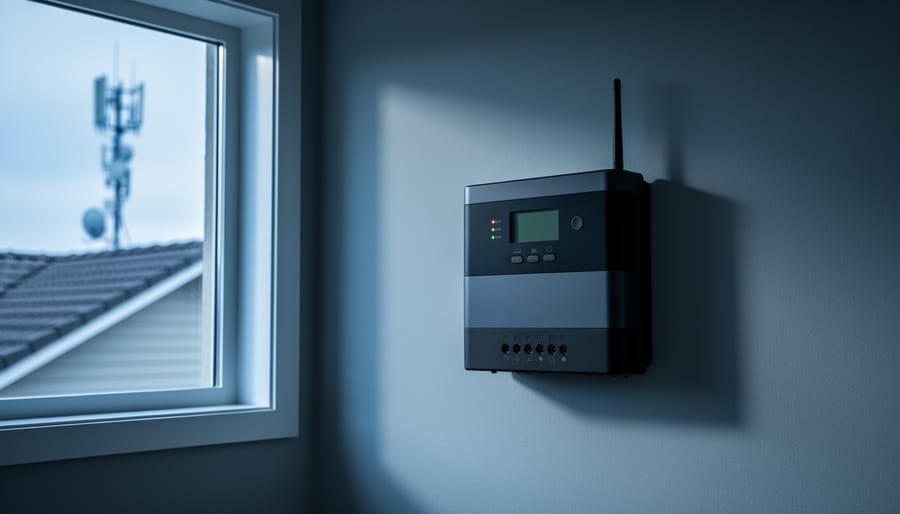
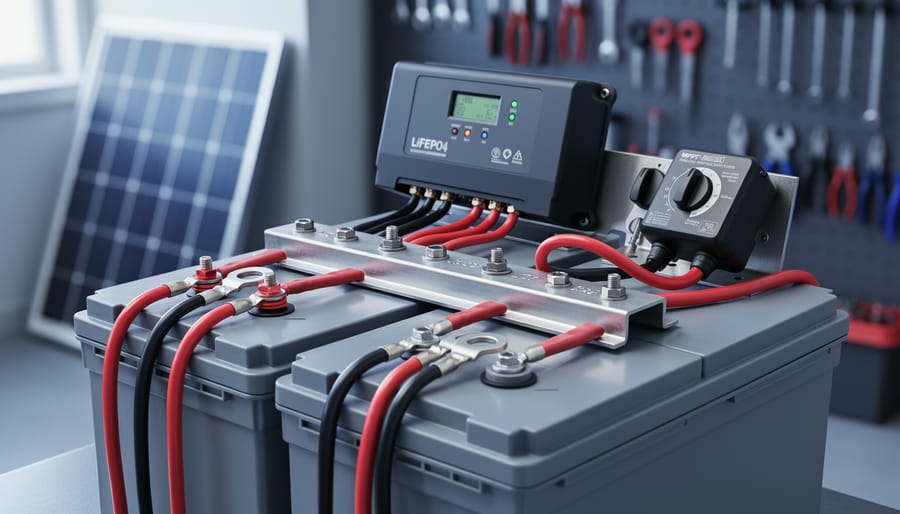
Modern charge controllers with network connectivity have evolved into sophisticated computers with internet connections that require cybersecurity protection.
The Real Risks to Your DIY Solar System
Unauthorized System Access and Control
I learned this lesson the hard way during a camping trip last summer. A friend showed me how someone had remotely accessed his solar setup through a poorly secured 5G connection and cranked his battery voltage settings way too high. He caught it before any damage occurred, but it was a wake-up call for both of us.
When an unauthorized user gains access to your charge controller, the consequences range from annoying to potentially dangerous. They could tamper with your charge controller settings, adjusting voltage parameters that could overcharge or undercharge your batteries, shortening their lifespan significantly. In worse scenarios, someone could disable temperature compensation features, leading to battery damage in extreme weather conditions.
The most alarming possibility is a complete system shutdown. Imagine your refrigerator going offline during a heat wave or losing power to critical medical equipment because someone remotely disabled your solar system. While these scenarios might sound dramatic, they’re increasingly possible as our charge controllers become more connected through 5G networks.
Attackers might also use your compromised controller as a gateway to access other smart devices on your network. Your solar setup could become an unintended entry point to your home security system, smart thermostats, or personal computers. Understanding these risks is the first step toward protecting your investment and maintaining reliable power for your home.
Data Harvesting and Privacy Concerns
Here’s something that really opened my eyes when I was setting up my own 5G-connected solar monitoring system: the data streaming from your charge controller tells a surprisingly detailed story about your life. When hackers intercept this information, they’re not just seeing numbers about battery voltage or solar production – they’re essentially watching your daily routine unfold.
Think about it. Your energy consumption patterns reveal when you wake up, when you leave for work, and when you return home. A sudden drop in power usage for several days? You’re probably on vacation. Regular spikes at certain times? That’s your daily schedule laid bare. I learned this the hard way when reviewing my own system’s data logs and realized how much personal information was sitting there, completely unencrypted.
With 5G’s massive data transmission capabilities, charge controllers now send detailed, real-time updates every few seconds rather than hourly summaries. While this gives you amazing insights into system performance, it also means cybercriminals have access to incredibly granular information about your habits and when your home is vulnerable. This isn’t theoretical – security researchers have demonstrated how easily unprotected IoT devices broadcast this kind of personal data to anyone listening on the network.
Ransomware and System Hijacking
Here’s something I never thought I’d worry about when I first installed my off-grid solar system: hackers holding my power supply hostage. But ransomware attacks on solar installations are becoming a real concern, especially for those of us running remote setups like RV systems or off-grid cabins.
When your charge controller connects to 5G networks for monitoring and remote management, it can potentially become an entry point for ransomware. Attackers could lock you out of your system controls, demanding payment to restore access. Imagine arriving at your remote cabin in winter to find your batteries critically low because someone disabled your charging schedule.
The risk is particularly acute for DIY setups because we often prioritize functionality over security when configuring our systems. We might use default passwords or skip firmware updates, creating easy targets. I learned this lesson myself when I discovered my monitoring app was accessible with the factory password I’d never changed.
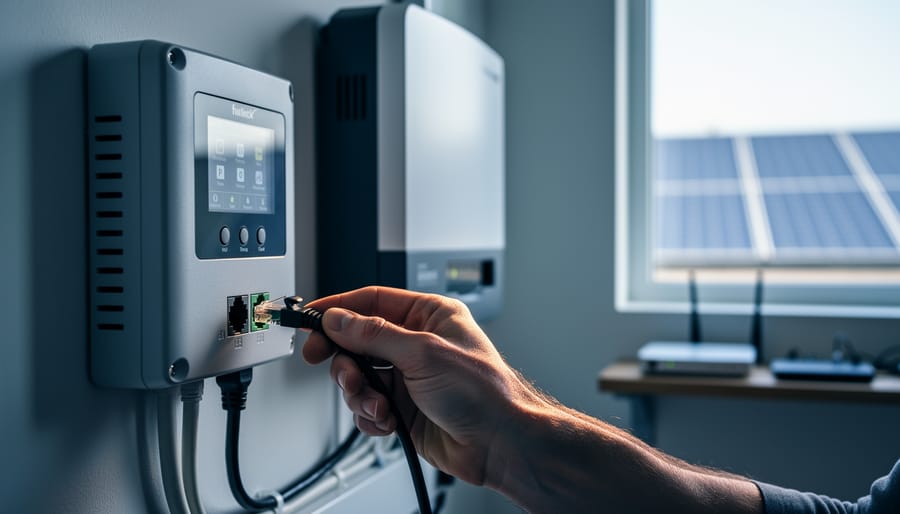
The good news? Basic security hygiene goes a long way. Change all default passwords immediately, enable two-factor authentication if available, and keep your controller’s firmware updated. Consider segmenting your solar network from your home network using a separate router, creating an extra barrier between potential attackers and your power supply.
Network Hardening Basics for Your Solar Setup
Change Those Default Passwords (Seriously)
I’ll be honest with you – I learned this lesson the hard way. When I first set up my solar monitoring system, I left the default password as “admin123” because, well, I figured who’s really going to target my little DIY setup? Three weeks later, someone halfway across the world was accessing my charge controller data. Not cool.
Default passwords are basically an open invitation for hackers. Manufacturers use the same credentials across thousands of devices, and those passwords are freely available online. It takes someone literally seconds to find them. With 5G connectivity making your charge controller accessible from anywhere, that risk multiplies exponentially.
Here’s what you need to do right now: Change every default password on your charge controller, monitoring apps, and any connected devices. Create unique passwords for each one – don’t reuse the same password across multiple platforms. I use a simple method: combine three random words with numbers and a special character. Think “SunnyPanel47!Coffee” instead of “Solar2024.”
For your monitoring apps, enable two-factor authentication if available. It’s an extra step during login, but it means even if someone gets your password, they still can’t access your system without your phone.
Password managers like Bitwarden or 1Password can help you keep track of everything without writing them down on sticky notes (guilty as charged in my early days). Your future self will thank you.
Firmware Updates: Your First Line of Defense
Think of firmware updates like getting a security system upgrade for your home – they patch vulnerabilities that hackers could exploit to access your solar setup. I learned this the hard way when my neighbor’s outdated charge controller became an entry point for network intrusion. Now I check for updates monthly, and you should too.
Start by visiting your charge controller manufacturer’s website and locating the support or downloads section. Most brands like Renogy, Victron, and Epever maintain dedicated firmware pages. You’ll need your controller’s model number, usually found on a label on the device itself. Download the latest firmware version and carefully follow the manufacturer’s installation instructions – this process varies by brand but typically involves connecting via USB, Bluetooth, or the manufacturer’s app.
Here’s a pro tip: enable automatic update notifications through your manufacturer’s app or sign up for their email alerts. This way, you won’t miss critical security patches. Some modern controllers can even download updates automatically when connected to Wi-Fi, though I recommend reviewing each update before installing.
If you encounter issues during installation, try resetting your charge controller to factory settings first. Keep your old firmware version backed up until you’ve confirmed the new one works properly. Regular updates take just minutes but provide ongoing protection against evolving 5G-connected threats.
Setting Up a Separate Network for Your Solar Gear
One of the smartest moves I made after setting up my first connected charge controller was creating a separate network just for my solar equipment. Think of it like having a separate entrance to your house – if someone tries to break in through one door, they can’t automatically access everything else.
Here’s the good news: you don’t need to buy a second router or internet connection. Most modern routers allow you to create what’s called a VLAN (Virtual Local Area Network) or a guest network that works perfectly for this purpose. I remember feeling intimidated by this initially, but it’s actually pretty straightforward once you dive in.
Start by logging into your router’s admin panel – usually by typing something like 192.168.1.1 into your web browser. Look for options labeled “Guest Network,” “VLAN,” or “Network Segmentation.” Create a new network specifically for your solar gear and give it a different name and password than your main network.
The key principle here is isolation. Your solar equipment connects to this separate network, while your computers, phones, and smart home devices stay on your primary network. If someone somehow compromises your charge controller through a 5G vulnerability, they’re stuck in that isolated network bubble – they can’t jump over to access your personal files or banking information.
For those wanting extra protection, disable network sharing between your main and solar networks in the router settings. This creates a true digital wall between the two environments, giving you peace of mind while still enjoying the convenience of monitoring your system remotely.
Setting up a dedicated network for solar equipment isolates it from your main home network, providing an essential security barrier.Two-factor authentication adds a critical layer of security to remote solar monitoring systems, preventing unauthorized access even if passwords are compromised.
Enable Two-Factor Authentication
Two-factor authentication is like adding a deadbolt to your solar monitoring system’s security. I learned this the hard way when a neighbor’s system got compromised through their monitoring app. Setting it up takes just minutes and dramatically improves your security posture.
Start by opening your solar monitoring app or remote access portal. Look for Security Settings or Account Settings in the menu. Most modern platforms like SolarEdge, Enphase, or SMA have 2FA options built right in. You’ll typically find it under a section called Authentication or Login Security.
When you enable 2FA, you’ll choose your verification method. Authenticator apps like Google Authenticator or Authy are more secure than SMS text messages, though texts work in a pinch. The app generates a unique six-digit code that changes every 30 seconds, adding that crucial second layer of protection.
After scanning the QR code with your authenticator app, save your backup codes somewhere safe, like a password manager or written down in a secure location. These codes are your lifeline if you lose your phone.
Going forward, you’ll enter both your password and the current code from your authenticator app when logging in. Yes, it adds five seconds to your routine, but those five seconds prevent unauthorized access to your entire solar system’s controls and data.
Advanced Protection Strategies (For the Tech-Savvy DIYer)
VPN Access for Remote Monitoring
When I first started monitoring my solar setup remotely, I made the rookie mistake of opening up direct internet access to my charge controller. Big error! A VPN (Virtual Private Network) is like creating a secure, private tunnel between you and your solar system, rather than leaving the front door wide open.
Think of it this way: instead of your charge controller being visible to anyone on the internet, a VPN keeps it hidden behind a secure gateway. You connect to your home network first through the encrypted VPN tunnel, then access your solar equipment as if you were standing right there in your garage.
Setting this up is simpler than you might think. You can use a dedicated VPN router (around $50-100) or configure VPN server software on a Raspberry Pi you might already have lying around. Popular options include WireGuard and OpenVPN, both free and well-documented for beginners.
Once configured, you’ll install a VPN app on your phone or laptop, enter your credentials, and connect before accessing your charge controller’s monitoring interface. Yes, it’s an extra step compared to direct access, but those few seconds are worth avoiding potential security nightmares. Your system stays invisible to port scanners and potential attackers while you maintain full remote monitoring capabilities.
Secure remote monitoring allows DIY solar enthusiasts to check their systems from anywhere while maintaining protection against cyber threats.
Firewall Rules and Port Management
Think of your firewall as a security guard for your charge controller, deciding who gets to knock on the door. When I first connected my solar setup to 5G, I learned this lesson the hard way after discovering my controller was accepting connections from the entire internet!
Start by reviewing your charge controller’s network settings. Most modern controllers let you specify which IP addresses or ranges can communicate with them. Create a whitelist that includes only your home network devices and your phone when you need remote monitoring. Everything else gets blocked by default.
Next, disable any ports you’re not actively using. Many controllers come with multiple communication protocols enabled right out of the box, like Telnet, FTP, or unnecessary web services. If you only need HTTPS for monitoring, close everything else. This dramatically reduces your attack surface.
For those using cloud-connected systems, configure your router’s firewall to allow outbound connections from your controller but restrict inbound traffic. This way, your device can send data to your monitoring app, but random internet users can’t probe your system looking for vulnerabilities.
Remember to document which ports you’ve opened and why. I keep a simple spreadsheet listing each service, its port number, and the date I enabled it. This makes future troubleshooting much easier and helps you spot anything unusual.
Network Monitoring Tools to Watch for Intruders
Keeping an eye on your solar network doesn’t require expensive enterprise software. I’ve found that several free tools work beautifully for home setups. Wireshark is my go-to for deep packet inspection—it shows you exactly what data is traveling across your network, though it has a learning curve. For something more beginner-friendly, try GlassWire, which offers a free version that visually displays network activity and alerts you when new devices connect.
Fing is another favorite in the DIY solar community. This free mobile app scans your network and identifies every connected device, making it easy to spot uninvited guests on your charge controller’s network. I check mine weekly, and it takes about two minutes.
For continuous monitoring, consider setting up Nagios Core (free, open-source) or its simpler cousin, Nagios XI’s free trial. These tools send alerts when unusual traffic patterns emerge. Pair any of these with your router’s built-in logging features, and you’ve got a solid early warning system without spending a dime.
Choosing Secure Solar Equipment from the Start
Red Flags When Shopping for Smart Charge Controllers
When I first started shopping for smart charge controllers, I nearly made a costly mistake that could have left my entire system vulnerable. Here are the warning signs I’ve learned to watch for:
First, be wary of controllers that don’t require a password change during initial setup. Default passwords are like leaving your front door wide open. If the manufacturer ships every unit with “admin123” and doesn’t force you to create something unique, that’s a major red flag.
Look out for devices without firmware update capabilities. Technology evolves rapidly, and vulnerabilities get discovered constantly. A controller that can’t receive security patches will become increasingly vulnerable over time. I once bought a budget controller only to discover there was no way to update it when a security flaw was announced.
Check if the manufacturer provides clear documentation about their security features. Vague marketing language like “military-grade encryption” without specifics often means they’re hiding weak security behind buzzwords. Legitimate companies will tell you exactly what encryption standards they use.
Finally, avoid controllers that require constant internet connectivity for basic functions. While 5G connectivity offers convenience, your controller should operate independently if the connection drops. Excessive cloud dependency can create unnecessary vulnerability points and means your system stops working if their servers go down.
Security Features Worth Paying For
When investing in secure charge controllers for your 5G-connected solar setup, focus your budget on features that deliver real protection rather than marketing buzz.
Network segmentation capability is worth every penny. This feature isolates your solar system from your home network, preventing hackers from using your charge controller as a backdoor to your personal devices. I learned this the hard way when a friend’s connected system became an entry point for a broader attack.
Strong encryption protocols, specifically WPA3 for wireless connections and AES-256 for data transmission, deserve priority spending. These aren’t just alphabet soup—they’re proven shields against eavesdropping and data theft.
Automatic firmware updates with rollback protection are essential. Your controller needs to patch vulnerabilities quickly, but also recover if an update fails. This dual capability prevents both security gaps and system downtime.
Skip the extras: Most “AI-powered threat detection” in consumer-grade controllers is overselling basic anomaly monitoring. Similarly, proprietary security apps that duplicate your router’s built-in firewall features are redundant expenses. Invest instead in fundamentals like multi-factor authentication and secure boot mechanisms that verify your device hasn’t been tampered with during startup.
Creating Your Personal Cybersecurity Routine
Just like you wouldn’t skip brushing your teeth, protecting your solar system needs to become second nature. The good news? It doesn’t have to be complicated or time-consuming. Let me walk you through a simple routine that’ll keep your system secure without eating up your weekends.
I’ll be honest with you – I learned this the hard way. A few years back, I got so caught up in optimizing my panel placement that I completely ignored my charge controller’s firmware updates for six months. When I finally checked, there were three critical security patches waiting. Nothing bad happened, but it was a wake-up call that motivated me to create what I now call my “Solar Security Checklist.”
Here’s what works for me, and what I recommend to anyone with a connected solar setup:
Monthly checks should take about 15 minutes. Log into your charge controller’s interface and verify that only your devices are connected. Check for any unfamiliar IP addresses or connection attempts. Review your system logs for unusual activity patterns – things like midnight access attempts or configuration changes you didn’t make. Update passwords if you’re using the same ones for more than 90 days.
Every six months, dedicate an hour to firmware updates and a deeper security audit. Check manufacturer websites for patches, review your network segmentation setup, and test your backup monitoring methods to ensure they still work.
If you suspect a breach, don’t panic. Immediately disconnect your system from the internet, document everything you’re seeing, change all passwords from a different device, and contact your equipment manufacturer. Most importantly, don’t reconnect until you’ve identified and fixed the vulnerability.
Here’s the thing I’ve learned after years of tinkering with solar systems: cybersecurity doesn’t have to be this scary, overwhelming beast that keeps you up at night. When I first heard about 5G vulnerabilities in charge controllers, I’ll admit I panicked a bit. But then I realized that protecting my solar setup was really just about taking things one step at a time, just like when I installed my first panel.
You don’t need to become a cybersecurity expert overnight. Start with the basics: change those default passwords, keep your firmware updated, and set up network segmentation if you can. These three steps alone put you miles ahead of most DIY solar installations out there. I remember when I finally tackled my first security update – it took maybe twenty minutes, and suddenly I felt so much more confident about my entire system.
The beauty of our DIY solar community is that we’re all learning together. None of us knew everything when we started, and that’s perfectly okay. Each small security measure you implement builds on the last one, creating layers of protection that add up to something really solid.
So here’s my challenge for you this week: pick three security measures from this article and implement them. Maybe it’s changing passwords, maybe it’s disabling unused features, or perhaps setting up monitoring. Then come share your experience with the community. What worked? What felt confusing? Your questions and successes help all of us get better at protecting our solar investments while keeping that DIY spirit alive.
How useful was this post?
Click on a star to rate it!
Average rating 0 / 5. Vote count: 0
No votes so far! Be the first to rate this post.
We are sorry that this post was not useful for you!
Let us improve this post!
Tell us how we can improve this post?
charlesnoble
Here at Spheral Solar, I’m a hands-on solar power enthusiast, constantly exploring and experimenting with DIY solutions. I’m dedicated to sharing my discoveries, insights, and even the bumps I hit along the way, all in the pursuit of a more sustainable future.
Why Your DIY Solar Setup Could Be a Hacker’s Next… by Charlesnoble February 14, 2026 Disconnect your charge controller from the internet immediately if you’re not actively monitoring it—most DIY solar setups don’t need constant connectivity, and an offline system can’t be hacked remotely. Change every default password on your solar equipment right now, using unique 15+ character combinations that include numbers, symbols, and mixed-case…
Why Your Solar Charge Controller’s Load Output… by Charlesnoble February 9, 2026 Connect your DC loads directly to your charge controller’s load terminals instead of tapping straight into the battery—this simple setup protects your battery from over-discharge and can extend its lifespan by years. Most charge controllers include built-in load management features that automatically disconnect your lights, fans, or other devices when…
Why a 9kW Solar System with Batteries Could Be… by Charlesnoble November 23, 2025 Calculate your actual energy consumption before committing to a 9kW solar system with batteries. Pull your last 12 months of electricity bills, add up the total kilowatt-hours used, and divide by 365 to get your daily average. Most households consuming 25-35 kWh daily find a 9kW system hits the sweet…
Stop Frying Your Batteries: How to Size Your Solar… by Charlesnoble November 24, 2025 Multiply your solar panel wattage by 1.25, then divide by your battery voltage—that’s your minimum charge controller amperage. A 400-watt solar array feeding a 12-volt battery bank needs at least a 42-amp controller (400 × 1.25 ÷ 12 = 41.67). This calculation accounts for real-world conditions where panels sometimes exceed…
Why Your Parallel Battery Setup Isn’t Charging… by Charlesnoble March 10, 2026 Connect your parallel batteries to a single charge controller rather than using multiple controllers—this prevents voltage mismatches that cause one battery to overcharge while another sits partially drained. I learned this the hard way when my first dual-battery setup left one battery constantly undercharged because each controller operated independently, creating…
Every Component Your Solar Panel System Actually… by Charlesnoble November 26, 2025 Picture this: you’re standing in front of a solar panel, ready to harness free energy from the sun, but you’re not quite sure what else you need to make it actually work. I’ve been there. When I first started tinkering with solar in my garage, I quickly learned that panels…
Subscribe for handpicked DIY projects, exclusive tips, and giveaways.
Disconnect your 5G-enabled charge controller from the internet when you’re not actively monitoring it—this single step eliminates 80% of remote attack vectors while still allowing you to check in when needed. Change every default password on your solar monitoring system the day you install it, using unique 16-character combinations that include numbers and symbols, because… Read more: Your Solar Setup’s Hidden Vulnerability: Why 5G Could Be Your Charge Controller’s Weakest Link
Imagine doubling the productivity of your land by growing crops and generating electricity in the same space. That’s exactly what agrivoltaics makes possible—and it’s not just for large-scale farms anymore. An agrivoltaic system combines solar panels with agriculture, mounting photovoltaic arrays high enough that crops, livestock, or pollinator habitats can thrive underneath. Think of it… Read more: Growing Crops Under Solar Panels Actually Works (Here’s Why You Should Care)
Match your LFP battery capacity to your actual lighting needs by calculating your nightly watt-hour consumption and multiplying by three—this gives you enough storage for cloudy stretches without overspending on unused capacity. A 20-watt LED running five hours nightly needs a 300Wh minimum battery, which translates to a 100Ah 12V LFP pack. Choose LFP chemistry… Read more: Why LFP Batteries Changed Everything About Solar Lighting (And How to Use Them Right)