Why Your Solar Generator Battery Dies Too Soon (And How to Make It Last Years Longer)
Updated:
Check your battery’s state of charge monthly and recharge before it drops below 50% to prevent sulfation damage that permanently reduces capacity. Store your solar generator in temperatures between 50-77°F, as every 15-degree increase above this range can cut battery lifespan in half. Avoid the common mistake of leaving your unit plugged into AC power for months on end – this overcharging creates heat buildup and degrades lithium cells faster than regular discharge cycles.
Your solar generator battery represents the heart of your portable power system, and understanding how to care for it means the difference between 3 years and 10 years of reliable service. I learned this the hard way when my first unit died after just 18 months because I treated it like a “set it and forget it” appliance. The good news? Battery degradation isn’t inevitable – it’s largely preventable through simple maintenance habits that take minutes per month.
Modern lithium batteries offer incredible convenience, but they’re not indestructible. Whether you’re using your generator for weekend camping trips, emergency backup power, or off-grid adventures, the daily decisions you make about charging, storage, and usage patterns directly impact how long your investment lasts. Temperature exposure alone accounts for up to 60% of premature battery failure in solar generators, yet most owners never monitor where they store their units.
This guide breaks down the essential care practices that preserve battery health across different use cases, from occasional recreational users to full-time off-gridders who depend on their systems daily.
Understanding Your Solar Generator Battery
The Three Main Battery Types You’ll Encounter
When I first started exploring solar generators, I was genuinely confused by all the battery chemistry options out there. Let me break down the three main types you’ll encounter, so you can make informed decisions about your solar setup.
Lithium-ion batteries are probably what power your smartphone and laptop right now. In solar generators, they’re popular because they pack a lot of energy into a relatively small, lightweight package. You’ll typically get around 500 to 1,000 charge cycles from these batteries, which translates to roughly 2-5 years of regular use depending on how you treat them. They charge quickly and work efficiently, but they can be temperature-sensitive and require built-in protection systems to prevent overcharging.
LiFePO4 batteries, or lithium iron phosphate if you want the full name, are the premium option in most modern solar generators. These are my personal favorite after years of testing different setups. They’re incredibly stable, lasting anywhere from 2,000 to 5,000 cycles, meaning 7-10 years or even longer with proper care. They handle temperature extremes better than standard lithium-ion, charge efficiently, and are much safer with virtually no fire risk. Yes, they cost more upfront, but the longevity makes them worthwhile for serious users. Understanding the solar generator pros and cons helps you appreciate why investing in quality battery chemistry matters.
Lead-acid batteries are the old-school option. They’re heavy, bulky, and only last 200-300 cycles typically. However, they’re inexpensive and still found in budget solar generators. Unless cost is your absolute priority, I’d recommend avoiding these for portable solar applications. They simply don’t offer the performance or lifespan that modern lithium technologies provide.
Understanding the different battery types used in solar generators helps you choose and maintain the right system for your needs.
What Actually Kills Solar Generator Batteries
Think of your solar battery like a rubber band. Stretch it too far, too often, and it loses its snap. That’s essentially what happens with depth of discharge – draining your battery below 20% repeatedly is like over-stretching that rubber band. I learned this the hard way when my first solar setup aged prematurely because I kept running it down to zero.
Temperature extremes are another silent killer. Batteries hate being too hot or too cold, much like leaving your smartphone in a parked car on a summer day. Above 90°F or below freezing, chemical reactions inside go haywire, permanently reducing capacity.
Your charging habits matter too. Constantly topping off to 100% or using mismatched chargers stresses the cells. It’s like force-feeding – sometimes less is more. I now aim for the 20-80% sweet spot whenever possible.
Finally, letting batteries sit unused for months creates sulfation – think of it as rust for batteries. Even if you’re not using your generator, give it a charge every month or two. This simple habit keeps the chemistry active and healthy, extending your battery’s working life by years.
The Daily Habits That Double Your Battery Life
The 20-80 Rule (And Why It Works)
Here’s something I learned the hard way during my first year with solar generators: treating your battery like a gas tank and running it from full to empty actually shortens its life. The sweet spot? Keep your lithium battery between 20% and 80% charge whenever possible.
Think of it like this: every battery has a finite number of charge cycles, but shallow cycles cause less wear than deep ones. When you repeatedly charge from 0% to 100%, you’re stressing the battery’s chemistry at both extremes. The bottom 20% and top 20% are where the most strain occurs. By avoiding these zones, you can potentially double or even triple your battery’s lifespan.
In practical terms, this means unplugging your solar generator when it hits 80% instead of letting it charge to full. Similarly, recharge it once it drops to 20% rather than waiting until it’s completely drained. I know it feels counterintuitive, especially when you paid for the full capacity, but you’re actually getting more usable life from your investment.
For daily use, most modern solar generators have settings or apps that let you set charge limits. Enable these features if available. If your unit lacks this option, simply check it periodically and disconnect the solar panels or wall charger at 80%.
The exception? If you’re preparing for an emergency or extended off-grid situation, go ahead and charge to 100%. Just don’t make it your everyday practice. Your battery will thank you with years of reliable service.
Monitoring your battery charge levels and keeping them between 20-80% is one of the most effective ways to extend battery lifespan.
Temperature is Everything
Here’s something I learned the hard way during a camping trip in Arizona: temperature can absolutely make or break your battery’s performance and lifespan. I watched my buddy’s solar generator struggle in 110-degree heat, while mine stayed tucked in the shade and ran like a champ.
Your battery’s sweet spot sits between 50°F and 85°F (10°C to 30°C). Outside this range, you’re asking for trouble. Extreme heat accelerates chemical reactions inside the battery, causing permanent capacity loss. Cold temperatures won’t damage most lithium batteries permanently, but they’ll temporarily reduce output and refuse to charge below freezing.
For outdoor adventures, think of your battery like you’d treat yourself. If you’re too hot, it’s too hot for your battery. Keep it in the shade, under a reflective tarp, or inside your vehicle with the AC running. Some folks even use insulated cooler bags without ice packs to buffer temperature swings.
Winter camping requires different strategies. Store your battery inside your sleeping bag overnight or keep it in an insulated container. During the day, let sunshine warm the exterior before charging. If you’re car camping, bring the battery inside at night.
For home storage during off-seasons, find a climate-controlled space like a basement or closet. Avoid garages and sheds where temperatures swing wildly. Check on stored batteries every few months and maintain around 50% charge for optimal longevity.
Smart Charging Practices That Prevent Damage
Proper charging starts with matching your solar panels to your battery’s specifications. I learned this the hard way when Charles, a fellow solar enthusiast, showed me his overheated battery after using mismatched panels. The key is choosing panels and charge controllers rated for your battery type, whether lithium or lead-acid.
Overcharging happens when batteries receive power beyond their capacity, causing heat buildup and permanent damage. Modern charge controllers prevent this by automatically stopping power flow when batteries reach full capacity. If you notice your battery getting warm during charging or your DIY solar generator setup charging unusually fast, these are red flags.
Watch for warning signs like swelling, excessive heat, or rapidly dropping voltage under load. These indicate stress that shortens lifespan. Charge at moderate temperatures between 50-85°F when possible, and avoid leaving batteries at 100% charge for extended periods if not in use. Instead, store them around 50-60% capacity for optimal health.
Seasonal Storage and Maintenance
Proper storage in temperature-controlled environments protects your solar generator battery during periods of non-use.
How to Store Your Battery for Weeks or Months
Storing your solar generator battery properly can mean the difference between finding it ready to go or completely dead when you need it. I learned this the hard way after leaving a battery in my garage over winter and returning to find it barely holding a charge.
Here’s your game plan for long-term storage. First, charge your battery to around 50-60% capacity. This is the sweet spot that prevents stress on the cells. Fully charged batteries can degrade faster in storage, while completely drained ones risk falling into deep discharge territory where they can’t recover.
Before tucking it away, give the terminals a quick clean with a dry cloth to remove any dust or debris. Check for any visible damage or corrosion that might worsen during storage.
Temperature matters more than you might think. Find a cool, dry spot away from direct sunlight where temperatures stay between 32°F and 77°F. Basements often work better than garages, which can get too hot in summer or freezing in winter. Avoid damp areas since moisture can damage the battery casing and connections.
Set a reminder to check on your battery every month or two. Give it a quick recharge if it drops below 40%. Most modern lithium batteries have slow self-discharge rates, but checking prevents unpleasant surprises.
When you’re ready to use it again, bring the battery to room temperature gradually if it’s been stored somewhere cold, then charge it fully before your first use.
The Every-Three-Months Check-In
If your solar generator spends more time waiting than working, a quarterly check-in keeps it ready for action. I learned this lesson the hard way when my backup generator wouldn’t start during a power outage because I’d neglected it for six months.
Every three months, pull out your stored battery and check its charge level. Most lithium batteries should maintain between 50-60% capacity during storage. If it’s dropped below 40%, give it a recharge back to that sweet spot. This prevents the battery from entering deep discharge, which can cause permanent capacity loss.
While you’re at it, look for physical warning signs. Check for any swelling, unusual odors, or corrosion around terminals. These are red flags that something’s wrong. Also, inspect the casing for cracks or damage, especially if you’ve stored it in a garage or shed where temperature swings happen.
Take a quick temperature reading too. Your storage area should stay between 50-77°F. If it’s consistently outside this range, find a better spot. Extreme temperatures are battery killers.
Finally, run a simple function test. Connect a small device and make sure everything powers up normally. This five-minute ritual has saved me countless headaches and ensures my generator is truly ready when I need it most.
Bringing Your Generator Back to Life After Storage
Before putting your solar generator back into action, give it the wake-up routine it deserves. I learned this the hard way when I once pulled mine from storage and immediately plugged in my power tools—big mistake! The battery was sluggish and didn’t perform well.
Start by visually inspecting all connections and cleaning any dust or debris that accumulated during storage. Check the battery charge level—if it’s below 50%, charge it slowly using solar panels rather than wall power for the first cycle. This gentle approach helps recalibrate the battery management system.
Let your generator acclimate to room temperature for at least an hour if it was stored in a cold or hot space. Temperature shock can stress battery cells. Once warmed up, run a light load test with something simple like charging your phone before tackling heavier applications.
If your generator sat for more than three months, perform two full charge-discharge cycles to refresh the battery’s capacity. This helps restore optimal performance and gives you accurate readings on remaining power. Think of it as stretching before a workout—your generator needs that same gentle preparation to deliver reliable power when you need it most.
Maximizing Lifespan in Real-World Use
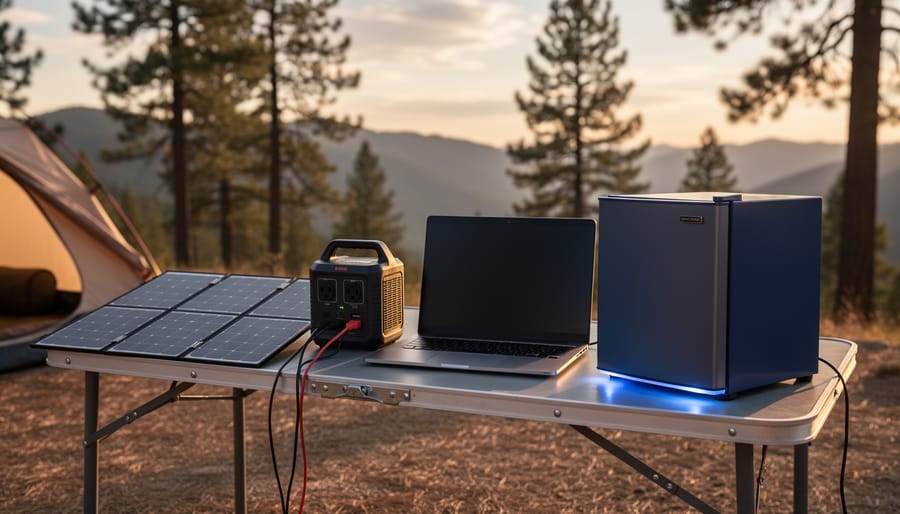
Real-world usage scenarios like camping require balancing convenience with proper battery care practices to ensure long-term reliability.
For Weekend Warriors and Campers
I learned this lesson the hard way during my first few camping trips with a solar generator. I’d pack it away dirty, store it in my garage for months, then wonder why the battery performance dropped. If you’re using your generator intermittently for weekend adventures, you need a slightly different approach than daily users.
First, charge your battery to around 50-60% before storing it between trips. This sweet spot prevents the stress of full charge while avoiding deep discharge damage during storage. I keep a reminder on my phone to check the charge level once a month if I haven’t used it recently.
Before heading out, give your generator a full charge cycle. This ensures you’re starting with maximum capacity and helps the battery management system recalibrate. Many of the best solar generators have smartphone apps that make monitoring this easy.
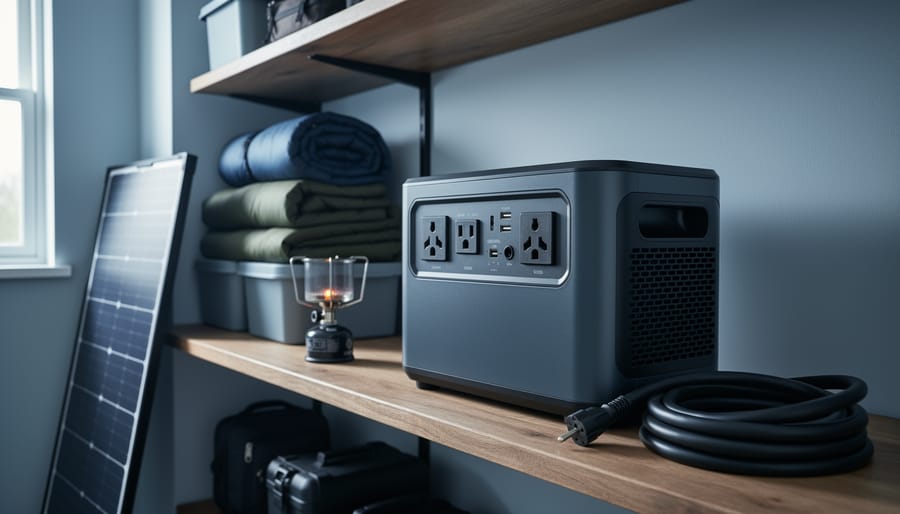
After your adventure, clean any dust or debris from the vents and ports before storage. Keep your generator in a temperature-controlled space if possible. Extreme garage temperatures can significantly reduce battery lifespan. I now store mine in a closet inside the house, and the difference in battery health has been remarkable.
For Home Backup Power Systems
When you’re using a solar generator for home backup power, the challenge is keeping it ready without accidentally shortening battery life. I learned this the hard way after letting my backup unit sit unplugged for months—it barely held a charge when I finally needed it.
The sweet spot for storage is maintaining a 50-60% charge level. Fully charged batteries sitting idle actually degrade faster than partially charged ones. Set a calendar reminder to check your unit every three months, recharging only if it’s dropped below 40%.
Float charging is tempting but tricky. If your solar generator has this feature, it automatically maintains charge without overcharging. However, not all units handle this well. Charles here—I keep mine plugged into a small solar panel that provides just enough trickle charge to offset natural discharge, roughly 5-10 watts.
Temperature matters tremendously. Store your backup system in a cool, dry space between 50-77°F. Garages work great if they’re climate-controlled, but avoid attics or outdoor sheds where temperature swings are extreme. These simple habits ensure your emergency power is truly ready when the lights go out.
For Off-Grid and Daily Users
When you’re counting on your solar generator every day, battery care becomes second nature—trust me, I learned this during my first year living off-grid. The key is establishing a monitoring routine that catches issues early without becoming overwhelming.
Start each week by checking your battery’s voltage when it’s at rest, not actively charging or discharging. This gives you a true picture of its health. Most quality solar generators include companion apps that track charge cycles, but I still keep a simple notebook—old school, but effective. You’ll start recognizing patterns in how your battery behaves across seasons.
Daily users should aim to keep batteries between 20-80% charge whenever possible. I know this isn’t always realistic during winter months with shorter days, but even hitting this target 70% of the time significantly extends lifespan. If you notice the battery draining faster than usual or taking longer to charge, that’s your early warning system telling you something needs attention.
Temperature monitoring matters more than most people realize. I installed an inexpensive wireless thermometer near my battery bank, and it’s caught overheating issues twice before they caused damage. Consider it cheap insurance for expensive batteries.
Warning Signs Your Battery Needs Attention
Symptoms You Shouldn’t Ignore
Your battery will often tell you when something’s wrong—you just need to know what to look for. I learned this the hard way when I ignored a slightly warm battery pack during a camping trip, only to find it had swollen by morning.
Watch for reduced runtime first. If your solar generator used to power your fridge for 8 hours but now barely manages 5, that’s your battery crying for help. This signals internal degradation that won’t reverse itself.
Longer charging times are another red flag. A battery that once charged in 6 hours but now takes 10 is struggling to accept energy efficiently. This often means the internal chemistry is breaking down.
Physical swelling is non-negotiable—stop using the battery immediately. Swelling indicates gas buildup inside, which creates serious safety risks. The battery is essentially telling you it’s reached a dangerous state.
Unusual heat during normal operation matters too. Batteries naturally warm up slightly, but if yours feels hot to the touch during regular charging or discharging, internal resistance has increased beyond safe levels.
Finally, capacity drops below 80 percent of original performance mean it’s time to consider replacement. Most quality batteries reach this point after several years, and continuing to use them becomes inefficient and potentially risky.
Simple Tests You Can Do at Home
You don’t need fancy equipment to keep tabs on your battery’s health. I learned this the hard way when I ignored my first solar generator’s warning signs until it was too late! Start by checking your unit’s built-in display regularly. Most modern solar generators show remaining capacity, charge cycles, and voltage levels right on the screen. Snap a photo of these readings weekly and compare them over time using your phone’s photo gallery or a simple spreadsheet.
A healthy battery should hold at least 80% of its original capacity after two years of regular use. If your generator used to power your fridge for 8 hours but now only manages 5, that’s a red flag. Try the full discharge test quarterly: fully charge your battery, run a consistent load like a fan, and time how long it lasts. Repeat this test under similar conditions to track degradation patterns.
Watch for physical changes too. Bulging, excessive heat during charging, or unusual odors mean it’s time for professional assessment. While these DIY checks work great for routine monitoring, consider professional testing if you notice sudden performance drops or plan to rely on your system during emergencies.
Tools and Accessories Worth Having
The Essentials
You don’t need fancy equipment to keep your solar generator battery healthy, but a few essential tools make all the difference. I learned this the hard way when my first battery died prematurely because I was flying blind without proper monitoring.
Start with a basic battery monitor or voltage meter. These devices, available for under $30, show your battery’s real-time state of charge so you’re not guessing. I keep a simple digital voltmeter connected to my system permanently, and it’s saved me from over-discharging countless times.
A temperature monitor is equally important since extreme heat or cold directly impacts battery lifespan. Inexpensive wireless temperature sensors let you check conditions from your phone, giving you early warnings before damage occurs.
Invest in a quality charge controller, even if your system came with one. An MPPT controller costs more upfront but protects your battery from overcharging and optimizes charging efficiency. Think of it as insurance for your battery investment.
Finally, keep a simple hydrometer handy if you’re working with flooded lead-acid batteries. This $15 tool measures electrolyte levels and helps catch problems early, potentially adding years to your battery’s life.
Nice-to-Have Upgrades
While not essential, a few upgrades can seriously level up your battery management game. I added a Bluetooth battery monitor to my system last year, and honestly, it changed everything—checking voltage and charge levels from my phone beats climbing into the garage every time. These smart monitors cost around $30-50 and give you real-time data that helps you spot problems before they become expensive failures.
Temperature sensors are another worthy addition, especially if you store batteries in non-climate-controlled spaces. They’ll alert you when conditions get risky. For charging, a quality solar charge controller with multi-stage charging can extend battery life by years compared to basic models. Some folks even install automatic battery desulfators to keep lead-acid batteries healthy—I’ve seen mixed results, but they’re worth considering if you’re committed to squeezing maximum lifespan from your investment.
Here’s the truth I’ve learned through years of solar tinkering: battery care isn’t rocket science, but it does require showing up consistently. Think of it like watering plants or maintaining your car. Small, regular actions compound into massive results.
The practices we’ve covered in this guide can genuinely double or even triple your battery’s lifespan. I’ve seen batteries that should have lasted five years fail in eighteen months because of neglect, and I’ve watched well-maintained units push past a decade. That’s real money saved and significantly less electronic waste ending up in landfills, something that matters to all of us trying to live more sustainably.
If you’re feeling overwhelmed about whether you’ve got the right setup to begin with, Spheral Solar’s battery calculator tool can help you properly size your system for your actual needs. Sometimes the best battery care starts with having the appropriate capacity in the first place.
My challenge to you: pick just one habit from this article and commit to it this week. Maybe it’s checking your charge levels before storage, or finally setting up that temperature monitoring. Start small, build the routine, then add another practice.
And hey, I’d love to hear how it goes. What battery care tip are you implementing first? Drop a comment below and let’s learn from each other’s experiences.
How useful was this post?
Click on a star to rate it!
Average rating 0 / 5. Vote count: 0
No votes so far! Be the first to rate this post.
We are sorry that this post was not useful for you!
Let us improve this post!
Tell us how we can improve this post?
charlesnoble
Here at Spheral Solar, I’m a hands-on solar power enthusiast, constantly exploring and experimenting with DIY solutions. I’m dedicated to sharing my discoveries, insights, and even the bumps I hit along the way, all in the pursuit of a more sustainable future.
DIY Solar Generator – Complete Guide With Diagrams by Paul July 17, 2021 Building a weatherproof DIY solar generator involves mounting and wiring a battery, charge controller, inverter, trickle charger, and fusing inside a weatherproof case. Then all the relevant input and output sockets are wired and mounted on the outside of the case where they are easily accessible. What Exactly Are Solar…
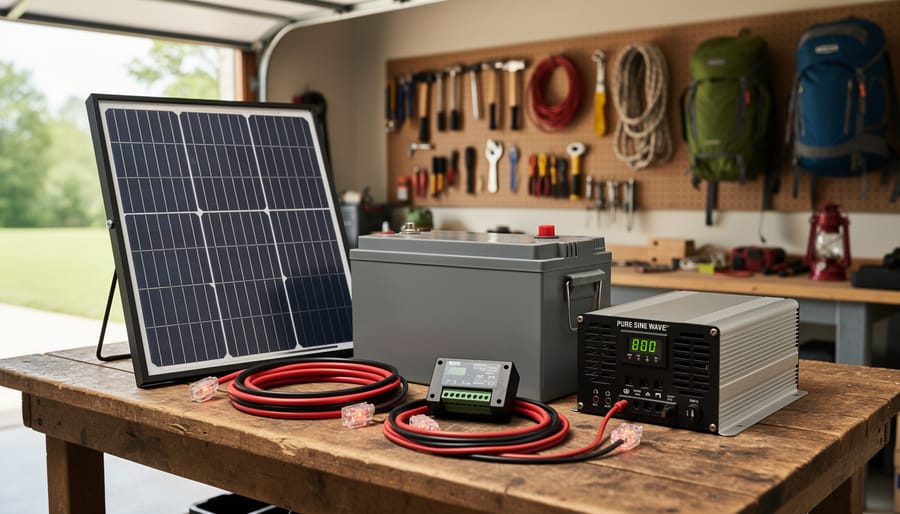
Build Your Own Solar Generator Kit for Under $500… by Charlesnoble December 30, 2025 Gather four essential components—a 100-300 watt solar panel, a charge controller rated for your panel’s output, a deep-cycle battery (lithium or AGM), and a pure sine wave inverter matching your power needs—then connect them in sequence to create a functional solar generator for under $500. I built my first system…
Build Your Own Home Solar Power System and Actually… by Charlesnoble February 26, 2026 Calculate your daily energy consumption by examining your electricity bills for the past year—most households use between 20-30 kilowatt-hours per day, which translates to a 5-7 kilowatt solar array for complete energy independence. This single number determines everything: how many panels you’ll mount, the inverter capacity you’ll need, and whether…
Right-Sizing Your Solar Generator: Why Most People… by Charlesnoble December 9, 2025 Calculate your daily watt-hour consumption by listing every device you plan to power, multiplying each item’s wattage by the hours you’ll run it, then adding everything together. A laptop drawing 65 watts for 4 hours needs 260 watt-hours, while a mini-fridge at 60 watts running 8 hours requires 480 watt-hours.…
Your Kohler Generator Won’t Start? Here’s How I… by Charlesnoble November 12, 2025 **Check your fuel level and oil pressure first**—90% of Kohler generator failures trace back to these two simple issues. I learned this the hard way during a three-day power outage when my generator shut down unexpectedly, leaving my solar battery backup system without its safety net. **Listen to your generator’s…
11 Best Solar Generators for Your 2026 Camping Trip by Adeyomola June 22, 2021 Heads up: some links here are affiliate links, and purchases through them support the site. As an Amazon Associate I earn from qualifying purchases. Before buying a solar generator for your next camping trip, you should estimate how much power you need to run your appliances. Consider features like output…
Subscribe for handpicked DIY projects, exclusive tips, and giveaways.
There is something special about a mature tree. Decades of growth, shade that actually cools the house, branches that the kids climbed, a root system that has quietly held the yard together through every storm. So when circumstances force a move, whether it is a home renovation, a new driveway, or a construction project that… Read more: How to Move a Mature Tree Without Killing It: The Complete Relocation Guide
A mass energy conversion calculator lets you determine how much energy is locked inside any amount of matter using Einstein’s famous equation E=mc². Whether you’re working on a physics assignment or simply curious about the enormous energy potential in everyday objects, the calculation itself takes just seconds once you understand the formula’s three components: energy… Read more: How to Use a Mass Energy Conversion Calculator (Step-by-Step Guide)
Low voltage circuit protection in DIY solar systems boils down to matching the right fuse or breaker to your wire size and expected current, not to the capacity of your battery bank or inverter. Most fires and equipment failures happen when people oversize protection devices, thinking bigger is safer, when the opposite is true. Your… Read more: How to Size Low Voltage Circuit Protection for Your DIY Solar System