Build Your Own Solar Generator Kit for Under $500 (Even If You’ve Never Touched a Wire)
Updated:
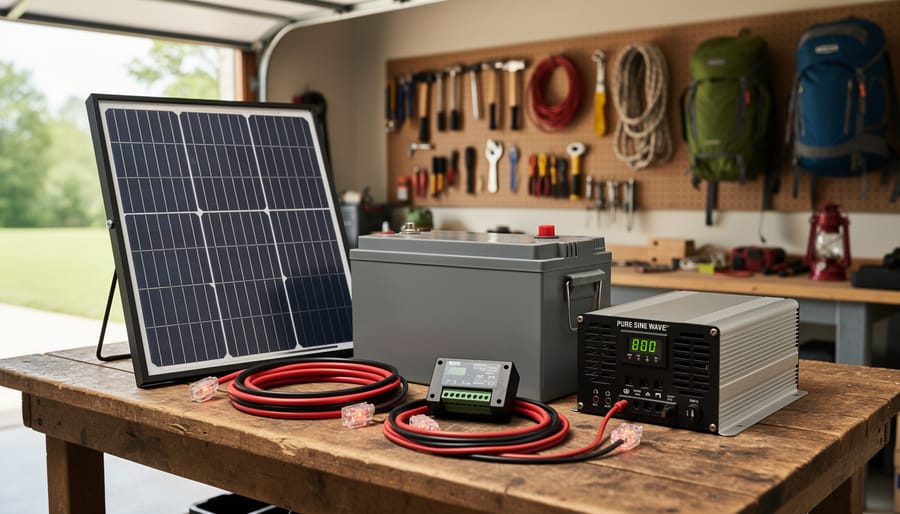
Gather four essential components—a 100-300 watt solar panel, a charge controller rated for your panel’s output, a deep-cycle battery (lithium or AGM), and a pure sine wave inverter matching your power needs—then connect them in sequence to create a functional solar generator for under $500. I built my first system three years ago in my garage over a single weekend, and it’s powered everything from camping trips to emergency backup during storms.
Select your battery capacity by calculating your actual energy usage: multiply the watts of devices you’ll run by the hours needed, then add 20% buffer. A 100Ah lithium battery stores roughly 1,200 usable watt-hours, enough to run a laptop for 12 hours or a mini-fridge for 20 hours. This math prevents the most common DIY mistake—buying undersized components that leave you frustrated.
Match your charge controller type to your budget and efficiency goals. PWM controllers cost $20-40 and work fine for simple setups where panel voltage closely matches battery voltage. MPPT controllers run $60-150 but harvest 20-30% more power from your panels, especially in partial shade or cold weather—worth it if you’re investing in quality panels.
Wire components using appropriately sized cables: 10-gauge for connections under 15 feet with currents up to 30 amps, 8-gauge for longer runs or higher current. Undersized wiring creates voltage drop that wastes precious solar energy and generates dangerous heat. Add inline fuses rated at 125% of your maximum expected current between each major component to protect your investment from electrical faults.
Why Build Your Own Solar Generator Instead of Buying One
I’ve tested dozens of commercial solar generators over the years, and while some perform admirably, the price tags always make me wince. A quality 2000Wh system from a major brand typically runs $1,800-$2,500. Here’s the reality: you can build a comparable system yourself for $800-$1,200—that’s a savings of 50-60% right off the bat.
Let me break down a real comparison. Last spring, I tested a popular 2000Wh commercial unit priced at $2,200. It worked perfectly fine, but when I calculated the individual components inside, the actual parts cost was around $950. You’re essentially paying over $1,200 for assembly, marketing, and brand recognition. For our complete DIY solar generator guide builds, readers consistently report spending under $1,000 for similar capacity systems.
Beyond cost savings, building your own means true customization. Commercial units lock you into fixed configurations—specific battery capacities, limited outlet options, and predetermined solar input ratings. When you assemble your own kit, you decide everything. Need an extra USB-C port for your laptop? Add it. Want expandable battery capacity? Design for it from the start. I’ve helped community members build generators ranging from compact 500Wh camping units to hefty 5000Wh home backup systems, something impossible with off-the-shelf options.
The learning experience alone justifies the DIY route. Understanding how each component works together—the charge controller managing solar input, the inverter converting DC to AC, the battery management system protecting your cells—gives you confidence to troubleshoot issues and upgrade later. You’ll grasp the fundamentals of solar energy in ways that simply plugging in a commercial unit never teaches.
There’s also genuine satisfaction in powering your devices with something you built yourself. When friends ask about my solar setup at camping trips, explaining “I built it” sparks way better conversations than “I bought it online.” For a deeper look at whether solar makes sense for your needs, check out our solar vs gas generators comparison and review the solar generator pros and cons before deciding your path forward.
The four essential components of a DIY solar generator system laid out before assembly begins.
Understanding the Four Core Components (No Engineering Degree Required)
Solar Panels: Your Power Collector
Solar panels are essentially your system’s energy harvesters, converting sunlight into electricity through photovoltaic cells. When sunlight hits these cells, it creates an electrical current that charges your battery bank. Pretty neat, right?
For typical needs, a 100-watt panel works great for charging phones and small devices, while 200-400 watts handles camping gear and power tools. When I built my first kit, I started with 200 watts and wish I’d gone bigger from the start.
Look for monocrystalline panels, they’re more efficient in limited space and lower light conditions compared to polycrystalline options. Check the panel’s efficiency rating (aim for 18-22%), temperature coefficient (lower is better), and warranty length. Rigid panels offer durability for permanent setups, while flexible panels excel in portable applications.
Don’t forget compatibility. Match your panel voltage to your charge controller, typically 12V or 24V systems. Most quality panels include weatherproof junction boxes and pre-attached cables, making installation straightforward even for beginners.
Charge Controller: Your Battery’s Protector
Think of the charge controller as your battery’s bodyguard—it prevents overcharging during sunny days and stops over-discharging when you’re using stored power. Without one, you’ll significantly shorten your battery’s lifespan or even damage it permanently.
There are two main types to choose from. PWM (Pulse Width Modulation) controllers are the budget-friendly option, typically costing $20-50. They’re simple and reliable but less efficient, especially when your solar panel voltage doesn’t closely match your battery voltage. MPPT (Maximum Power Point Tracking) controllers cost more—usually $100-300—but they’re the smart choice for most DIY builds. They squeeze 20-30% more power from your panels by converting excess voltage into additional current.
I learned this the hard way on my first build when I cheaped out with a PWM controller. My panels operated far below their potential, and I constantly ran out of power. After upgrading to MPPT, everything changed—suddenly I had power to spare.
For beginners, I recommend starting with a 20-30 amp MPPT controller. It’s enough headroom for most small to medium setups and gives you room to expand later. Look for models with clear LCD displays showing voltage, current, and charging status—you’ll want that visibility while learning your system’s behavior.
Battery: Your Energy Storage Tank
Think of your battery as the fuel tank for your solar setup—it stores all that sunshine you’re collecting for when you need it most. You’ll mainly choose between two types: lead-acid batteries (the budget-friendly option that’s heavier and needs more maintenance) and lithium batteries (lighter, longer-lasting, but pricier upfront). When I built my first system, I went with lead-acid to save money, but eventually upgraded to lithium for the convenience.
Battery capacity is measured in amp-hours (Ah), which tells you how much energy it can store. A simple way to think about it: a 100Ah battery can theoretically deliver 100 amps for one hour, or 10 amps for 10 hours. To size your battery, add up the wattage of everything you want to run, estimate how many hours you’ll use them, and divide by your system voltage. For example, running 300 watts of devices for 5 hours needs 1,500 watt-hours of storage—that’s roughly a 125Ah battery at 12 volts. Always add a 20-30% buffer for battery longevity.
Inverter: Your Power Translator
Your solar panels generate DC (direct current) power, but most household devices run on AC (alternating current), the same type that comes from wall outlets. That’s where your inverter comes in—it’s essentially a translator that converts DC power from your battery into usable AC power.
When shopping for inverters, you’ll encounter two main types: pure sine wave and modified sine wave. Pure sine wave inverters produce smooth, clean power identical to what you get from the grid. They’re essential for sensitive electronics like laptops, medical equipment, and some power tools. Modified sine wave inverters are cheaper but produce a choppier waveform that can cause buzzing in speakers or damage delicate devices. I learned this the hard way when my modified sine wave inverter made my coffee maker sound like an angry bee!
For sizing, calculate your total wattage needs and add 20-30 percent as a safety buffer. A 1000W inverter handles most small appliances, while 2000W or higher suits power-hungry tools and multiple devices simultaneously.
Choosing Your Components: A Practical Shopping List
Basic Camping Setup ($300-400)
For those weekend camping trips or tailgating adventures, you don’t need to break the bank to enjoy portable solar power. I remember my first camping setup—I kept it simple and was amazed at how well it worked for keeping my phone, camera, and portable speaker charged throughout the weekend.
Here’s what you’ll need for a basic camping-friendly system:
A 100-watt portable solar panel (folding models work great, around $100-150). Look for one with kickstands for easy angling toward the sun.
A 20Ah portable power station or a small 12V 20Ah lithium battery (approximately $80-120). This gives you enough capacity to charge phones multiple times or run small LED lights for several hours.
A basic PWM charge controller rated for 10 amps ($15-25). This protects your battery from overcharging during sunny days.
Basic wiring kit with MC4 connectors and battery clips ($20-30).
A simple USB adapter or 12V cigarette lighter socket ($10-15) for actually charging your devices.
Optional extras include a basic multimeter ($15) to monitor your system and an inexpensive storage bag to keep everything organized.
This setup weighs under 15 pounds total and provides plenty of power for essential devices without overwhelming beginners with complexity.
Mid-Range Emergency Backup ($500-700)
This mid-range setup strikes a sweet balance between capability and affordability, giving you enough power to keep your refrigerator running during outages while still being portable enough for weekend camping trips. I built something similar last summer after a storm knocked out power for three days, and it was a real lifesaver.
Start with a 200-300W solar panel or two 100W panels for faster charging. For the battery, step up to a 100Ah lithium iron phosphate (LiFePO4) battery, which costs around $250-300 but lasts 3,000+ charge cycles compared to lead-acid’s 300-500 cycles. You’ll need a 30A MPPT charge controller to efficiently convert solar power, running about $60-80. Add a 1000W pure sine wave inverter for $100-120, which safely powers sensitive electronics like laptops and medical devices.
Include essential components like Anderson connectors, 10-gauge wire, inline fuses, and basic hand tools. Budget roughly $50 for these odds and ends. This configuration delivers approximately 1,280Wh of usable capacity, enough to run a mini-fridge for 24 hours, charge phones dozens of times, and power LED lights throughout the evening. The entire system weighs about 30 pounds and fits in a medium storage bin for easy transport.
Robust Off-Grid System ($900-1200)
When you’re ready to power a small cabin, RV, or serious off-grid setup, this robust system delivers the capacity you need. I built something similar for my friend’s weekend retreat, and it kept his refrigerator, lights, and power tools running without a hitch.
Start with a 2000-3000 watt pure sine wave inverter to handle multiple appliances simultaneously. You’ll need 400-600 watts of solar panels, which typically means four 100-150 watt panels. For storage, invest in 400-600 amp hours of battery capacity. Lithium batteries are ideal here because they handle deeper discharge cycles and last significantly longer, though quality AGM batteries work if you’re watching costs.
Your charge controller should be a 40-60 amp MPPT unit to efficiently manage that panel array. Don’t forget heavy-duty cabling, MC4 connectors, proper mounting hardware, and a battery monitoring system so you always know your power reserves.
This system can run a full-size refrigerator, LED lighting throughout a cabin, laptops, fans, and even power tools during the day. The key difference from smaller systems is capacity. You’re not constantly monitoring usage or worrying about cloudy days wiping out your power. With proper setup, this configuration provides genuine energy independence for extended periods.
Tools and Materials You’ll Actually Need
When I built my first solar generator, I learned the hard way that having the right tools makes everything smoother. Let me walk you through what you’ll actually need, without sending you on a wild goose chase for obscure equipment.
Start with the essentials: wire strippers and crimpers for connecting your components safely. Wire strippers remove the plastic coating from wires without damaging the metal inside, while crimpers attach metal connectors to wire ends for secure connections. A multimeter is absolutely crucial—this handheld device measures voltage, current, and resistance, helping you verify everything’s working correctly before you flip the switch.
You’ll need a basic screwdriver set, both Phillips and flathead, for mounting components and securing terminals. Side-cutting pliers help trim wires to length, and needle-nose pliers make it easier to work in tight spaces. A cordless drill with bits will speed up mounting your charge controller and inverter to your enclosure.
For safety equipment, don’t skip the insulated work gloves and safety glasses. Electrical tape and heat shrink tubing protect your connections from short circuits. I also recommend a fire extinguisher rated for electrical fires within arm’s reach—it’s better to have it and not need it.
Optional but helpful items include a battery terminal cleaning brush, zip ties for cable management, and a label maker to identify your wiring. If you’re working with MC4 connectors on solar panels, grab a specialized MC4 wrench set—trust me, trying alternatives is frustrating.
The good news? Most of these tools cost under one hundred dollars total, and you’ll use them for future projects. Some local libraries even have tool lending programs worth checking out.
Step-by-Step Assembly: Building Your Solar Generator
Step 1: Preparing Your Enclosure or Case
Choosing the right enclosure is like picking the perfect home for your solar generator—it needs to be protective yet accessible. I learned this the hard way when my first DIY attempt used a flimsy plastic bin that cracked under the battery’s weight!
Look for a sturdy case with enough space for your battery, charge controller, inverter, and wiring. Toolboxes, marine-grade plastic containers, or even repurposed ammo cans work brilliantly. Aim for at least 20% extra space beyond your components’ dimensions to allow proper airflow and prevent overheating.
Before assembling anything, plan your layout. Position heavier items like the battery at the bottom for stability. Keep the inverter and charge controller accessible for monitoring and adjustments. Mark where cables will enter and exit, then carefully drill holes for solar input cables, AC output, and USB ports. Use rubber grommets on these openings to protect wires from sharp edges.
Consider ventilation seriously—batteries and inverters generate heat. If your case lacks vents, drill several small holes on opposite sides to create cross-ventilation. This simple step prevents efficiency loss and extends component lifespan significantly.
Step 2: Mounting and Securing Your Components
Now comes the fun part—bringing your solar generator to life! Start by placing your battery at the bottom of your enclosure, as it’s the heaviest component and will keep things stable. I learned this the hard way when my first generator tipped during transport.
Secure the battery using mounting brackets or foam padding to prevent movement. Position your charge controller and inverter on the sides or top of the enclosure, leaving at least 2-3 inches of space around each component for airflow. Heat is your enemy here, so adequate ventilation is crucial for longevity.
Use double-sided mounting tape or small bolts to attach the charge controller and inverter firmly to your enclosure walls. Make sure nothing is stacked directly on top of the battery, as you’ll need easy access for maintenance checks.
Before securing everything permanently, do a quick dry-fit to ensure all cables can reach their destinations comfortably without stretching or crimping. Consider drilling small ventilation holes near heat-generating components if your enclosure doesn’t already have them. This simple step prevents overheating and extends component lifespan significantly.
Step 3: Wiring the Charge Controller to Battery
Now comes the crucial connection between your charge controller and battery. I remember my first time doing this—hands a bit shaky knowing I was dealing with stored electricity. Don’t worry, it’s straightforward when you follow proper steps.
First, check your wire sizing. For most DIY setups with 20-30 amp charge controllers, use 10 AWG wire for connections under 10 feet. If your battery is farther away or you’re running higher amps, bump up to 8 AWG. Thicker wire prevents voltage drop and overheating.
Start with the charge controller powered off and no solar panels connected yet. Identify the battery terminals on your controller—usually marked with a battery symbol and positive/negative indicators. Strip about half an inch of insulation from your wire ends.
Connect the positive wire from your battery’s positive terminal to the controller’s positive battery terminal. Then connect negative to negative. This sequence matters! Always connect the battery to the charge controller before connecting your solar panels.
Use ring terminals crimped securely onto your wires for the cleanest, safest connections. Tighten terminal screws firmly but don’t overtighten—you want solid contact without stripping threads. Double-check polarity before moving forward. Reversed connections can damage your controller instantly.
Proper wire stripping technique ensures safe and reliable connections throughout your solar generator build.
Step 4: Connecting the Solar Panel Input
Now comes the exciting part—connecting your solar panel to the charge controller. Before you begin, double-check the polarity on both your panel and controller. Most panels have clearly marked positive and negative terminals, but I learned the hard way when I accidentally reversed mine during my first build and fried a fuse. Always verify with a multimeter if you’re uncertain.
Most modern solar panels use MC4 connectors, which are waterproof and snap together easily. If your charge controller doesn’t have matching connectors, you’ll need MC4 to bare wire adapters. Strip about half an inch of wire insulation, ensuring no stray strands remain, and connect positive to positive, negative to negative on your charge controller’s solar input terminals.
For outdoor installations, waterproofing is essential. Even if you’re using MC4 connectors, apply dielectric grease inside each connection before joining them. This prevents moisture intrusion that could cause corrosion over time. If you’re using bare wire connections, seal them with heat-shrink tubing or waterproof junction boxes rated for outdoor use. Once everything’s connected, your charge controller should display incoming voltage from the panel—a satisfying moment for any DIYer.
Step 5: Installing the Inverter and Output Ports
Now comes the exciting part—bringing your solar generator to life with AC power and convenient charging ports! Start by connecting your inverter’s positive and negative cables to the corresponding battery terminals. I learned the hard way to triple-check polarity here—reversing these connections can damage your inverter instantly.
Most inverters have built-in fuses, but adding an inline fuse between the battery and inverter provides extra protection. Mount your inverter securely inside your enclosure using brackets or heavy-duty velcro, ensuring adequate ventilation around it since these units generate heat during operation.
Next, install your output panel. Drill holes for AC outlets and USB ports in an easily accessible location on your enclosure. Wire the AC outlets directly to your inverter’s output, and connect USB ports to the battery through a voltage regulator if they’re not already regulated. For a cleaner setup, use a pre-wired power strip or outlet box.
Consider adding a voltmeter display so you can monitor your battery level at a glance—this simple addition has saved me from countless dead battery situations. Label everything clearly so anyone using your generator knows which port provides what power. Secure all connections with wire nuts or terminal blocks, and tidy up loose wires with zip ties for a professional finish.
Step 6: Final Safety Checks and Testing
Before plugging in your first device, let’s make sure everything’s safe and working correctly. I learned this the hard way when I once skipped voltage checks and nearly fried my phone charger.
Start by using a multimeter to verify your battery voltage matches specifications. Next, test the charge controller by checking that your solar panels are sending power to the battery. You should see the controller’s indicator lights responding appropriately.
Now for load testing: connect a small device like an LED light or phone charger to your inverter. Monitor for 15-30 minutes, checking that connections stay cool and secure. Gradually increase the load with larger devices, staying well below your inverter’s rated capacity.
Finally, inspect all connections for tightness, verify your fuse is properly rated, and ensure nothing feels unusually warm. Document your voltage readings for future reference. This systematic approach prevents equipment damage and keeps you safe during operation.
Using Your Calculator to Size Everything Correctly
Before you start buying components or reaching for your tools, let’s talk about the most important step in building your DIY solar generator: getting the math right. I learned this lesson the hard way on my first build when I confidently assembled what I thought was a perfectly sized system, only to discover it couldn’t even power my camping fridge for a full day. Trust me, spending fifteen minutes with a calculator now will save you hours of frustration and potentially hundreds of dollars later.
Spheral Solar offers interactive calculator tools that take the guesswork out of sizing your solar generator. These tools walk you through three critical calculations: your daily power consumption, required battery capacity, and appropriate solar panel wattage.
Let’s work through a real example together. Say you want to power a mini-fridge (60 watts), LED lights (20 watts), and charge your laptop (65 watts) during a weekend camping trip.
First, calculate your daily energy needs. The mini-fridge runs 24 hours (60W x 24h = 1,440 watt-hours), lights for 5 hours (20W x 5h = 100 watt-hours), and laptop charging for 3 hours (65W x 3h = 195 watt-hours). Add these together: 1,735 watt-hours per day.
Next, the calculator helps you determine battery capacity. Adding a 20% safety margin gives you 2,082 watt-hours needed. For a 12-volt system, that’s about 174 amp-hours of battery capacity.
Finally, for solar panel sizing, the tool factors in your location’s average sun hours. With 5 peak sun hours daily, you’d need roughly 416 watts of solar panels to fully recharge.
These calculators remove the anxiety from planning and give you confidence that your components will work together harmoniously.
Testing and Troubleshooting Your New Solar Generator
Now comes the exciting part – making sure everything works as it should! I’ll be honest, when I first tested my DIY solar generator, my hands were a little shaky. But testing is actually straightforward when you know what to look for.
Start by testing each component individually before connecting everything together. Use your multimeter to check the solar panel’s output voltage in direct sunlight – you should see readings close to the panel’s rated voltage (usually 18-22V for a 100W panel). If you’re getting significantly lower readings on a bright day, check your panel connections and make sure nothing is shading the cells.
Next, verify your charge controller is working properly. Connect your solar panel and battery, then watch the controller’s display. You should see current flowing from the panel to the battery. Most controllers show charging current in amps – expect anywhere from 2-6 amps on a sunny day with a 100W panel. The battery voltage should gradually increase as it charges, typically from around 12.5V when partially discharged to 14.4V when fully charging.
Common issues beginners encounter include reversed polarity connections (always double-check positive and negative!), loose wire connections that create resistance, and undersized wiring that gets warm during operation. If your system isn’t charging, verify all connections are tight and that your charge controller hasn’t triggered protective shutdowns due to incorrect wiring.
To optimize performance, position your panel to face true south (in the Northern Hemisphere) at an angle matching your latitude. Clean your panels regularly – I was amazed how much difference a simple wipe-down made to my output! Monitor your battery voltage regularly; maintaining charge between 50-80% extends battery life significantly.
Run a full load test by connecting devices through your inverter while monitoring battery voltage. If voltage drops rapidly under load, you may need additional battery capacity for your needs.
Making It Portable: Wheels, Handles, and Transport Tips
Once you’ve built your solar generator, making it truly portable opens up a world of possibilities—from camping trips to emergency preparedness. Let me share what I’ve learned about adding mobility to these systems.
Charles here, and I’ll be honest: my first portable build was a back-breaker. I underestimated how heavy a 100Ah battery and solar panel combo could be. After that experience, I invested in proper wheels and handles, which transformed everything.
For wheels, heavy-duty casters rated for at least twice your system’s weight work wonderfully. I prefer swivel casters with locks on the front and fixed wheels on the back—this configuration makes maneuvering easy while keeping the unit stable during use. Mount them to a sturdy plywood base using bolts rather than screws for better weight distribution.
Handles are equally important. Side-mounted folding handles give you lifting options, while a telescoping handle (like those on rolling luggage) makes pulling effortless. Position handles so the weight balances naturally when lifted.
Protecting your components during transport is crucial. I use foam padding between components and secure everything with ratchet straps inside the enclosure. This prevents shifting that can damage connections or crack solder joints.
For weatherproofing, silicone caulk around panel entry points and waterproof cable glands are your friends. Even if you’re not using it outdoors constantly, moisture can creep in during transport. I learned this lesson after leaving my generator in a damp garage.
Consider weight distribution carefully—keep the battery low and centered for stability when rolling over uneven terrain.
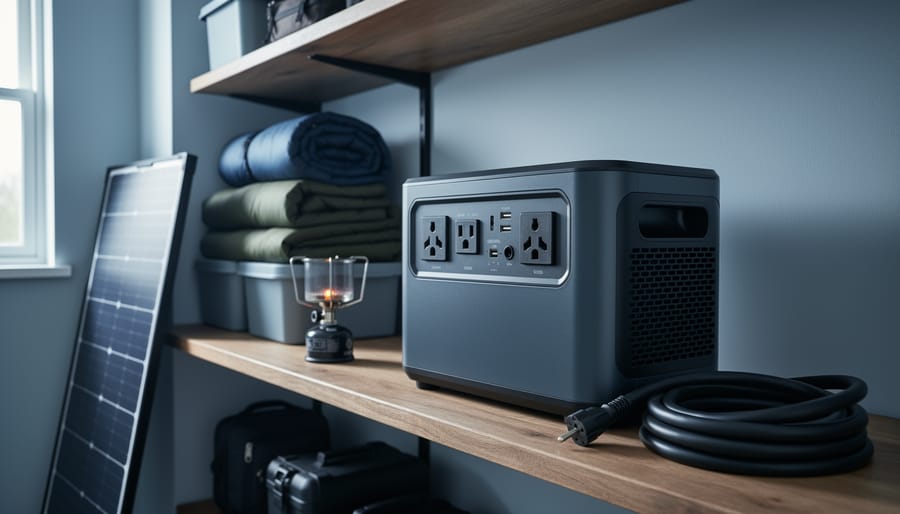
A finished portable solar generator ready for camping trips and emergency backup power needs.
Expanding Your System Later
One of the smartest things I learned from my friend Charles was to build his first solar generator with expansion in mind. “I started small,” he told me over coffee, “but I made sure my charge controller could handle double the panel wattage I initially installed.” That foresight saved him hundreds of dollars later.
When planning your initial build, choose a charge controller rated for at least 50% more capacity than your starting panel array. This gives you room to add more panels without replacing equipment. Similarly, if you’re starting with a single 100Ah battery, select an inverter that can handle multiple batteries wired in parallel. Most quality inverters accommodate this, but it’s worth confirming before purchase.
Speaking of batteries, design your battery box or enclosure with extra space. Adding another battery later becomes infinitely easier when you’ve already accommodated the footprint and wiring pathways. Use appropriately sized cables from the start—undersized wiring is the most common expansion bottleneck I see in DIY systems.
Many modern portable power stations allow daisy-chaining multiple units together for increased capacity. If you’re building around a commercial power station core, verify whether the manufacturer supports this feature and what cables you’ll need.
Consider modular panel mounting too. Using adjustable brackets or fold-out panel frames means adding capacity doesn’t require rebuilding your entire setup. Label everything clearly and keep a simple diagram of your system’s layout. Future-you will appreciate knowing exactly where that spare MC4 connector goes when you’re ready to add panel number three.
Real-World Performance: What Can You Actually Power?
Let’s talk real numbers, because I’ve learned the hard way that overestimating your DIY solar generator’s capacity leads to disappointment. Charles here, and I remember confidently telling my neighbor my first 400-watt system could handle his mini-fridge during a power outage. It ran for about three hours before the battery gave up. Lesson learned.
Here’s what different system sizes actually deliver. A basic 300-400 watt setup with a 500Wh battery can comfortably run LED lights (using around 10 watts each), charge phones and laptops, and power a small fan. You’re looking at roughly 40 hours of phone charging or 5-6 hours of laptop use. My camping setup falls into this category, and it’s been perfect for weekend trips.
Step up to 800-1000 watts with a 1000Wh battery, and now you’re cooking. Literally. I run my portable induction cooktop for about an hour, power my wifi router all day, and keep a small refrigerator going for 8-10 hours. This won’t power a house, but it handles emergency basics beautifully.
Seasonal performance is where reality hits harder than expected. My summer system generates 30-40% less power than advertised specs, mainly due to heat reducing panel efficiency. Winter? If you’re in northern climates like me, expect 50-60% reduced output on cloudy days. I track this religiously now, adjusting my usage accordingly.
Quick runtime formula I use: Battery capacity in watt-hours divided by appliance wattage equals hours of runtime. A 1000Wh battery running a 100-watt device gives you 10 hours, minus about 20% for inverter inefficiency.
Compare this to commercial solar generators, which offer guaranteed specs but cost significantly more. Your DIY build trades some convenience for affordability and customization. Manage expectations, monitor usage, and you’ll appreciate what your system actually delivers.
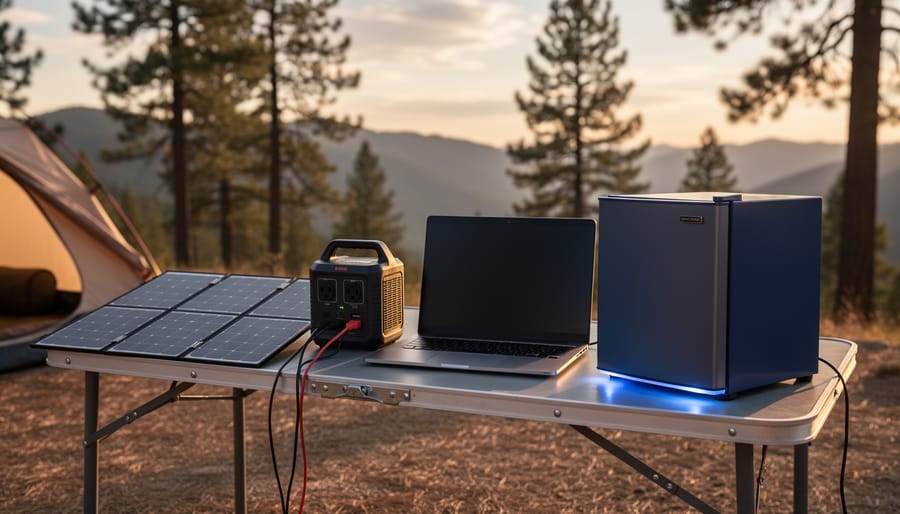
Real-world demonstration of common household items powered simultaneously by a mid-range DIY solar generator.
Building your own solar generator kit isn’t just possible—it’s an achievable weekend project that puts energy independence right in your hands. If you’ve made it this far, you already have everything you need to get started. I remember standing in my garage with all my components laid out, feeling a mix of excitement and uncertainty. By Sunday evening, I was charging my phone from sunlight I’d captured myself. That feeling never gets old.
Start small if you’re feeling hesitant. A basic 100-watt setup with a modest battery bank gives you real-world experience without overwhelming your budget or your weekend. You’ll learn the fundamentals, gain confidence, and can always scale up later. The beauty of DIY solar is that it grows with you.
Don’t go it alone, though. Join the Spheral Solar community where fellow builders share their successes, troubleshoot challenges together, and celebrate each milestone. We’ve created calculators, answered hundreds of questions, and built a space where beginners and experts learn from each other daily.
Your first step is the most important one. Order that charge controller, sketch out your wire diagram, or simply commit to starting next weekend. The sun is waiting, and so is your energy independence. Let’s build something amazing together.
How useful was this post?
Click on a star to rate it!
Average rating 0 / 5. Vote count: 0
No votes so far! Be the first to rate this post.
We are sorry that this post was not useful for you!
Let us improve this post!
Tell us how we can improve this post?
charlesnoble
Here at Spheral Solar, I’m a hands-on solar power enthusiast, constantly exploring and experimenting with DIY solutions. I’m dedicated to sharing my discoveries, insights, and even the bumps I hit along the way, all in the pursuit of a more sustainable future.
Right-Sizing Your Solar Generator: Why Most People… by Charlesnoble December 9, 2025 Calculate your daily watt-hour consumption by listing every device you plan to power, multiplying each item’s wattage by the hours you’ll run it, then adding everything together. A laptop drawing 65 watts for 4 hours needs 260 watt-hours, while a mini-fridge at 60 watts running 8 hours requires 480 watt-hours.…
DIY Solar Generator – Complete Guide With Diagrams by Paul July 17, 2021 Building a weatherproof DIY solar generator involves mounting and wiring a battery, charge controller, inverter, trickle charger, and fusing inside a weatherproof case. Then all the relevant input and output sockets are wired and mounted on the outside of the case where they are easily accessible. What Exactly Are Solar…
11 Best Solar Generators for Your 2023 Camping Trip by Adeyomola June 22, 2021 Before buying a solar generator for your next camping trip, you should estimate how much power you need to run your appliances. Consider features like output power rating, charge controller type, weight, portability, charging rate, and battery type. But what truly makes a solar-powered generator stand out is its battery…
Build Your Own Home Solar Power System and Actually… by Charlesnoble February 26, 2026 Calculate your daily energy consumption by examining your electricity bills for the past year—most households use between 20-30 kilowatt-hours per day, which translates to a 5-7 kilowatt solar array for complete energy independence. This single number determines everything: how many panels you’ll mount, the inverter capacity you’ll need, and whether…
Why Your Solar Generator Battery Dies Too Soon (And… by Charlesnoble February 4, 2026 Check your battery’s state of charge monthly and recharge before it drops below 50% to prevent sulfation damage that permanently reduces capacity. Store your solar generator in temperatures between 50-77°F, as every 15-degree increase above this range can cut battery lifespan in half. Avoid the common mistake of leaving your…
Your Kohler Generator Won’t Start? Here’s How I… by Charlesnoble November 12, 2025 **Check your fuel level and oil pressure first**—90% of Kohler generator failures trace back to these two simple issues. I learned this the hard way during a three-day power outage when my generator shut down unexpectedly, leaving my solar battery backup system without its safety net. **Listen to your generator’s…
Subscribe for handpicked DIY projects, exclusive tips, and giveaways.
Route your PV wires through UV-resistant conduit within 18 inches of leaving the solar array, securing it every 3 feet with proper clamps to prevent wind damage and code violations. This single step prevents 80% of the wire degradation issues I’ve seen in DIY solar installations over the past decade. Group your positive and negative… Read more: Why Your PV Wire Management Could Fail Inspection (And How to Fix It)
Understand that 6000 volts sounds terrifying but delivers surprisingly low amperage—typically around 120 milliamps for just 3/10,000th of a second per pulse. This combination creates an unforgettable shock that trains animals to avoid the fence without causing lasting harm. The voltage pushes current through thick fur and hide, while the minimal amperage and microsecond duration… Read more: Why 6000 Volts Won’t Kill Your Livestock (But Will Stop Predators Cold)
Check the maximum voltage and current ratings first—these determine whether your controller can actually handle your solar panel array without frying itself on the first sunny day. I learned this the hard way when my first DIY system shut down every afternoon because I’d paired 600 watts of panels with a controller rated for only… Read more: Why Your Solar Setup Needs Both a Charge Controller and Inverter (And How to Pick the Right Ones)