This Device Lets Your Solar System Talk to the Grid (Without Getting Disconnected)
Updated:
Verify your utility’s specific anti-islanding requirements before purchasing any equipment—most power companies mandate IEEE 1547-compliant devices that automatically disconnect your solar system when the grid goes down, protecting line workers from unexpected backfeed. Contact your local utility interconnection department directly and request their technical specifications document, which lists approved devices and installation standards you’ll need to follow.
Install a listed microgrid interconnection device (also called a grid-tie disconnect or utility interactive inverter) between your solar panels and the electrical panel—this critical safety component monitors grid voltage and frequency continuously, shutting down your system within milliseconds if it detects abnormalities. I learned this the hard way when my first DIY installation failed inspection because I’d assumed my inverter’s built-in features were sufficient, but the inspector needed a separate, visible disconnect switch the utility could access.
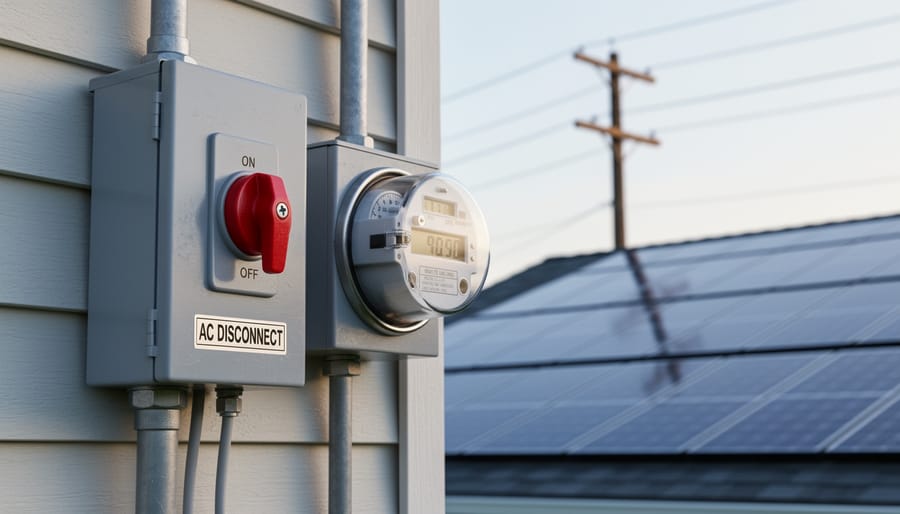
Understand that “microgrid interconnection device” encompasses several components working together: your grid-tie inverter with anti-islanding protection, a dedicated AC disconnect switch (typically mounted outside near your meter), and sometimes a separate relay or controller that communicates with utility systems. Many modern hybrid inverters combine these functions, simplifying installation and reducing costs, but always confirm your specific utility accepts the integrated approach rather than requiring discrete components.
Check whether your area requires a grid interconnection agreement and net metering application before energizing your system—jumping ahead without approval can result in fines, forced disconnection, or liability issues if something goes wrong. The permitting process typically takes 4-8 weeks, so factor this timeline into your project planning.
What Is a Microgrid Interconnection Device?
A microgrid interconnection device installed alongside a utility meter serves as the critical link between home solar systems and the electrical grid.
Why Your Solar Inverter Needs One
When I first installed my solar system, my utility company handed me a checklist that included something called a “microgrid interconnection device.” I’ll be honest—I had to look it up. But here’s what I learned, and why it matters for your solar setup too.
Think of your grid-tie inverters like a highway on-ramp. You wouldn’t want cars merging onto a busy road without following proper traffic rules, right? The same principle applies when your solar power connects to the electrical grid. Your utility needs assurance that your system won’t cause problems for their equipment or, more importantly, endanger utility workers.
The biggest safety concern is something called islanding. Imagine a lineworker repairing power lines during an outage, assuming those lines are dead. If your solar system keeps pumping electricity into the grid, those supposedly safe wires become dangerously live. Anti-islanding protection automatically disconnects your system when it detects a grid outage, preventing this exact scenario. It’s not optional—it’s a safety requirement that protects lives.
Beyond safety, there’s the quality control issue. The grid operates at specific voltage and frequency levels, typically 120 or 240 volts at 60 Hz in the United States. Your solar system needs to match these parameters precisely, like harmonizing with a choir rather than singing off-key. Voltage and frequency regulation features ensure your solar power plays nicely with grid power, preventing equipment damage and power quality issues.
Most utilities won’t even approve your solar interconnection without proper protection devices in place. It’s their way of maintaining a stable, safe electrical network for everyone.
How It Differs from Your Standard Solar Inverter
When I first started working with solar systems, I thought all inverters were pretty much the same—just boxes that convert DC to AC power. But here’s where it gets interesting: while every solar inverter does that basic conversion job, not all of them can handle the complex dance of connecting to a microgrid or the main utility grid safely.
Your standard solar inverter focuses primarily on power conversion. It takes the direct current from your solar panels and transforms it into alternating current your home can use. Think of it as a one-trick pony, albeit a very important trick. These basic models might include some safety features like automatic shutdown during grid outages, but that’s about where their sophistication ends.
A microgrid interconnection device, on the other hand, is like the orchestra conductor of your energy system. It manages bidirectional power flow, constantly monitors grid conditions, handles synchronization between multiple power sources, and makes split-second decisions about when to connect or disconnect from the grid. It’s essentially the brain that ensures everything plays nicely together.
Now, here’s what confuses many DIYers: some modern hybrid inverters actually have interconnection capabilities built right in. Others need a separate external device to handle these advanced functions. Understanding the different inverter types and capabilities is crucial before you buy equipment.
The key difference boils down to control and communication. While a basic inverter just converts power, an interconnection device actively manages, protects, and coordinates your entire system with the broader electrical infrastructure.
Export Control: Keeping Your Solar Power Where You Want It
Zero Export vs. Limited Export Settings
When I first installed my solar system, I was confused about export settings—my utility kept mentioning “zero export” in their paperwork, and I wasn’t sure if that meant I couldn’t use solar at all! Turns out, it’s actually pretty straightforward once you understand what these modes do.
Your microgrid interconnection device typically offers two main export control modes: zero export and limited export. Think of these as different rules for how much power your solar system can send back to the utility grid.
Zero export mode means exactly what it sounds like—your system is configured so that absolutely no excess solar power flows back to the grid. Your interconnection device monitors your home’s power consumption in real-time and throttles your inverter to produce only what you’re using at that moment. If you’re using 2,000 watts, your system produces up to 2,000 watts. If clouds roll in and your panels can only make 1,500 watts, you’ll pull the remaining 500 watts from the grid.
You’ll typically need zero export in a few situations. Some utilities require it because their grid infrastructure can’t handle distributed power flowing backward, especially in older neighborhoods. It’s also common for off-grid backup systems where you’re using grid power as a supplement but don’t have permission to export. I’ve seen homeowners choose zero export voluntarily too, particularly when their utility doesn’t offer favorable net metering rates—why send power to the grid for pennies when you could store it in a battery instead?
Limited export mode, on the other hand, lets you send some power back to the grid, but caps it at a specific threshold—maybe 5 kilowatts or whatever your utility agreement allows. This is ideal when you have net metering agreements where the utility credits you for excess production. Your interconnection device monitors the export level and keeps it below the agreed limit, preventing any violations that could get your system disconnected.
The choice between these modes really comes down to your utility agreement and local regulations, not personal preference.
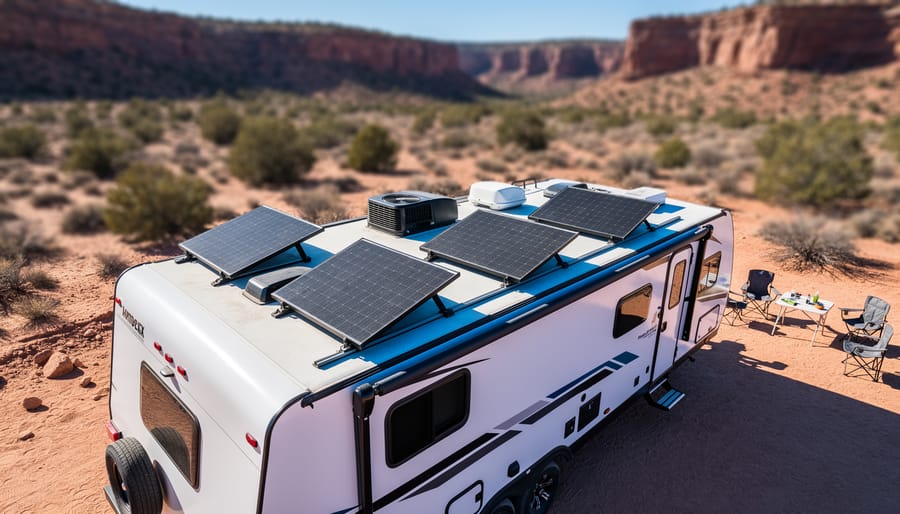
Real-World Example: Charles’s RV Solar Setup
Let me share how this all came together for me during a memorable camping trip to Joshua Tree. I’d been running a basic RV solar setup for about a year, and everything worked perfectly until I decided to upgrade my system with a grid-tie inverter that could both charge my batteries and export excess power.
Here’s where things got interesting. I pulled into a campground that offered shore power hookups, thinking I’d finally be able to contribute some clean energy back to their grid during those sunny desert afternoons when my panels were producing way more than I needed. My hybrid inverter was happily pumping power in both directions until the campground manager knocked on my door looking concerned. Turns out, their system wasn’t set up to handle backfed power, and I was actually causing voltage fluctuations for my neighbors.
That’s when I learned about export control the hard way. I needed what’s technically called a microgrid interconnection device, but in practical terms, it’s just a smart controller that monitors power flow and prevents your system from pushing electricity where it’s not wanted or safe.
I installed a simple export limiting device that communicates with my inverter through a current transformer clamp. Now my system automatically throttles back production when my batteries are full and there’s nowhere for the excess power to go. The whole setup cost me about three hundred dollars and took an afternoon to install, but it completely transformed my mobile solar experience from potentially problematic to genuinely helpful and community-friendly.
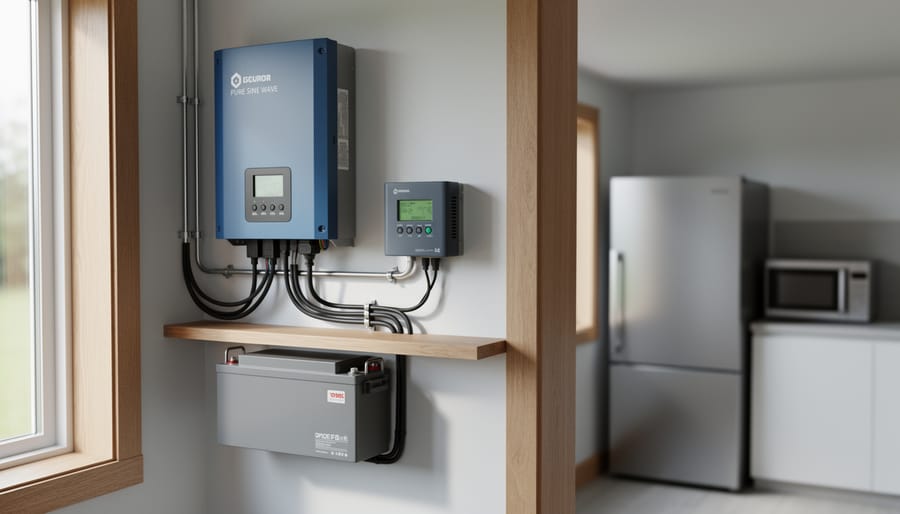
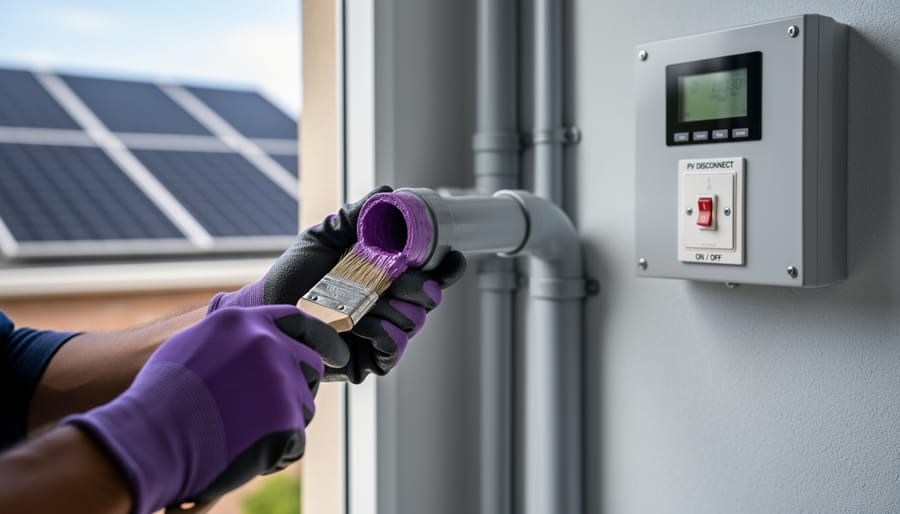
Proper wiring connections are essential for safe and reliable communication between your solar system components and the grid.
Key Features to Look for in an Interconnection Device
Communication Protocols and Compatibility
When I first started connecting my solar setup to our home’s existing monitoring system, the alphabet soup of communication protocols completely threw me off. Modbus, CAN bus, RS485—it sounded like I needed an engineering degree just to make two devices talk to each other!
Here’s the straightforward truth: communication protocols are simply the languages that your devices use to share information. Think of it like choosing between English, Spanish, or French for a conversation—everyone needs to speak the same language to understand each other.
The most common protocol you’ll encounter is Modbus, which comes in two flavors: Modbus RTU (uses physical wires) and Modbus TCP (works over your network). It’s been around since the 1970s and is incredibly reliable. Many solar inverters and battery systems speak Modbus, making it the safest bet for compatibility.
CAN bus is another popular option, especially in newer equipment. It’s faster and handles multiple devices chatting simultaneously better than Modbus. You’ll often find it in battery management systems.
Why does compatibility matter so much? I learned this the hard way when I bought a monitoring system that couldn’t talk to my inverter. It was like having a translator who only spoke Italian when everyone else spoke German—completely useless!
Before purchasing any interconnection device, check three things: what protocols your existing inverter supports, what your utility meter requires, and what your monitoring system needs. Most quality interconnection devices support multiple protocols, but always verify before spending your money. Some manufacturers provide compatibility calculators on their websites—use them!
Monitoring and Control Capabilities
Here’s the thing about modern microgrid interconnection devices – they’re only as good as your ability to understand what they’re doing. I learned this the hard way when my first system went offline for three hours before I even noticed!
Most quality interconnection devices now come with robust monitoring capabilities, and honestly, this feature has become non-negotiable. You’ll typically get access through a smartphone app, web browser interface, or both. These platforms show you real-time data like how much power you’re generating, what you’re consuming, and whether you’re feeding excess energy back to the grid or storing it in batteries.
The best systems display voltage levels, frequency measurements, and any fault conditions that might require your attention. I check mine every morning with my coffee – it takes about 30 seconds and gives me peace of mind that everything’s running smoothly.
Look for devices that send push notifications when something goes wrong. Getting an instant alert about a grid disconnect or system fault means you can troubleshoot immediately rather than losing valuable production time. Some advanced models even let you adjust settings remotely, like switching between grid-tied and off-grid modes.
The data logging feature is particularly valuable. Being able to review historical performance helps you identify patterns, optimize your system, and even provides documentation if you ever need to file warranty claims or work with your utility company. Make sure your device stores at least several months of data – cloud storage is ideal since it protects your records even if the hardware fails.
Safety and Compliance Certifications
When I first started exploring solar interconnection, I assumed any equipment that worked would be acceptable. Wrong! I quickly learned that utility companies won’t even look at your system without proper certifications. Here’s what you need to know to avoid the headaches I experienced.
The most important certification you’ll encounter is UL 1741, which specifically covers inverters and interconnection equipment for distributed energy resources. Think of it as a seal of approval that confirms your device has passed rigorous safety testing for fire hazards, electrical shocks, and proper functioning under various conditions. Without this certification, your utility company will reject your interconnection application immediately—no exceptions.
You’ll also see references to IEEE 1547, which is the standard governing how your microgrid connects and communicates with the main grid. This ensures your system automatically disconnects during power outages (protecting utility workers) and reconnects safely when power returns. The newer IEEE 1547-2018 version adds smart grid capabilities, allowing better voltage and frequency management.
Why does this matter for you? Beyond satisfying utility requirements, certified equipment protects your investment and your home. I’ve heard stories of DIYers using uncertified devices who faced insurance claim denials after equipment failures. Certified devices undergo thousands of hours of testing to ensure they won’t cause fires, damage your appliances, or create dangerous feedback into the grid.
When shopping for interconnection equipment, always verify both UL 1741 and IEEE 1547 compliance on the product specifications. This certification information should be clearly displayed—if it’s not, keep looking.
Setting Up Your Interconnection Device: A Practical Walkthrough
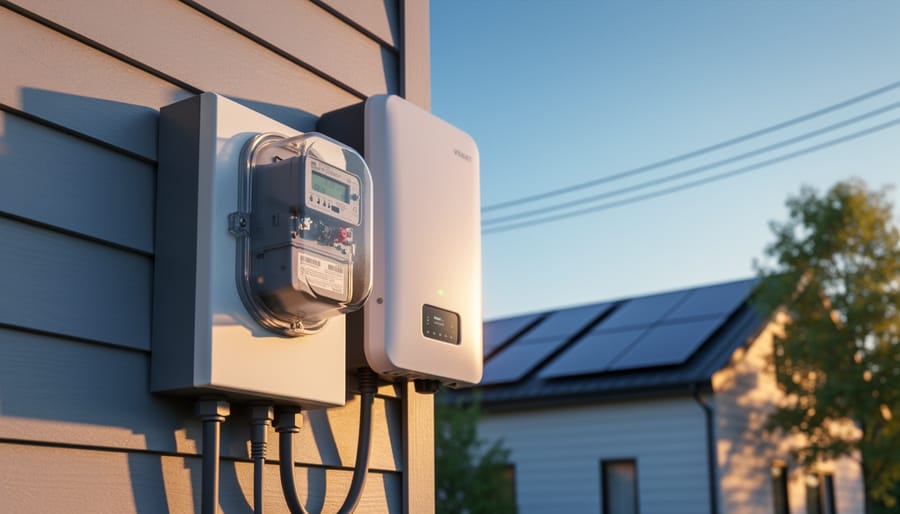
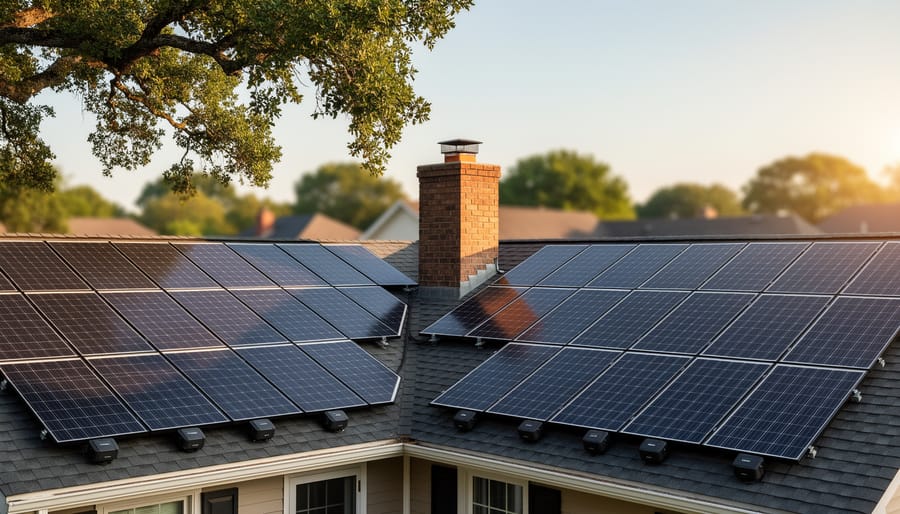
Residential solar systems must safely interface with utility grid infrastructure through properly configured interconnection devices.
Physical Installation Basics
Getting your microgrid interconnection device physically installed might seem intimidating at first, but with proper planning, it’s entirely manageable. Think of it like setting up a sophisticated home theater system – yes, there are specific requirements, but following them step-by-step makes all the difference.
First, let’s talk mounting. Your interconnection device needs a solid, stable surface that can support its weight and won’t vibrate or shift over time. Most units come with mounting brackets and clear hole patterns in the manual. I learned this the hard way when I helped my neighbor Charles install his – we initially mounted it on a flimsy piece of plywood, and the constant vibration from the AC components caused loose connections within weeks. A concrete wall, sturdy metal panel, or thick plywood properly anchored to wall studs works great.
Location matters tremendously. The device should be as close as possible to both your solar inverter and your main electrical panel to minimize wire runs and voltage drop. Keep it in a spot where you can easily access the display and controls for monitoring and maintenance.
For wiring, always use conductors rated for the maximum current your system will handle, plus a safety margin. UV-resistant wire is essential for any outdoor runs, and proper conduit protects against physical damage and the elements. Never skip the conduit – squirrels and weather are surprisingly destructive.
Speaking of outdoor installations, weatherproofing is critical. If your unit isn’t rated for outdoor use, it needs an appropriate enclosure with a NEMA rating suitable for your climate. NEMA 3R handles rain and sleet, while NEMA 4X adds corrosion resistance for coastal areas. Seal all conduit entries with weatherproof fittings, and ensure proper drainage so water never pools inside the enclosure.
Configuration and Programming
Getting your microgrid interconnection device configured properly is like teaching it the house rules – you’re essentially telling it how to behave when managing power flow between your solar system, batteries, and the grid. Most modern devices come with user-friendly software interfaces, but knowing what to adjust makes all the difference.
Start with the basics: voltage and frequency parameters. Your utility company provides specific requirements (typically 240V at 60Hz in the US), and these need to match exactly. I remember Charles mentioning how he once spent two hours troubleshooting his system, only to discover he’d accidentally set the frequency to 50Hz – a European standard. One simple setting threw everything off.
Next, configure your anti-islanding settings. This safety feature ensures your system shuts down during grid outages to protect utility workers. You’ll typically set detection time between 0.5 to 2 seconds and adjust sensitivity levels. Think of it as programming your system’s emergency response time.
Power export limits are crucial if your utility restricts how much energy you can send back to the grid. Some neighborhoods have transformer limitations, so you might need to cap your export at 80% of your system’s capacity. Document this number – you’ll need it during inspections.
Here’s a pro tip: create a simple spreadsheet documenting every setting you adjust. Include the date, parameter name, value entered, and why you chose it. Take screenshots of every configuration screen. When the inspector arrives or if troubleshooting becomes necessary six months later, you’ll thank yourself.
Before going live, run your device in test mode for at least 24 hours. Most systems offer simulation modes that let you verify settings without actually connecting to the grid. Monitor the logs for error messages and watch how it responds to simulated grid fluctuations. This dry run catches 90% of configuration mistakes before they become real problems.
Working with Your Utility Company
Here’s something I learned the hard way: your utility company isn’t the enemy, even when it feels like they’re making things complicated. When I installed my first grid-tied system, I approached my utility with all the enthusiasm of someone about to argue with the DMV. Turns out, they just needed the right paperwork and were actually pretty helpful once I understood their requirements.
Start by calling your utility’s interconnection department at least two months before you plan to install your system. Ask specifically about their microgrid interconnection requirements and request their application checklist. Most utilities will want single-line electrical diagrams showing your entire solar setup, including your interconnection device, inverter specifications with UL 1741 certification proof, site plans indicating equipment locations, and sometimes proof of homeowners insurance.
Documentation is your best friend here. Create a folder with everything: equipment datasheets, certification papers, your electrician’s license number if you’re hiring help, and photographs of your equipment labels. Many utilities now offer online portals where you can track your application status, which beats playing phone tag.
Pro tip: some utilities require a witness test where their inspector watches your system start up for the first time. Schedule this early because wait times can stretch to several weeks. While waiting for approval, resist the temptation to flip that breaker. Operating without permission can result in fines and force you to uninstall everything.
If your application gets rejected, don’t panic. Usually it’s just missing paperwork or a technical specification they need clarified. Ask specific questions about what needs fixing and resubmit promptly.
Common Challenges and How to Solve Them
When Your Device Won’t Connect
I’ve been there – staring at my microgrid interconnection device, wondering why it refuses to talk to the rest of my system. Usually, it’s something simple, and I’ve learned a few tricks over the years that can save you hours of frustration.
Start with the basics: check your physical connections. I once spent an entire afternoon troubleshooting solar inverter issues only to discover a loose ethernet cable. Make sure all cables are firmly seated, and look for any signs of damage or corrosion on connectors.
Next, verify your communication settings. Your interconnection device needs to speak the same language as your inverter and monitoring system. Double-check the communication protocol – is it Modbus, SunSpec, or something else? Log into your device’s interface and confirm the baud rate, IP address, and port settings match what your other components expect.
Power cycle everything in sequence. Turn off your interconnection device, then your inverter, wait 30 seconds, and power them back on in reverse order. This simple reset resolves connection issues surprisingly often.
If you’re using WiFi or ethernet, ping the device from your computer to verify network connectivity. Open your command prompt and type “ping” followed by the device’s IP address. If you get no response, you’ve got a network issue rather than a device problem.
Finally, check for firmware updates. Manufacturers regularly release updates that fix communication bugs. Just remember to download updates directly from the manufacturer’s website to ensure you’re getting legitimate software.
Modern interconnection devices offer remote monitoring and configuration capabilities, allowing technicians to optimize system performance and troubleshoot issues efficiently.
Unexpected Grid Disconnections
There’s nothing quite as frustrating as watching your solar system unexpectedly shut down and disconnect from the grid. I remember Charles mentioning that his first DIY installation would disconnect almost daily until he figured out what was going on. Let’s walk through the most common culprits so you can get to the bottom of your disconnection issues.
First, understand that your microgrid interconnection device is actually doing its job when it disconnects. These devices are designed to protect both your equipment and the utility grid, so they’ll shut down if something seems off. The key is figuring out whether it’s being overly cautious or responding to a real problem.
Start by checking your utility’s grid quality. Voltage fluctuations are the number one cause of unexpected disconnections. If your neighborhood experiences frequent brownouts or voltage sags, your device will disconnect to protect itself. You can verify this by installing a voltage monitor or checking your inverter’s event log, which typically records the grid voltage at the moment of disconnection.
Next, review your device settings. Many DIY installers set their voltage and frequency protection windows too tight, causing the system to trip on minor grid variations. Your utility should provide acceptable ranges, usually something like 106-132 volts for a 120-volt system. Compare these to your current settings.
Finally, consider environmental factors. Overheating can cause temporary disconnections, especially if your device is installed in direct sunlight or a poorly ventilated space. Similarly, loose wiring connections can create intermittent issues that trigger safety disconnections. A thorough visual inspection often reveals the problem.
Balancing Export Control with Battery Charging
When you’re running both batteries and a grid connection, your microgrid interconnection device becomes the traffic cop managing where power flows. This gets surprisingly tricky, and I learned this the hard way when my system kept prioritizing grid export over battery charging on sunny days, leaving me without backup power when I needed it most.
The key challenge is deciding priorities: Should excess solar power charge your batteries first, or should it flow back to the grid? Most modern systems let you set these preferences, but understanding your options makes all the difference.
For most DIY solar enthusiasts, I recommend the “batteries first” approach. This means your system charges your batteries before exporting anything to the grid. Why? Because that stored energy is your backup power during outages and your independence during peak rate hours. Your interconnection device monitors battery state-of-charge, and only once batteries hit your target level (typically 90-95%) does excess power head to the grid.
Some utility agreements complicate this with specific export limitations or time-of-use requirements. Your device needs programming to respect these rules while still managing battery charging effectively.
A practical tip: Use your system’s monitoring app to track patterns over a week. You’ll quickly see if your batteries fully charge before noon, suggesting you could safely export more, or if they barely reach 80%, indicating you need to prioritize storage over grid credits.
I know all this talk about interconnection devices, utility requirements, and safety codes can feel overwhelming when you just want to start generating clean energy from the sun. Here’s what I’ve learned after years in this field: yes, microgrid interconnection devices add another layer of complexity to your solar project, but they’re absolutely essential. They protect your system, your home, and the utility workers who keep the grid running safely.
Think of these devices as the passport that allows your solar system to legally and safely travel between your property and the grid. Without them, you’re stuck in isolated territory, unable to take advantage of net metering benefits or grid support during cloudy days.
The good news? You don’t have to navigate this journey alone. I encourage you to head over to Spheral Solar’s interactive calculators to size your system properly and understand exactly what equipment you’ll need. And if you’re still feeling uncertain, join our community forum where fellow DIYers share their experiences and offer guidance. Remember, every expert solar installer started exactly where you are now, asking the same questions. Take that next step with confidence, knowing that you’re building something meaningful for your home and the planet.
How useful was this post?
Click on a star to rate it!
Average rating 0 / 5. Vote count: 0
No votes so far! Be the first to rate this post.
We are sorry that this post was not useful for you!
Let us improve this post!
Tell us how we can improve this post?
charlesnoble
Here at Spheral Solar, I’m a hands-on solar power enthusiast, constantly exploring and experimenting with DIY solutions. I’m dedicated to sharing my discoveries, insights, and even the bumps I hit along the way, all in the pursuit of a more sustainable future.
Why Grid-Tie Solar Inverters Are Your Gateway to… by Charlesnoble December 4, 2025 Grid-tie solar inverters transform your solar panels’ DC electricity into AC power that feeds directly into your home’s electrical system and the utility grid, eliminating the need for expensive battery banks while letting you earn credits for excess power you generate. When your panels produce more electricity than you’re using,…
Why Your Home Solar System Fails During Power… by Charlesnoble March 8, 2026 Picture this: It’s 2 AM, a storm knocks out power in your neighborhood, and while your neighbors scramble for flashlights, your home stays lit, your refrigerator keeps running, and your family sleeps soundly. That’s the peace of mind a solar battery backup system delivers, and honestly, it’s one of the…
Why Your RV Inverter Keeps Failing (And How to Fix It Fast) by Charlesnoble January 11, 2026 Check your battery connections first—loose or corroded terminals account for nearly 60% of inverter issues I’ve seen in my years working with RV solar systems. Remove both positive and negative cables, clean them with a wire brush and baking soda solution, then reconnect tightly. While you’re at it, use a…
Size Your Off-Grid Solar Inverter Right the First… by Charlesnoble February 10, 2026 Calculate your total daily energy consumption by listing every device you’ll power, multiplying each device’s wattage by hours of daily use, then adding 20% for system losses. This single number becomes your foundation—underestimate it, and you’ll face frustrating power shortages; overestimate significantly, and you’ll waste thousands on oversized equipment. Identify…
Fix Your Solar Inverter Problems Fast (DIY… by Charlesnoble October 12, 2025 Monitor your solar inverter’s error codes and display indicators daily – these warning signs often reveal developing issues before complete system failure occurs. Test DC voltage inputs and AC outputs using a multimeter when your system’s performance drops, ensuring readings match manufacturer specifications. Check all cable connections, terminals, and grounding…
Why Most RV Solar Setups Fail (And How to Build Yours Right) by Charlesnoble December 21, 2025 Calculate your daily power consumption by listing every device you’ll run in your RV—from the refrigerator drawing 40-60 amp-hours daily to your phone charger using just 5 amp-hours—then multiply by 1.3 to account for system losses and cloudy days. This single step prevents the most common mistake I see fellow…
Subscribe for handpicked DIY projects, exclusive tips, and giveaways.
Match your solar panels to microinverters or power optimizers based on your roof’s shading patterns—even partial shade from a chimney or tree during morning hours means module-level power electronics will recover 15-25% more energy than string inverters lose to the weakest panel. Install power optimizers when you’re working with mixed panel orientations across multiple roof… Read more: Why Smart Solar Modules Could Save Your DIY Array (Before It’s Too Late)
Measure your conduit run before purchasing materials by mapping the exact path from your solar array to the inverter and battery location, accounting for a 10% waste factor and additional length for bends. PVC electrical conduit remains the most cost-effective protective solution for DIY solar installations, but improper installation creates fire hazards, code violations, and… Read more: Why Your Solar Conduit Installation Could Start a Fire (And How to Do It Right)
Walk down to your nearest stream with a five-gallon bucket and a stopwatch. Fill that bucket and time how long it takes—this simple test reveals whether you have enough flowing water to power your off-grid home. If you can fill it in under 10 seconds from a source that drops at least 10 feet in… Read more: The Stream Behind Your House Could Power It (Here’s How Micro Hydro Works)