Why Your Solar Lights Glow Yellow (And How to Fix Them)
Updated:
Notice your once-bright solar lights glowing yellow or dim? This frustrating problem typically signals one of three culprits: aging batteries that can’t hold a full charge, dirty solar panels blocking sunlight absorption, or LEDs nearing the end of their lifespan. I’ve dealt with this issue countless times in my own yard, and the good news is that most cases are fixable with simple maintenance you can do yourself this weekend.
Yellow light output means your solar lights are operating in a degraded state, drawing from insufficient power reserves or experiencing component failure. Unlike bright white light that indicates healthy performance, that sickly yellow glow tells you something needs attention now before your lights stop working entirely. The root cause usually traces back to energy storage issues rather than the light itself, which is why replacing batteries solves the problem in roughly 70% of cases.
Understanding why this happens empowers you to diagnose the specific issue affecting your lights and apply the right fix. Whether it’s a quick panel cleaning, a battery swap, or adjusting placement for better sun exposure, you’ll have your solar lights shining bright white again without calling an electrician or buying expensive replacements.
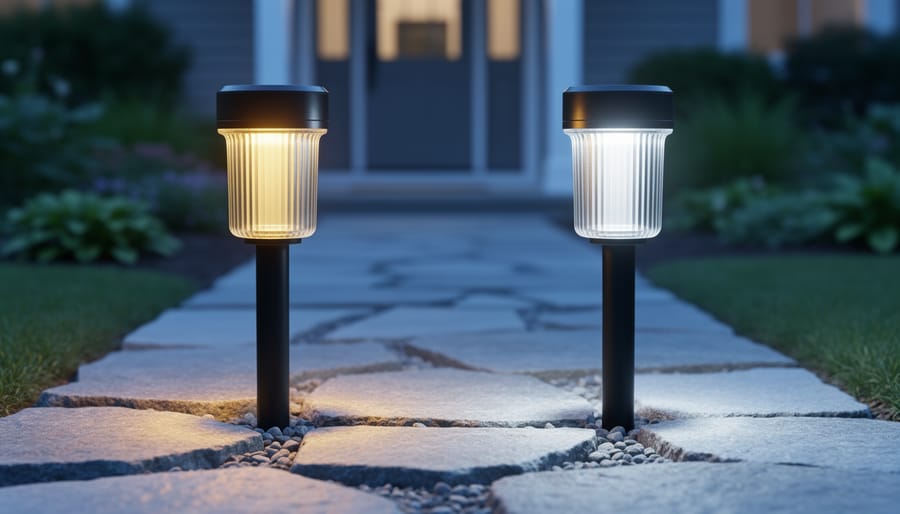
Solar lights emitting yellow instead of white light indicate underlying issues with LEDs, batteries, or lens degradation.
What Causes Solar Lights to Turn Yellow
LED Color Temperature Shifts
I learned this the hard way when my favorite pathway lights started glowing amber instead of their usual crisp white. Here’s what’s happening inside those tiny LED chips.
LEDs produce light when electricity passes through a semiconductor material, typically coated with a phosphor layer that converts blue light to white. When these chips don’t receive enough power from weakened batteries or faulty solar panels, they can’t excite the phosphor coating properly. The result? You see more of that underlying blue or yellow tint instead of balanced white light.
Think of it like a dimmer switch for your home lights. When you dim incandescent bulbs, they turn orange. LEDs behave similarly under low voltage, but they shift toward yellow or amber tones.
Age plays a role too. Over time, the phosphor coating degrades from heat cycles and UV exposure. This degradation is permanent and happens faster in cheaper solar lights. I’ve noticed my budget lights turn yellow within a year, while quality ones maintain their color for three to five years.
The good news? If your lights are yellowing due to low power rather than age, fixing the underlying power issue will restore their original brightness and color temperature.
Battery Voltage Issues
I learned this lesson the hard way during my first solar lighting project. I’d installed a beautiful set of pathway lights, and within six months, they were glowing a tired yellow instead of that crisp white light I’d fallen in love with. The culprit? Battery degradation.
Here’s what happens inside your solar lights. Most solar lights use rechargeable batteries (typically NiMH or lithium-ion) to store energy collected during the day. These batteries need to deliver a specific voltage to power the LED properly. White LEDs typically require around 3 to 3.4 volts to emit that bright, clean white light we expect.
As batteries age and degrade, they lose their ability to hold a full charge and maintain proper voltage output. Instead of delivering the full voltage needed, a worn-out battery might only push 2.5 or 2.8 volts to your LED. When the LED doesn’t receive sufficient voltage, it can’t activate all the phosphor coating that converts the blue LED light into white. The result is that yellowish, dim glow that signals it’s time for attention.
Think of it like trying to run a marathon on an empty stomach. The LED is trying its best, but without adequate power, it simply can’t perform at full capacity. The good news is that replacing batteries is usually straightforward and affordable.
Diagnosing Yellow Light Problems in Your Solar Setup
Simple Visual Inspection
Before diving into technical fixes, let’s start with the simplest step: a quick visual check of your solar light. I learned this the hard way after spending an hour troubleshooting a light that just needed a good wipe down!
First, examine the solar panel lens on top of your light. Does it look cloudy or hazy? Over time, UV exposure can cause the protective coating to degrade, creating a milky appearance that blocks sunlight. This cloudiness directly reduces charging efficiency, leading to that disappointing yellow glow at night.
Next, check for dirt and debris buildup. Dust, pollen, bird droppings, and grime accumulate surprisingly fast on outdoor fixtures. Even a thin layer can significantly impact performance. Run your finger across the panel—if it comes away dirty, you’ve likely found your culprit.
Finally, look for physical damage. Cracks in the lens or housing can let moisture inside, corroding connections and degrading the LED. Check if the light fixture sits crooked or shows signs of impact damage from lawn equipment or falling branches. These issues often combine with other problems to create that frustrating dim yellow light you’re experiencing.
Testing Battery Performance
If you suspect your batteries might be causing that frustrating yellow glow, don’t worry – testing them is easier than you might think! I remember the first time Charles pulled out his multimeter to check a solar light battery; he was amazed at how simple it actually was.
Here’s your beginner-friendly approach: grab a basic multimeter (they’re available at any hardware store for around $15-20) and set it to measure DC voltage. Remove the battery from your solar light – you’ll typically find AA or AAA rechargeable batteries inside. Touch the red probe to the positive terminal and the black probe to the negative terminal. A healthy rechargeable AA battery should read between 1.2 and 1.4 volts. Anything below 1.0 volts means your battery is likely struggling to power the LED properly, resulting in that dim yellow light instead of bright white.
Another quick test: swap the suspect battery with a fresh rechargeable battery of the same type. If your light immediately shines brighter and whiter, you’ve found your culprit! Remember, rechargeable batteries typically last 1-2 years in solar lights before needing replacement.
Testing battery voltage with a multimeter helps diagnose whether degraded batteries are causing yellow light output.
Evaluating LED Condition
Sometimes LEDs naturally degrade over time, losing brightness and shifting toward that unwelcome yellow tint. To check if your LED is the culprit, start with a simple visual comparison. If you have a newer solar light of the same model, place them side by side at night and compare the color and brightness. The difference should be obvious if the LED has degraded.
Another handy trick I learned from Charles, who’s been tinkering with solar lights for years: swap the LED from a functioning light into your problem unit. If the yellow light suddenly turns bright white, you’ve found your answer. Most solar light LEDs are surprisingly easy to replace with basic soldering skills.
You can also test the LED directly with a multimeter set to diode test mode. A healthy white LED typically shows a voltage drop between 2.8-3.2 volts and emits bright light during testing. If it glows dimly or shows unusual voltage readings, replacement is your best option.
Fixing Yellow Solar Lights: Solutions That Actually Work
Cleaning and Restoring the Solar Panel and Lens
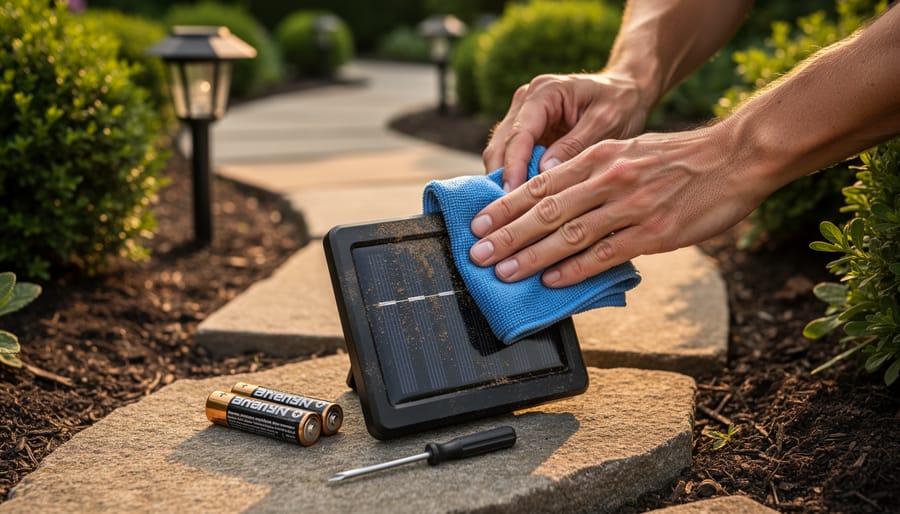
I’ve tackled many yellowed solar lights over the years, and the fix is usually simpler than you’d think. Start by removing the solar panel cover or lens from your light. Most twist off, but some require a small screwdriver. Once removed, mix a solution of warm water with a few drops of dish soap.
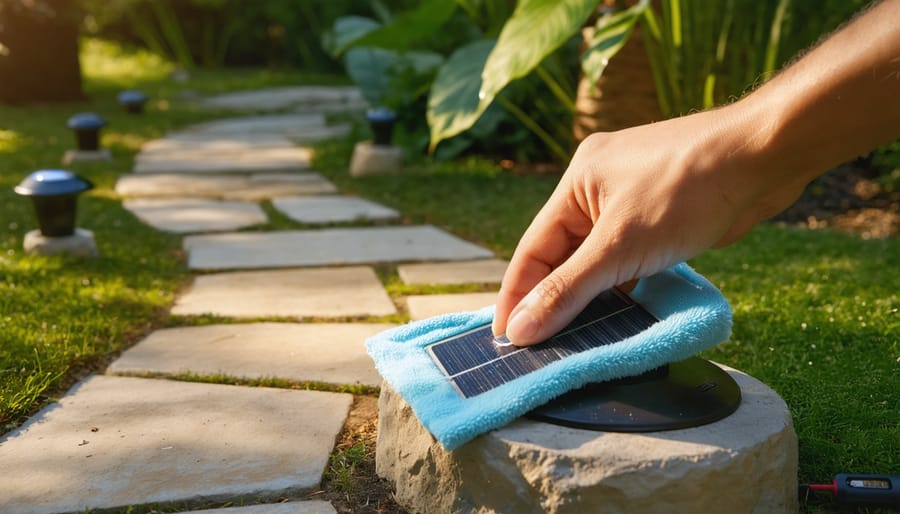
Using a soft microfiber cloth, gently wipe both the panel surface and the inside of the lens cover. For stubborn UV damage or yellowing on plastic lenses, create a paste using baking soda and water. Apply this paste to the yellowed areas and rub in circular motions for about two minutes. This mild abrasive helps remove oxidation without scratching.
Rinse everything thoroughly with clean water and dry with a lint-free cloth. If the lens remains cloudy, try restoring degraded solar panels using fine-grit sandpaper (2000-3000 grit) wetted with water. Sand lightly in one direction, then apply a thin coat of clear nail polish or automotive plastic polish to seal and protect the surface.
Before reassembling, ensure all components are completely dry. This simple maintenance often restores your solar lights to nearly new brightness levels.
Replacing Degraded Batteries
When your solar light batteries finally give up the ghost, don’t worry—replacing them is straightforward and surprisingly affordable. I learned this the hard way when half my pathway lights went dim last summer, and I discovered that fresh batteries brought them right back to life.
First, identify what you need. Most solar lights use either NiCd (Nickel-Cadmium) or NiMH (Nickel-Metal Hydride) rechargeable batteries, typically in AA or AAA sizes. Check your light’s battery compartment or manual for specifications. Understanding battery types for solar lights will help you make the right choice—NiMH batteries generally last longer and are more environmentally friendly than NiCd.
Where to buy? Your local hardware store, home improvement center, or online retailers all carry rechargeable batteries. Look for reputable brands like Eneloop or Amazon Basics for reliability without breaking the bank. Expect to pay between five and fifteen dollars for a pack of four quality batteries.
Installation is simple: remove the battery compartment cover (usually by unscrewing or sliding), take out the old batteries, insert the new ones matching the positive and negative terminals correctly, and replace the cover. Give your solar panel a quick clean while you’re at it, then let the light charge for a full sunny day before expecting peak performance.
LED Replacement Options
Replacing LEDs in yellow light solar fixtures can be surprisingly straightforward, though it depends on your specific model. I learned this the hard way when I tried replacing LEDs in three different garden lights – one took me 10 minutes, another required a soldering iron and patience I didn’t know I had!
For most basic solar garden lights, LED replacement is a beginner-friendly project. You’ll typically unscrew the light cap, disconnect the old LED (often just unplugging a connector), and snap in the new one. Replacement LEDs cost between $2-8 per bulb online. However, if your lights require soldering or have integrated LED arrays, the difficulty jumps to intermediate level.
Here’s my rule of thumb: if your solar light costs under $15 and is more than three years old, just replace the entire unit. The solar panel has likely degraded too, and new complete lights often cost less than replacement parts plus your time. For quality fixtures over $30, replacement makes economic sense.
Watch for compatibility issues – LED voltage must match your battery output. Most solar lights use 1.2V or 3.2V LEDs, but always verify before ordering. When multiple components are failing simultaneously (dim light plus poor charging), that’s nature’s way of saying it’s replacement time.
Quick Fixes for Temporary Relief
Sometimes your solar lights just need a little strategic positioning to perk up. I learned this the hard way when my pathway lights turned dim yellow after trees grew overhead. Try moving your lights to spots that get at least 6-8 hours of direct sunlight daily, avoiding shaded areas entirely. If relocation isn’t possible, get creative with reflective surfaces. I’ve placed small mirrors or aluminum foil sheets behind solar panels to bounce extra light onto them, essentially doubling their sun exposure. Clean the panel surface with a damp cloth too since even a thin layer of dust can reduce charging efficiency by 25%. These quick tweaks often restore brightness within a day or two.
Preventing Yellow Light Issues: Maintenance Best Practices
Well-maintained solar lights produce bright white illumination that enhances outdoor spaces throughout the evening.
Regular Cleaning Schedule
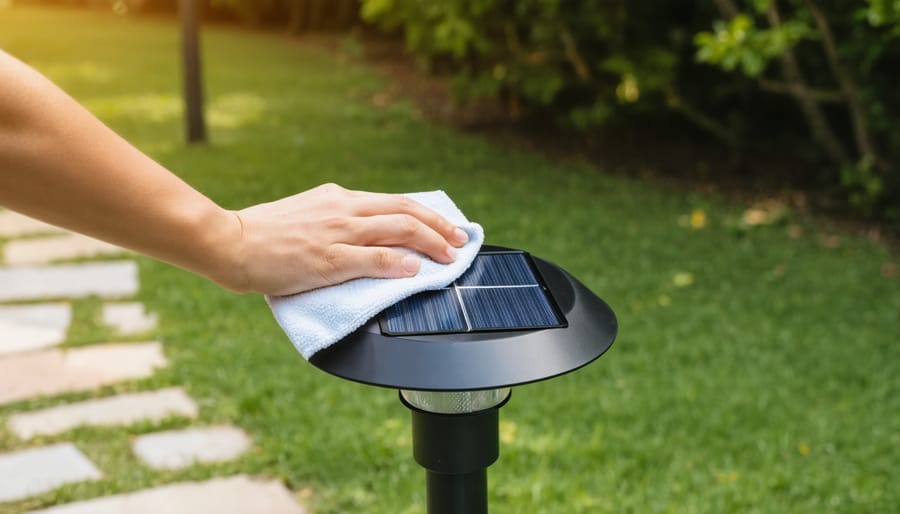
I learned this lesson the hard way when my pathway lights started looking dingy after just a few months. Now I stick to a simple routine that keeps them shining bright year-round. For most solar lights, a quick wipe-down every two to four weeks works wonders. Just use a damp microfiber cloth on the solar panel to remove dust, pollen, and grime that blocks sunlight absorption.
If you live in dusty areas or near trees, bump that up to weekly cleanings. After storms or heavy winds, do a quick inspection and clean as needed. Twice a year, give your lights a deeper clean by cleaning solar lights properly with mild soap and water, checking all components for wear or damage.
The key is consistency over intensity. Five minutes of regular attention beats letting buildup accumulate for months. I set phone reminders on the first Sunday of each month, and it’s become as routine as watering my plants. Your lights will reward you with brighter, whiter illumination and longer lifespan.
Battery Care and Replacement Timing
I learned this lesson the hard way when my pathway lights started looking more like faint candles than actual illumination! Most solar light batteries need replacement every 1-2 years, even if they still work somewhat. Think of it like your phone battery – it gradually loses capacity over time. I now mark my calendar each spring to check battery health and swap them out proactively before they leave me with that disappointing yellow glow.
For seasonal lights you only use part of the year, proper storage makes a huge difference. Before tucking them away, fully charge the batteries on a sunny day, then store them in a cool, dry place – not your hot garage or damp basement. I actually remove the batteries from lights I won’t use for months, storing them separately to prevent corrosion. When you bring them back out, give them 2-3 sunny days to fully recharge before expecting peak performance. This simple routine has extended my battery life significantly and saved me money on replacements.
Protecting Against UV Damage
UV rays are actually the main culprit behind those yellowing, cloudy lens covers that reduce your solar light’s charging efficiency. The good news? You can protect them without blocking the sun’s energy.
I learned this the hard way when my pathway lights turned opaque after just one summer. Now I apply a thin coat of automotive UV protectant spray to the lens covers every three months. Look for products designed for car headlights, as they’re formulated to stay clear while blocking harmful UV rays. Just wipe on a small amount with a microfiber cloth and buff until transparent.
Another trick is positioning your lights strategically. If possible, place them where they’ll get morning sun but some afternoon shade from trees or structures. This reduces UV exposure during peak intensity hours while still providing plenty of charging time.
For extra protection, consider applying a UV-resistant clear coat sealant once yearly. This creates a sacrificial layer that takes the UV damage instead of your actual lens. When it starts looking hazy, simply remove it with rubbing alcohol and reapply.
When Yellow Light Is Actually Normal (Or Even Preferred)
Before you start troubleshooting, it’s worth knowing that yellow or warm light isn’t always a sign of trouble. In fact, many solar lights are intentionally designed to emit that cozy, amber glow.
If you’ve purchased solar pathway lights, decorative garden lanterns, or patio string lights, chances are they’re supposed to cast warm yellow light. Manufacturers often choose this color temperature (typically between 2000K-3000K) because it creates a welcoming ambiance, mimics traditional candlelight or gas lamps, and is gentler on the eyes during evening hours. I learned this the hard way when I spent a weekend trying to “fix” my wife’s new garden lights, only to discover she’d specifically chosen that warm vintage look.
Warm light also has practical advantages in outdoor settings. It attracts fewer insects compared to bright white light, which is a huge bonus for anyone who’s tried to enjoy an outdoor dinner surrounded by moths. Additionally, yellow light reduces light pollution and helps maintain your natural night vision better than harsh white LEDs.
So before breaking out your toolkit, check your product packaging or description. If terms like “warm white,” “amber,” “antique,” or “vintage” appear, your yellow glow is working exactly as intended.
There you have it—everything you need to tackle that yellow light issue and get your solar setup shining bright again! Remember, most yellow light problems come down to just a few common culprits: dirty panels, aging batteries, or worn-out LEDs. The good news? You can usually fix these issues yourself without breaking the bank or calling in a professional.
My advice? Start simple. Give those panels a good cleaning first—I can’t tell you how many times that alone has solved the problem for me. Then check your battery connections and consider whether it’s time for a replacement if your lights are a few years old. These basic diagnostics will resolve most cases of dim or yellowing solar lights.
I’d love to hear about your experiences! Have you dealt with yellow light issues before? What worked for you? Drop a comment below and share your story—your insights might help someone else in our community troubleshoot their setup. And if you’re facing other issues beyond yellow light, check out our guide on common solar light problems for more troubleshooting tips.
Keep experimenting, stay curious, and remember that every challenge is just another opportunity to learn more about your solar system. Happy DIYing!
How useful was this post?
Click on a star to rate it!
Average rating 0 / 5. Vote count: 0
No votes so far! Be the first to rate this post.
We are sorry that this post was not useful for you!
Let us improve this post!
Tell us how we can improve this post?
charlesnoble
Here at Spheral Solar, I’m a hands-on solar power enthusiast, constantly exploring and experimenting with DIY solutions. I’m dedicated to sharing my discoveries, insights, and even the bumps I hit along the way, all in the pursuit of a more sustainable future.
Why Your Solar Lights Stop Working (And How to Fix… by Charlesnoble December 1, 2025 Check the solar panel first by wiping away dirt, leaves, and debris that block sunlight absorption. A grimy panel is the number one reason solar lights stop working, and a simple cleaning with soapy water restores function in about 60% of cases. While you’re at it, reposition any lights that…
Your Hampton Bay Solar Light Stopped Working? Here’s… by Charlesnoble November 2, 2025 **Check the solar panel surface first** – dirt, leaves, or a thin film of grime blocks sunlight absorption and prevents charging. I learned this the hard way when my own Hampton Bay pathway lights died after just two weeks; a simple wipe with a damp cloth brought them back to…
Your Solar Light Won’t Turn On? Here’s Why (And How… by Charlesnoble November 10, 2025 Check your solar panel first—nine times out of ten, dirt, leaves, or shade are blocking the sunlight your fixture needs to charge. I learned this the hard way when my entire pathway lighting system “died” last fall, only to discover a thin film of pollen had cut charging efficiency by…
8 Best Indoor Solar Lights in 2023 by Adeyomola June 30, 2021 Manufacturers compete on the range of brightness and panel quality of their indoor solar lights, but lighting times ultimately distinguish the best from the rest. The best indoor solar lights have the longest lighting times. But more than having long lighting times, top-quality indoor solar lights are revered for their…
8 Best Solar Gutter Lights in 2023 by Adeyomola May 18, 2021 People often complain that their solar gutter lights are fragile, not bright enough, and do not stay on through the night. So, in putting this article together, we scrutinized various products for high luminous flux (brightness), weather-resistant materials, high solar panel capacity, and high battery capacity. Best Solar Gutter Lights…
10 Best Rechargeable Batteries for Solar Lights by Nick April 23, 2021 While lithium-ion batteries have long been touted as the future of the solar battery world, some close rivals are giving them a run for their money. This blog post gives you a closer look at the best rechargeable batteries for solar lights currently available for solar light applications. We’ve covered…
Subscribe for handpicked DIY projects, exclusive tips, and giveaways.
Position your solar panels at an angle equal to your latitude for year-round performance, or adjust seasonally by adding 15 degrees in winter and subtracting 15 degrees in summer to capture maximum sunlight during each season’s sun path. Use a simple angle finder app on your smartphone against the back of your panel to verify… Read more: The Right Tilt Angle Can Boost Your Solar Panel Output by 30% (Here’s How to Find It)
Route your PV wires through UV-resistant conduit within 18 inches of leaving the solar array, securing it every 3 feet with proper clamps to prevent wind damage and code violations. This single step prevents 80% of the wire degradation issues I’ve seen in DIY solar installations over the past decade. Group your positive and negative… Read more: Why Your PV Wire Management Could Fail Inspection (And How to Fix It)
Understand that 6000 volts sounds terrifying but delivers surprisingly low amperage—typically around 120 milliamps for just 3/10,000th of a second per pulse. This combination creates an unforgettable shock that trains animals to avoid the fence without causing lasting harm. The voltage pushes current through thick fur and hide, while the minimal amperage and microsecond duration… Read more: Why 6000 Volts Won’t Kill Your Livestock (But Will Stop Predators Cold)