Why Your Solar Meter Numbers Don’t Match Your Electric Bill (And What They Really Mean)
Updated:
Look at your solar meter display right now and locate the kWh reading—this number tells you exactly how much electricity your panels have generated since installation, and if it’s climbing daily, your system is working. Check whether your meter’s digital arrows or symbols are moving forward (you’re using solar power or sending it to the grid) or backward (you’re pulling from the grid), which instantly reveals your home’s energy flow at this moment. Compare your current generation reading to yesterday’s number at the same time; healthy systems typically show similar patterns on comparable weather days, and any dramatic drops signal potential issues worth investigating.
Most solar owners stare at their meters feeling completely lost, wondering if those blinking lights and scrolling numbers mean success or system failure. I remember Charles telling me about his first week after installation—he’d check his meter five times a day, convinced something was broken because the numbers kept changing in ways he couldn’t predict. That confusion is exactly why you’re here, and you’re not alone.
Your solar meter is actually a diagnostic powerhouse that reveals everything from daily performance to equipment problems, but only if you know what you’re looking at. The difference between a well-monitored system and one slowly declining often comes down to understanding just three or four key readings and what they mean for your specific setup.
This guide walks you through the exact numbers that matter, what healthy readings look like throughout the day, and the warning signs that require action. You’ll learn to establish a simple monitoring routine that takes minutes but catches problems early—turning you from a confused owner into a confident solar system manager who knows exactly when everything’s running smoothly and when it’s time to troubleshoot.
The Two Types of Solar Meters You’ll Actually Encounter
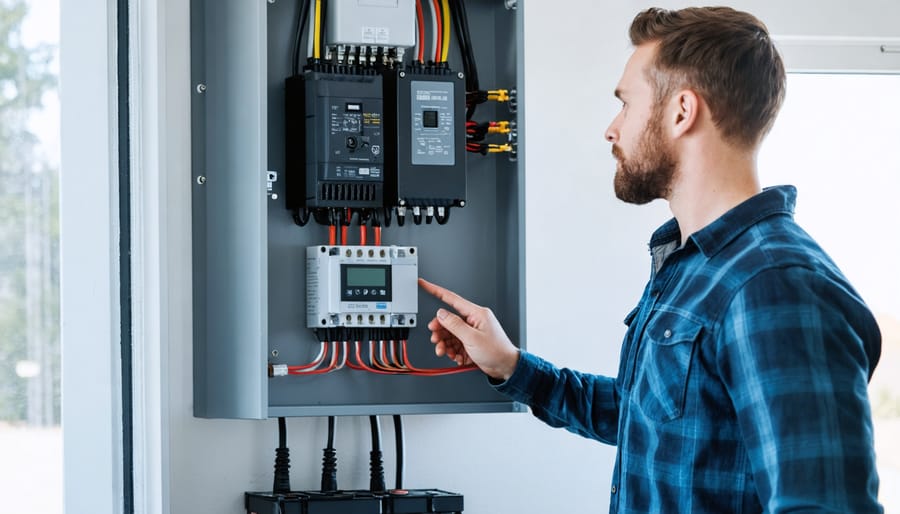
Solar installations typically include both a production meter (monitoring system output) and a bidirectional utility meter, each serving different diagnostic purposes.
Your Production Meter: The System’s Report Card
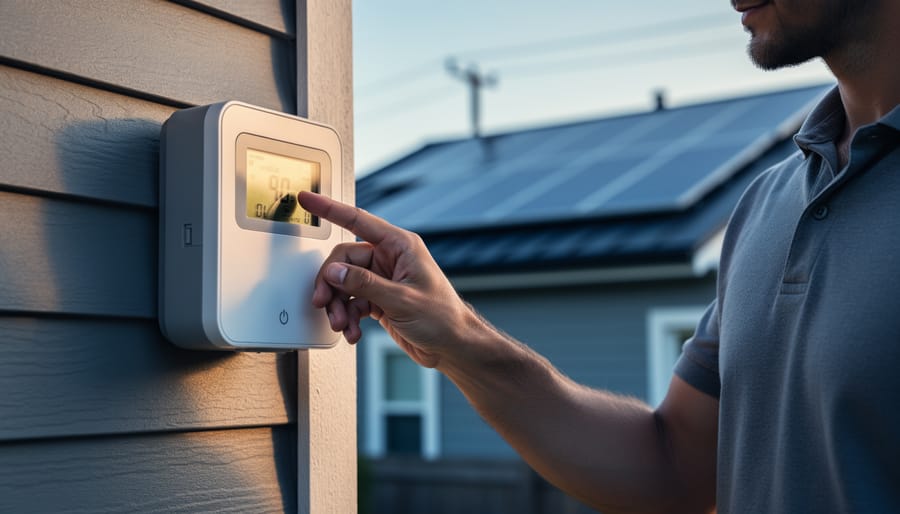
Think of your production meter as the system’s report card—it tells you exactly how much electricity your solar panels are generating right now and over time. This is the meter you’ll check most often because it’s your direct window into whether your panels are actually doing their job.
In most DIY setups, you’ll find the production meter mounted near your inverter, often on the garage wall or utility room. It measures the DC power coming from your panels (before conversion) or the AC power after your inverter has transformed it into usable electricity. Some systems have both types, giving you a complete picture of your energy production.
When I first installed my system, I checked this meter obsessively—sometimes three times a day! I quickly learned that sunny noon readings should be near your system’s rated capacity, while morning and evening numbers naturally drop off. If you’re consistently seeing low production on clear days, that’s your first red flag that something needs attention. Choosing the right solar meter from the start makes this diagnostic work much easier, but even basic models will show you the essential production data you need to spot problems early.
The Utility Meter: Not What You Think It Is
Here’s something that surprises most solar newcomers: your utility meter isn’t actually a solar performance monitor. I learned this the hard way when I spent weeks obsessing over my meter readings, thinking they’d tell me if my panels were underperforming.
The bidirectional meter (that’s the fancy digital one your utility company installed) only tracks one thing: the net electricity flowing between your home and the grid. When you’re producing more than you’re using, it spins backward or shows negative numbers. When you’re drawing from the grid, it counts forward. What it doesn’t show is how much your panels are actually generating at any given moment.
Think of it like checking your bank balance to figure out your salary. The balance shows deposits minus withdrawals, but it doesn’t break down individual income sources. Similarly, your utility meter displays consumption minus production, making it nearly useless for diagnosing panel issues or tracking actual system performance.
If you notice your meter always running forward even on sunny days, that’s worth investigating. But for real solar troubleshooting, you’ll need to look elsewhere, which we’ll cover in the next section.
Reading the Numbers: What Each Display Actually Tells You
Understanding kW vs. kWh (And Why It Matters for Diagnostics)
Think of kW (kilowatts) like your car’s speedometer—it tells you how fast you’re going right now. When your solar meter shows 5 kW, that’s the rate at which your panels are generating power at this exact moment. kWh (kilowatt-hours), on the other hand, is like your odometer—it tracks total distance traveled. If your system produces 5 kW for one hour, you’ve generated 5 kWh of energy.
Here’s why this matters when you’re troubleshooting: When I first installed my system, I panicked seeing my kW reading drop to 0.5 on a cloudy afternoon. But checking my daily kWh total showed I’d already generated 20 kWh that morning—perfectly normal! The instantaneous kW reading helped me understand real-time performance, while kWh showed me the bigger picture.
For diagnostics, use kW to check if your system responds properly to changing conditions. Is it sunny but your kW reading unusually low? That signals a problem. Use kWh to track overall production trends. If your monthly kWh totals steadily decline despite similar weather, something needs attention.
Most solar meters display both measurements, and understanding system readings means knowing when to look at each one. Think of kW as your diagnostic snapshot and kWh as your performance report card—you need both to keep your system healthy.
Understanding the difference between instantaneous power (kW) and cumulative energy (kWh) readings is essential for accurate system diagnostics.
Cumulative Readings: Your System’s Lifetime Story
Your solar meter’s cumulative reading is like your car’s odometer – it tells the complete story of how much energy your system has produced since day one. This total kilowatt-hour (kWh) number is typically displayed prominently on your meter or inverter screen and continues climbing throughout your system’s lifetime.
Think of this reading as your solar system’s résumé. When I first installed my panels, I’d check this number obsessively, celebrating each thousand kWh milestone like a proud parent. Over time, this cumulative total becomes incredibly useful for tracking long-term performance trends.
Here’s what makes cumulative readings so valuable: they let you calculate your system’s actual production rate over extended periods. Simply note the reading on January 1st, then check it again on December 31st. The difference shows your annual production, which you can compare against your system’s expected output based on its rated capacity.
Most solar systems experience gradual degradation, typically around 0.5% to 1% per year. By tracking your cumulative production annually, you can spot whether your system is degrading at a normal rate or if something needs attention. For example, if your first-year production was 8,000 kWh but year five only produces 7,200 kWh, that’s a bigger drop than expected and worth investigating.
Keep a simple log – even just an annual snapshot in your phone’s notes app. This historical data becomes invaluable for warranty claims, system evaluations, and demonstrating your environmental impact to skeptical neighbors who haven’t yet joined the solar revolution.
What Your Meter Readings Reveal About System Health
Spotting Underperformance: When the Numbers Don’t Add Up
Okay, here’s a story from my early solar days: I was convinced my system was broken because my meter showed lower numbers than I expected. Turns out, I’d forgotten to account for cloudy weather. Catching performance issues early is important, but so is understanding what’s actually normal.
To calculate your expected production, start with your system size. A 5 kW system in full sun produces about 5 kilowatt-hours per hour of peak sunlight. Most locations get 4-6 hours of peak sun daily, depending on season and weather. So that 5 kW system should generate roughly 20-30 kWh on a clear day.
Compare this estimate to your actual meter readings over a week or month for better accuracy. Day-to-day variation is completely normal. A 10-20 percent drop on cloudy days or during winter is expected. Even a clean system might produce 15 percent less than the theoretical maximum due to temperature effects, shading, and inverter efficiency.
Spheral Solar’s production calculator tools can help you establish realistic benchmarks based on your specific location, panel angle, and local weather patterns. These calculators account for seasonal changes and typical efficiency losses.
If your system consistently produces 25 percent or more below expectations during good weather, something needs attention. Check for obvious issues like shading, dirt buildup, or error codes on your inverter. Persistent underperformance warrants a professional inspection to identify wiring problems, failing panels, or inverter issues.
Time-of-Day Patterns That Signal Problems
Your solar meter readings should follow a predictable daily pattern, and understanding this rhythm helps you spot problems fast.
On a typical sunny day, you’ll see minimal power generation in the early morning hours, maybe showing just 50-100 watts as the sun rises. By mid-morning (around 9-10 AM), production should ramp up significantly, reaching 60-70% of your system’s capacity. Peak production happens at solar noon, typically between 11 AM and 2 PM, when your panels face the sun most directly. Here’s where you should see numbers close to your system’s maximum rated output.
I learned this the hard way when I noticed my friend Charles’s system hitting peak output at 10 AM instead of noon. Turns out, nearby trees were casting afternoon shadows across his panels. That early peak was actually a warning sign we initially missed.
If your morning readings are strong but afternoon numbers drop off dramatically, you’re likely dealing with shading issues from trees or buildings. Conversely, weak morning production with stronger afternoons suggests east-facing obstacles. Consistently low readings at solar noon, when production should peak, often point to panel orientation problems or accumulated dirt reducing efficiency.
Track your meter at these three key times daily for a week. You’ll quickly establish your system’s normal pattern and catch deviations before they become expensive problems.
Regular meter checks at different times of day help DIY solar owners identify performance patterns and potential issues early.
When Zero Doesn’t Mean Zero: Phantom Readings Explained
Ever glance at your meter at midnight and notice it’s not showing exactly zero? You’re not alone, and you’re not going crazy. I remember the first time I saw my system showing 5-10 watts at 2 AM and immediately thought something was broken. Turns out, that’s completely normal.
Your inverter needs a small amount of power to stay “awake” and ready to convert solar energy when the sun rises. This standby consumption typically ranges from 2 to 15 watts, depending on your inverter model. Think of it like your TV’s standby light – always drawing a tiny bit of power to stay responsive.
These phantom readings are actually a good sign that your system is functioning properly. The inverter is monitoring conditions, maintaining its internal clock, and staying connected to your home network or monitoring system.
However, zero can sometimes indicate a problem. If your meter shows absolutely nothing during peak sunlight hours, that’s your cue to investigate. Check if your inverter display is lit up, look for error codes, or verify that circuit breakers haven’t tripped. A true zero when the sun is blazing means your system isn’t producing, and that definitely needs attention.
The key difference? Small readings at night equal normal operation. Zero readings during sunny days equal time to troubleshoot.
Creating Your Own Meter Reading Routine
The 5-Minute Daily Check That Catches Most Issues
I’ll be honest—when I first installed my solar setup, I’d obsessively check every number on my meter multiple times a day. My partner would joke that I visited the garage more than the kitchen! But over time, I realized you really only need about five minutes to catch 99% of potential issues.
Here’s my daily routine: First thing in the morning (coffee in hand), I glance at the production number. Is it generating power? Even on cloudy days, you should see some activity once the sun’s up. Zero production midday is your red flag.
Next, I check the cumulative kilowatt-hours. This number should always climb, never decrease. If it drops or freezes for several days, something’s off.
Finally, I peek at the error codes or status indicator. Most meters have a simple green light or “OK” message when everything’s running smoothly. Anything else deserves a closer look.
That’s it. Three quick checks while your coffee cools. I keep a small notebook nearby and jot down the daily production total—nothing fancy, just “Monday: 18 kWh, Tuesday: 22 kWh.” After a week or two, you’ll recognize your system’s personality and spot weird patterns immediately.
Trust me, this beats hours of worried meter-watching!
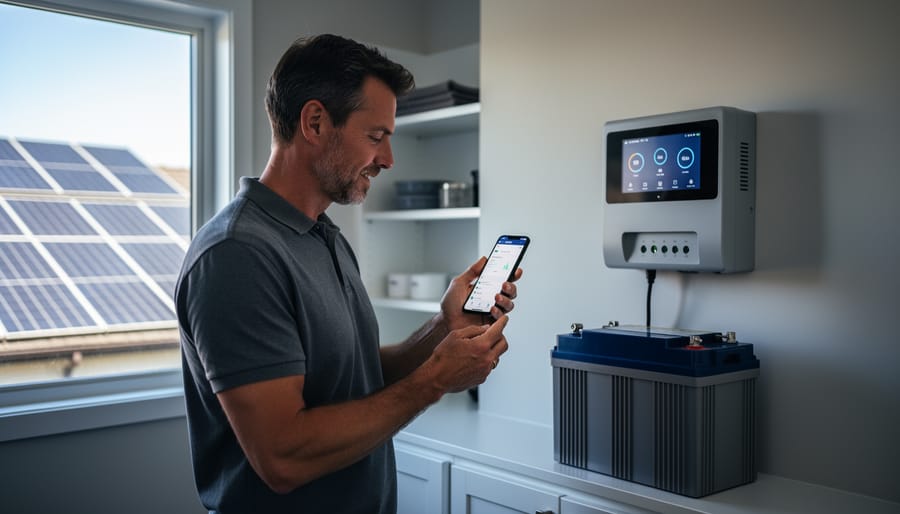
Simple manual logging helps DIY solar owners track system performance trends without requiring expensive monitoring software.
Monthly Deep Dives: Trending Your System Performance
You don’t need expensive software to spot problems before they become serious. I’ve been tracking my solar system performance for years using nothing more than a simple notebook and my phone’s calendar app.
Here’s my method: Pick the same day each month, ideally a clear, sunny day around midday. Record your key numbers in a basic logbook. I jot down voltage, current, and total kilowatt-hours produced that month. Five minutes of work, but it creates a powerful trend line over time.
After three months, you’ll start seeing your system’s personality. Summer readings will naturally be higher than winter, but the pattern should be consistent year-over-year. If July 2024 shows significantly lower production than July 2023, that’s your early warning system talking.
I caught a failing panel connection this way. My March readings dropped 15% compared to the previous March, even though weather conditions were similar. No fancy diagnostics needed, just comparing numbers in my notebook flagged the issue.
Create a simple chart if you’re visually inclined. Graph your monthly production on paper or in a basic spreadsheet. Gradual downward trends indicate panel soiling, degradation, or shading from growing trees. Sudden drops mean something needs immediate attention.
The beauty of this approach is its simplicity. While advanced monitoring solutions offer convenience, you can achieve excellent results with consistent manual tracking. Your logbook becomes your system’s health diary, revealing stories the meter alone won’t tell.
Common Meter Reading Mistakes (I’ve Made Them All)
I’ll be honest with you—I’ve messed up reading my solar meter more times than I’d like to admit. When I first installed my system, I spent an entire weekend convinced something was broken, only to realize I was reading the wrong column of numbers. So let’s talk about the mistakes I’ve made (and heard about from our community) so you can skip the head-scratching moments.
The biggest confusion? Net versus gross readings. I remember staring at my meter showing 15 kWh and panicking because I thought my panels had only produced 15 kWh all day. Turns out, I was looking at the net consumption—the difference between what I produced and used. Your gross production is a separate reading entirely, usually labeled as “delivered” or “export” on digital meters. I learned to check both numbers to understand the full picture of my system’s performance.
Then there’s the negative number mystery. The first time my mechanical meter spun backward and showed negative digits, I genuinely thought I’d broken something. Nope—that just meant I was sending more power to the grid than I was using. That negative sign is actually a good thing during sunny afternoons. But on digital meters, negative values might display differently depending on the model, sometimes showing as credits or with special symbols.
Another rookie mistake from my early days: not accounting for daylight saving time on my digital meter. I spent hours comparing my production charts to the meter timestamps, wondering why everything seemed off by an hour. Most smart meters adjust automatically, but some older models don’t. Check your meter’s settings menu if timestamps seem wonky.
My advice? Take photos of your meter readings at the same time daily for the first week. You’ll quickly spot patterns and learn what’s normal for your system. And remember—we’ve all been there, scratching our heads at those mysterious numbers.
When to Trust Your Meter (And When to Question It)
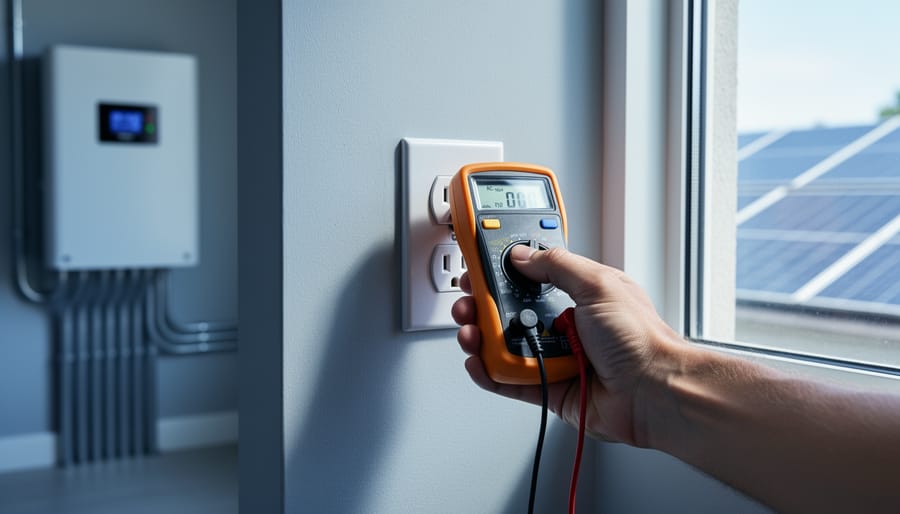
Most solar meters are surprisingly reliable—I’ve been using the same multimeter for three years and it’s still spot-on. But here’s the thing: even good meters can drift over time, especially cheaper models or those exposed to harsh weather conditions.
Your meter is probably fine if readings stay consistent day-to-day under similar conditions. A panel producing 18 volts one sunny afternoon should show roughly the same voltage the next sunny afternoon at the same time. If you’re suddenly seeing wildly different numbers without obvious weather changes, that’s your first red flag.
I learned this lesson the hard way last summer. My readings were all over the place, and I spent two days troubleshooting connections before realizing my meter’s battery was dying. Fresh battery, problem solved. Sometimes the simplest answer is the right one.
Cross-checking is your best friend. Compare your meter readings against your charge controller display or inverter output. They should tell a consistent story. If your meter says your panel is producing 5 amps but your charge controller shows 2 amps, something’s off—and it might be the meter itself.
For a quick accuracy check, measure a fresh AA battery. It should read about 1.5 volts. If it shows 1.3 or 1.7, your meter needs attention.
When should you call in a professional? If you’ve replaced batteries, tried different meters, and your readings still don’t make sense when testing your panels, it’s time. Also, if your system is underperforming by more than 20% compared to manufacturer specs, a certified solar technician can perform precision testing that reveals issues beyond basic meter capabilities.
Here’s the thing I’ve learned after years of working with solar systems: reading your meter is like learning to drive a stick shift. At first, you’re overwhelmed by all the gauges and numbers, constantly second-guessing yourself. But give it a few weeks of consistent practice, and suddenly it becomes second nature. You’ll glance at your meter and instantly know if something’s off.
Start simple. Pick one metric that matters most to you, whether that’s daily energy production or your net consumption. Check it at the same time each day for a week. Write it down. You’ll quickly develop a feel for what’s normal for your system. That intuition is incredibly valuable because you’ll spot problems before they become expensive headaches.
I remember when I first started helping friends troubleshoot their solar setups. They’d panic over numbers that were actually perfectly normal for a cloudy afternoon. Once they understood the rhythm of their system, that anxiety disappeared completely. Knowledge really is power, especially when it comes to protecting your investment.
Don’t go it alone on this journey. The Spheral Solar community is filled with people who’ve faced the same confusing meter readings and figured them out. Share your questions, post photos of your display, compare notes with neighbors who have similar setups. Every question you ask helps someone else who’s wondering the same thing.
You’ve made a significant investment in clean energy. Taking fifteen minutes to understand your meter puts you in control. You’re not just a consumer anymore; you’re an informed system operator who can maximize performance and catch issues early. That’s empowering, and it’s absolutely within your reach.
How useful was this post?
Click on a star to rate it!
Average rating 0 / 5. Vote count: 0
No votes so far! Be the first to rate this post.
We are sorry that this post was not useful for you!
Let us improve this post!
Tell us how we can improve this post?
charlesnoble
Here at Spheral Solar, I’m a hands-on solar power enthusiast, constantly exploring and experimenting with DIY solutions. I’m dedicated to sharing my discoveries, insights, and even the bumps I hit along the way, all in the pursuit of a more sustainable future.
Read Your Solar System Like a Pro: What Every Wire… by Charlesnoble October 31, 2025 Locate the single-line diagram in your solar system documentation—it’s your roadmap to understanding how energy flows from panels through inverters to your home’s electrical panel. This schematic shows every critical component: charge controllers, battery banks, breaker boxes, and safety disconnects, all connected by lines representing wire runs with their corresponding…
The Data Your Solar Panels Are Begging You to Track… by Charlesnoble May 3, 2026 Track your solar panel voltage, current, and power output every 15 minutes using a simple data logger or smartphone app connected to your charge controller. This baseline information reveals whether your system performs as promised and helps identify problems before they cost you money. A $30 Bluetooth monitor paired with…
Your Multimeter Can Tell You Everything About Your… by Charlesnoble March 8, 2026 Grab your multimeter and set it to AC voltage mode—typically marked as “V~” or “VAC”—which allows you to measure the alternating current output from your solar inverter, the device that converts your panels’ DC power into usable household electricity. You’ll want to verify that your system is delivering the standard…
5 Best Solar Power Meter in 2026 by Adeyomola June 10, 2021 Heads up: some links here are affiliate links, and purchases through them support the site. As an Amazon Associate I earn from qualifying purchases. The best solar power meters measure broad ranges of solar radiant flux, have low measurement resolution, are highly accurate, are cosine corrected, and are easy to…
Your DIY Solar Inverter Might Be Wasting Power… by Charlesnoble March 31, 2026 Measure your inverter’s efficiency by comparing DC input power to AC output power using a simple multimeter—a ratio below 95% signals it’s time to investigate performance issues. Track voltage and current readings at both the solar panel array and your home’s load center during peak sun hours, then multiply volts…
Why Your DIY Solar Project Needs a Calibrated… by Charlesnoble February 3, 2026 Point your infrared thermometer at your solar panel surface on a sunny afternoon, and you might get a reading of 145°F—but is that number actually accurate? Without proper calibration, that measurement could be off by 10, 20, or even 30 degrees, leading you to misdiagnose hot spots, overestimate efficiency losses,…
Subscribe for handpicked DIY projects, exclusive tips, and giveaways.
Charging a battery bank with a 3-phase inverter requires connecting your inverter’s AC output to a compatible battery charger or hybrid inverter system that can convert the 3-phase power back to DC for storage. Most DIY solar setups achieve this by using a hybrid inverter that handles both solar input and battery charging simultaneously, or… Read more: How to Wire and Configure a Battery Inverter 3 Phase System for Off-Grid Solar
Wiring a 7-pin RV plug correctly connects your tow vehicle to your trailer’s lights, brakes, and auxiliary power in about 45 minutes with basic hand tools and careful attention to the color-coded wire standard. The diagram follows a specific layout mandated by the RV Industry Association: each pin controls a distinct function, from left turn… Read more: How to Wire a 7-Way RV Plug: Step-by-Step Diagram and Setup Guide
Nine times out of ten, an E050 arc fault error on your solar inverter means a loose connection somewhere in your DC wiring. Before you panic or call an expensive technician, check every MC4 connector between your panels and inverter. A single connection that wasn’t snapped fully closed or has corroded from weather exposure will… Read more: Why Is My Solar Inverter Showing Arc Fault E050? Causes and How to Fix It