Why Is My Defiant Solar Motion Security Light Not Working? Causes and How to Fix It
Updated:
Most Defiant solar motion lights fail because the battery no longer holds a charge or the solar panel has accumulated enough grime to choke off charging completely. Before you assume your light is dead and start shopping for a replacement, pull off the panel cover and check the battery terminals for corrosion. That 30-second inspection catches the problem about half the time.
I learned this the hard way when three of my own Defiant lights went dark within a month of each other. I’d assumed they were cheap junk, but a quick wipe-down of the panel and a terminal cleaning brought two back to life immediately. The third needed a new battery, which cost me less than ten dollars and took five minutes to swap.
This guide walks you through the exact diagnostic sequence I now use whenever a Defiant solar security light stops working, dims unexpectedly, or triggers at the wrong times. You’ll start with the fastest, most common fixes and work systematically toward the less obvious culprits. Most problems trace back to dirty panels, dead batteries, incorrect sensor positioning, or a loose wire inside the housing. Each of these has a straightforward fix that requires nothing more than a screwdriver, a damp cloth, and maybe a replacement battery from your local hardware store.
We’ll also cover when to stop troubleshooting and call it quits. If you spot melted wiring, a cracked circuit board, or water inside the light housing despite intact seals, the unit has likely reached the end of its serviceable life. But in my experience, that’s rare. Most Defiant lights just need a little maintenance to get back to full brightness.
Key Takeaway: Clean solar panels and sensors monthly, inspect seals and battery contacts seasonally, and reposition lights if nearby vegetation grows to block sun exposure. These simple habits prevent the majority of solar light failures.
Quick Symptom Check: What’s Your Light Doing?
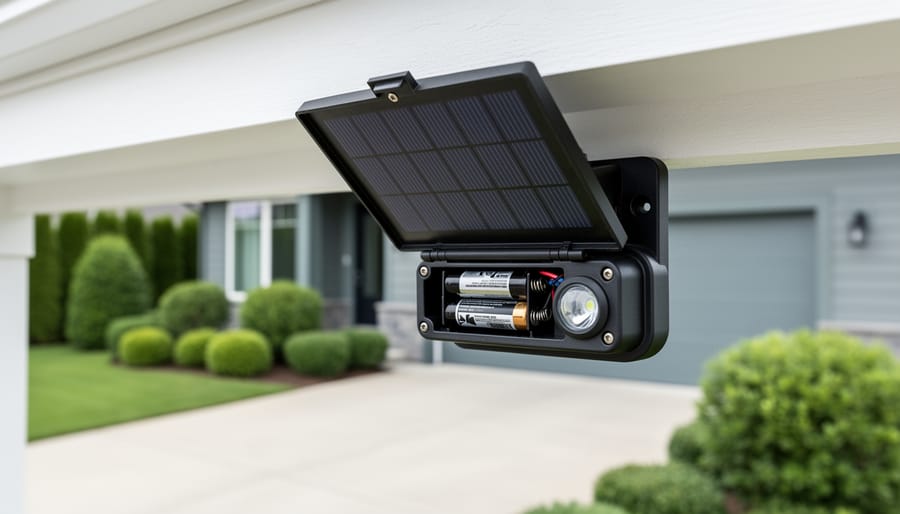
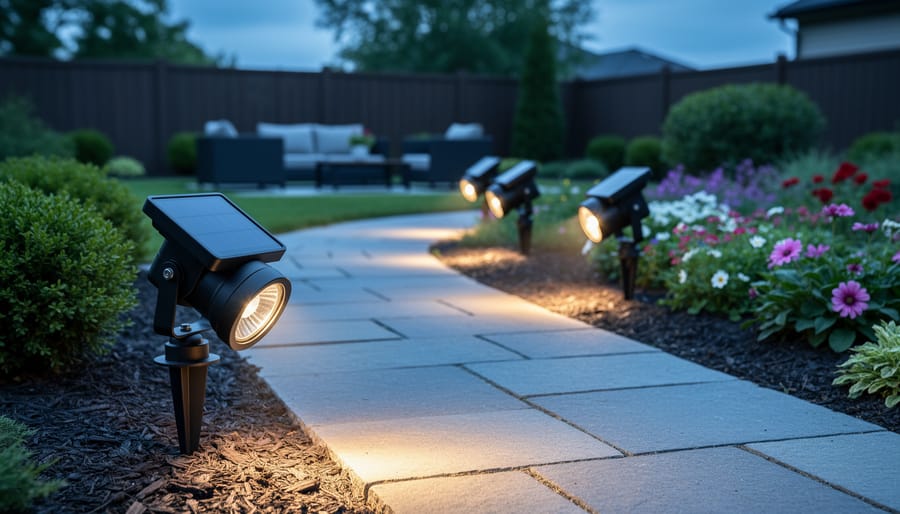
A residential solar motion light stands watch outdoors, setting the context for diagnosing why it may fail.
Before you dive into detailed troubleshooting, let’s figure out exactly what’s happening with your Defiant solar motion light. Pinpointing the specific symptom now will save you time and frustration later by directing you straight to the relevant fixes.
Here are the most common behavior patterns and what they typically mean:
Completely dead, no light at all: The unit shows no signs of life even in darkness or when motion is detected. This usually points to power issues like a drained battery, faulty solar panel connection, or an off switch.
Turns on but noticeably dim: The light activates but produces weak illumination that doesn’t adequately cover your space. Battery problems or insufficient solar charging are the likely culprits.
Motion sensor doesn’t respond: The light itself may work when you manually test it, but it won’t trigger when you walk past. This suggests sensor positioning issues, dirty lens, or incorrect sensitivity settings.
Flickers or shuts off randomly: The light turns on properly but then blinks, dims unexpectedly, or cuts out after a few seconds. Loose connections, corroded contacts, or a failing battery typically cause this behavior.
Works intermittently: Performance varies from night to night, sometimes it works perfectly, other times it barely functions. Weather, partial shading during the day, or borderline battery capacity often explain this inconsistency.
Take a moment to observe your light’s behavior over a full evening if you can. Note whether the problem is consistent or changes with conditions. If your light exhibits multiple symptoms, start with whichever one is most disruptive to your security setup. The troubleshooting steps ahead are organized by these symptom categories, so you can jump directly to the section that matches what you’re experiencing and work through the specific diagnostic process from there.
The Most Likely Culprits Behind Your Defiant Light Problems
Close-up grime on the solar panel can reduce charging, leading to dim operation or short runtimes.
Here’s your Defiant solar light: a clever little machine that harnesses daylight to guard your home at night. When it stops working, the problem usually traces back to one of five interconnected components. Understanding how solar lights work as a system helps you troubleshoot smarter instead of guessing.
Your light depends on a chain reaction. The solar panel charges the battery during the day, the battery powers the LED bulb at night, the motion sensor tells the light when to activate, and the lux sensor decides whether it’s dark enough to operate. Break one link, and the whole system stumbles.
Solar panel charging cycle
The photovoltaic panel converts sunlight into electrical current that flows into the battery. Most units need several hours of direct sun daily to maintain a full charge.
PIR motion sensor
Passive infrared technology detects heat changes when a person or animal moves through the detection zone, triggering the light to brighten from dim standby to full power.
Rechargeable battery types
Defiant lights typically use NiMH or lithium-ion batteries that store solar energy. These cells gradually lose capacity over time and eventually need replacement.
Lux sensor
A light-sensitive component that prevents the fixture from activating during daylight, conserving battery power for nighttime operation when you actually need it.
The dirtiest culprit is literally dirt. Dust reduces solar efficiency and a film of pollen, leaves, or grime blocks sunlight from reaching those photovoltaic cells. Your battery never fills up, so the light either stays dim or dies early in the evening.
Battery failure ranks second. These cells don’t last forever, and a depleted battery won’t hold enough charge to power the light through the night, no matter how clean your panel is. I’ve replaced batteries on perfectly good fixtures and watched them spring back to life like new.
Settings matter more than most people realize. Sensitivity dials, detection range adjustments, and mode switches directly control how and when your light activates. One accidental bump can knock everything out of alignment.
Poor positioning sabotages even brand-new units. Mount your light under an overhang or in shade, and the panel never gets the direct sun it needs. Same problem if nearby trees have grown to cast shadows that weren’t there last year.
Finally, a faulty motion sensor or damaged component can render your light useless. These issues are less common but worth checking once you’ve ruled out the simpler fixes above.
Step-by-Step Fixes for Common Defiant Solar Light Issues
When Your Light Won’t Turn On at All
Battery health and contact cleanliness are common root causes when a solar motion light won’t power up or performs weakly.
When your Defiant solar motion light refuses to turn on, start with the simplest explanations before diving into complex repairs. I’ve talked with dozens of homeowners who skipped basic checks and wasted hours troubleshooting what turned out to be a switched-off unit. Here’s how to systematically diagnose a completely dead light.
Check the on/off switch. Most Defiant models have a small switch near the battery compartment or on the unit’s underside. Slide it firmly to the ON position and wait until darkness falls to test, since the light sensor prevents daytime operation.
Inspect for visible damage. Look for cracked housing, broken solar panels, or chewed wires if you have squirrels or other wildlife. Water intrusion through cracks can kill the electronics instantly.
Access the battery compartment. Unscrew the panel (usually two to four screws on the back or bottom), then carefully remove the battery. Check for corrosion on the terminals, which appears as white or green crusty buildup. Clean any corrosion with a small wire brush or sandpaper.
Test or replace the battery. If you have a multimeter, check for at least 1.2 volts on a rechargeable NiMH battery. No voltage or anything below 0.8 volts means the battery is dead and needs replacement. Match the original battery type and capacity exactly.
Clean the solar panel thoroughly. Wipe away dirt, pollen, bird droppings, and grime with a damp cloth. Even a thin film blocks charging and can prevent the unit from powering on.
Verify the light sensor isn’t obstructed. The small dome on top detects darkness. Debris, paint overspray, or even mounting too close to a wall can trick it into thinking it’s daytime constantly.
Perform a full reset. With a fresh or recharged battery installed, cover the solar panel completely with your hand or a cloth, then toggle the switch off and on. This forces the unit to reboot and often resolves software glitches.
If you’ve worked through these steps and your light won’t turn on the internal circuitry may have failed. Before giving up, let the unit charge in direct sunlight for two full sunny days with the switch on, as deeply discharged batteries sometimes need extended charging to revive. This systematic approach will fix solar lights fast in most cases, getting your security lighting back in service without replacement costs.
Fixing Dim Light or Short Runtime Problems
If your Defiant solar motion light glows weakly or shuts off after just a few minutes, the solar panel probably isn’t charging the battery fully. This problem often sneaks up gradually as grime builds up or seasons change.
Start by cleaning the solar panel thoroughly. Wipe it with a damp microfiber cloth to remove dust, pollen, bird droppings, and that film of atmospheric crud that accumulates even in clean neighborhoods. A dirty panel blocks sunlight and starves the battery. I clean mine every month during pollen season and every two months otherwise, it’s a two-minute task that prevents bigger headaches.
Next, check the panel’s sun exposure. Walk outside at midday and observe whether trees, roof overhangs, or nearby structures cast shadows on the panel. Solar lights need direct sunlight for most of the day to charge properly. If you installed the light in winter when trees were bare, spring foliage might now be blocking it. Repositioning the fixture just a few feet can transform a struggling light into a reliable one. Aim for at least six hours of direct sun daily.
Now inspect the battery itself. Most Defiant models use rechargeable NiMH batteries tucked behind a small access panel. Remove the battery and look for corrosion, bulging, or leakage, these signal immediate replacement. Even healthy-looking batteries lose capacity over time through normal charge-discharge cycles.
Note: Replace batteries with the exact voltage and chemistry specified in your manual, mixing NiMH and NiCd types causes charging problems and shortens lifespan.
If the battery looks fine but performance hasn’t improved after cleaning and repositioning, the battery has likely reached its capacity limit and needs replacement. Installing a fresh battery restores full runtime.
Finally, check your sensitivity settings. Some Defiant models have dials that control how long the light stays on after detecting motion. If yours is set to maximum, it drains the battery faster than it charges. Dial it back to a moderate setting and see if runtime improves, you’ll likely find a sweet spot that balances brightness with longevity.
Motion Sensor Not Triggering Properly
A properly functioning motion sensor should reliably light up the path when someone approaches.
A motion sensor that won’t detect movement defeats the entire purpose of a security light. Before you assume the sensor is broken, work through these diagnostic steps, most detection problems stem from simple positioning or setting issues rather than hardware failure.
Start by cleaning the sensor lens with a soft, slightly damp cloth. Even a thin layer of dust, spider webs, or water spots can interfere with the infrared detection. The sensor lens is typically a small circular or rectangular window separate from the light’s main lens, often positioned at the bottom or side of the fixture.
Next, adjust your detection range and sensitivity dials. Most Defiant models have two dials: one controls how far out the sensor detects motion, and the other adjusts how sensitive it is to movement. If your light never triggers, try increasing both settings to maximum, then gradually dial them back to find the sweet spot for your location. If the light triggers constantly, reduce the sensitivity.
Check for obstructions in the detection zone. The sensor needs a clear line of sight, branches, leaves, decorative elements, or even directional signs can block the infrared beam. Walk the area in front of your light and look for anything that might have grown or shifted since installation.
Installation height and angle make a huge difference. Most motion sensors work best when mounted seven to ten feet high, angled slightly downward. If your light is mounted too high and aimed horizontally, it may miss movement below. Too low, and it triggers from every passing car or small animal. Following sensor placement tips helps you find the right position for consistent coverage.
Test the sensor range by walking toward the light from different angles during the day (switch to test mode if available). The detection zone is usually cone-shaped, strongest directly in front and weaker at the edges. Adjust positioning until you get reliable triggering from your main approach paths, whether that’s your driveway, walkway, or entry point.
Solving Flickering or Random Shutoff Issues
Flickering lights and random shutoffs are frustrating because the problem comes and goes, one night it works fine, the next it’s dark. These intermittent issues typically point to connection problems rather than complete component failure.
Start by opening the battery compartment when the light is cool and dry. Examine the battery terminals closely for any white, blue, or green corrosion buildup. Even a thin layer of oxidation creates resistance that disrupts power flow. Remove the battery and clean both the terminals and the contact points inside the compartment using a cotton swab dipped in white vinegar or a pencil eraser for light corrosion. For heavier buildup, a small wire brush works better. Dry everything thoroughly before reassembling.
Next, check every connection point. Gently wiggle wires where they attach to the solar panel, battery holder, and LED assembly. Any movement suggests a loose connection that breaks contact intermittently. Tighten screw terminals if accessible, or consider adding a tiny dab of dielectric grease to protect connections from moisture.
Water intrusion causes many random shutoff problems. If your light stopped after rain inspect all weatherproof seals carefully. Look for cracks in the rubber gasket around the solar panel, gaps where the motion sensor housing meets the main body, and any missing or deteriorated sealant. Even small openings let moisture in, creating electrical shorts that cause flickering. Replace damaged gaskets or apply a thin bead of clear silicone sealant around vulnerable joints.
Symptom
Likely Cause
Quick Fix
Long-term Solution
Intermittent flickering
Corroded battery contacts
Clean terminals with vinegar
Replace battery and apply dielectric grease
Random shutoffs after weather
Water intrusion through seals
Dry unit completely, reseal gaps
Replace gaskets or upgrade to better-rated unit
Works some nights, not others
Loose wire connections
Tighten all terminal screws
Apply dielectric grease to all connections
Brief flashes then darkness
Failing battery under load
Test with known-good battery
Replace battery with proper specifications
If cleaning and resealing don’t solve the problem, the battery itself may be failing. Batteries degrade internally over time, sometimes developing high internal resistance that causes voltage drops under load. The light might turn on briefly when the motion sensor triggers, then shut off as the battery can’t sustain the current draw. Swap in a fresh battery matching the original specifications to test this theory before investing in other repairs.
When to Replace vs. Repair
Sometimes throwing good money after bad makes no sense. If you’ve cleaned panels, swapped batteries, and fiddled with settings but your Defiant light still won’t cooperate, you might be looking at the end of the road.
Most solar motion lights last three to five years with decent care, though cheap components or harsh weather can cut that short. Your light is likely ready for retirement if the housing has cracked and lets water in regularly, if you see visible corrosion eating through circuit boards or battery contacts, or if the solar panel surface has degraded to the point where it looks cloudy or flaked even after cleaning.
Battery replacement deserves its own calculation. A quality rechargeable battery runs anywhere from eight to fifteen dollars, and swapping it out takes five minutes. If your light is otherwise solid, no cracks, motion sensor still responsive, LED working fine, a new battery makes sense. But if you’re also dealing with a dying sensor or damaged housing, you’re better off replacing the whole unit rather than chasing multiple repairs.
One frustrating wrinkle: some older Defiant models use proprietary batteries or mounting systems that aren’t sold separately anymore. If you can’t source the right battery or the company has discontinued support for your model, replacement becomes your only option.
When shopping for a new unit, look for models with easily replaceable batteries, higher-capacity solar panels, and weatherproof ratings appropriate for your climate. Read reviews specifically mentioning longevity rather than just initial performance. I’ve found that spending an extra twenty dollars upfront often means years of reliable service instead of repeating this troubleshooting cycle next season.
Keeping Your Defiant Solar Light Running Strong
A few minutes of regular maintenance can prevent most solar light problems before they start. I’ve learned this lesson the hard way after neglecting a solar light for two seasons and watching its performance drop steadily until it barely worked at all.
Clean your solar panel every month or two using a soft cloth and plain water. Dust, pollen, and grime accumulate gradually and block sunlight even when the panel doesn’t look visibly dirty. While you’re at it, wipe down the motion sensor lens and LED cover to maintain optimal detection and light output. I do this as part of my monthly outdoor walkthrough, it takes less than five minutes for all my solar lights combined.
Seasonal checks make a big difference too. Every spring and fall, I open the battery compartment to inspect for corrosion on the contacts and verify the weatherproof seals are intact. If you notice white or green buildup on battery terminals, clean it with a cotton swab dipped in white vinegar, then dry thoroughly. Check that tree branches or new landscaping haven’t started shading your panel, plants grow, and what worked in April might need adjusting by August.
Watch your light’s performance during the first week after installation, then check monthly. If runtime suddenly drops or the motion range shrinks, you’ve caught a problem early when it’s easier to fix. Keep spare batteries on hand if your model uses standard rechargeable cells, swapping them takes two minutes and costs less than replacing the entire fixture.
Position matters for longevity. Mount your light where it gets at least six hours of direct sunlight daily and isn’t constantly pelted by sprinkler spray. Extreme temperature swings and persistent moisture shorten component life, so overhangs that provide partial weather protection while still allowing sun exposure are ideal spots.
Look, I’ve been there, staring at a dark Defiant light at 2 a.m., ready to toss it and order a replacement. But here’s what I’ve learned through years of fixing these things: most failures come down to simple, fixable issues. A dirty solar panel, corroded battery contacts, or a misaligned sensor can all masquerade as a dead unit. Work through the troubleshooting steps systematically, one at a time, and you’ll likely find your culprit without spending a dime.
The skills you’ve picked up here aren’t just for Defiant lights either. Solar light troubleshooting follows the same core principles whether you’re fixing pathway lights, decorative garden stakes, or security floods. Understanding how solar panels charge batteries, how motion sensors detect movement, and what breaks down over time gives you the confidence to tackle any outdoor solar lighting project.
How long should Defiant batteries last?
Battery lifespan varies based on usage patterns and maintenance, but rechargeable batteries in solar lights typically need replacement when you notice significantly shorter runtime or dimming despite a clean panel and full sun exposure.
Can I use regular batteries instead of rechargeable?
No, regular alkaline batteries will damage your light. Solar lights require NiMH or NiCd rechargeable batteries specifically designed to handle repeated charge cycles.
How much sun does the panel need daily?
Aim for direct sunlight on the panel for several hours daily. Shaded locations or cloudy climates will reduce charging and may cause performance issues.
Why does my light come on during the day?
The light sensor may be covered by debris, positioned in shade, or malfunctioning. Clean the sensor lens and verify nothing is blocking ambient light from reaching it.
Got a tricky Defiant problem we didn’t cover, or a fix that worked brilliantly for you? Share it in the comments or join our Spheral Solar community. We’re all learning together, and your experience helps the next DIYer avoid that 2 a.m. frustration I mentioned. Sometimes the best troubleshooting tip comes from someone who just solved the exact problem you’re facing.
How useful was this post?
Click on a star to rate it!
Average rating 0 / 5. Vote count: 0
No votes so far! Be the first to rate this post.
We are sorry that this post was not useful for you!
Let us improve this post!
Tell us how we can improve this post?
charlesnoble
Here at Spheral Solar, I’m a hands-on solar power enthusiast, constantly exploring and experimenting with DIY solutions. I’m dedicated to sharing my discoveries, insights, and even the bumps I hit along the way, all in the pursuit of a more sustainable future.
How to Wire a 7-Way RV Plug: Step-by-Step Diagram… by Charlesnoble September 12, 2026 Wiring a 7-pin RV plug correctly connects your tow vehicle to your trailer’s lights, brakes, and auxiliary power in about 45 minutes with basic hand tools and careful attention to the color-coded wire standard. The diagram follows a specific layout mandated by the RV Industry Association: each pin controls a…
Why Is My Solar Inverter Showing Arc Fault E050?… by Charlesnoble September 9, 2026 Nine times out of ten, an E050 arc fault error on your solar inverter means a loose connection somewhere in your DC wiring. Before you panic or call an expensive technician, check every MC4 connector between your panels and inverter. A single connection that wasn’t snapped fully closed or has…
AGM vs. Lead Acid Batteries: Which Is Better for… by Charlesnoble July 23, 2026 AGM batteries outperform traditional flooded lead acid batteries in nearly every practical measure that matters for solar installations, but whether that performance justifies their 50-100% higher upfront cost depends entirely on how hands-off you want your system to be and how often you’ll cycle the battery deeply. After running both…
Why Two Solar Panels Beat One Every Time (Parallel… by Charlesnoble June 22, 2026 Connect your panels to a charge controller or battery system by running positive terminals to positive and negative to negative. This parallel configuration doubles your available current (amperage) while keeping voltage the same, which is exactly what you need when your system demands more power than a single panel can…
How to Use an 8 Wire Crimper for Solar Panel and… by Charlesnoble September 24, 2026 Crimping 8-gauge wire correctly takes about 2 minutes per connection once you’ve got the hang of it, but those two minutes make the difference between a solar installation that lasts 25 years and one that fails in the first storm. An 8-gauge wire crimper is a heavy-duty hand tool designed…
6 Best Solar Spot Lights of 2026, Tested and Reviewed by Charlesnoble August 8, 2026 After testing dozens of solar spotlights in real-world conditions throughout 2026, the AloftSun Solar Motion Sensor Outdoor Lights emerged as the top overall choice for most homeowners, thanks to its reliable performance and versatility across different landscape lighting scenarios. But picking the right solar spotlight depends entirely on what you’re…
Subscribe for handpicked DIY projects, exclusive tips, and giveaways.
Nine times out of ten, an RV generator that won’t start has a stale fuel problem. If your generator hasn’t run in more than 30 days, degraded gasoline is likely gumming up the carburetor and preventing ignition. Before you panic or call for expensive roadside service, try this: turn on the generator’s fuel valve (if… Read more: RV Generator Troubleshooting: Common Problems and How to Fix Them
A 5kW solar system occupies between 250 and 350 square feet of roof or ground space and produces roughly 20 to 25 kilowatt-hours of electricity per day in most U.S. locations. That’s enough to power a typical three-bedroom home with moderate energy use, though your exact needs depend on your daily consumption patterns, climate zone,… Read more: How to Size a 5kW Solar System for Your Home or RV
Installing a home solar system yourself takes 2-4 weekends for an average 5kW setup, requires solid electrical knowledge and comfort working at heights, and can save you $5,000-$8,000 in labor costs if you tackle everything except the final utility interconnection. The process breaks down into five main phases: permitting and design, mounting the racking system,… Read more: Solar Power Installation Step by Step: Complete DIY Guide From Start to Finish